


Table of contents
Introduction: In El Paso, Trust Has to Travel With the Customer
Imagine a customer in El Paso hears about your business from a friend. They search your name on their phone while sitting at home, at work, or between errands. Before they call, they look at your website. They want to know what you do, where you are, whether you serve their area, whether you look legitimate, and whether contacting you will be worth their time.
That moment is easy to underestimate. A website can be technically functional and still fail to build confidence. It can have attractive colors, a modern template, and a long list of services, yet leave visitors asking basic questions. When that happens, the customer may simply go back to Google and choose a competitor whose website makes the decision easier.
El Paso has a particularly interesting digital environment. The city sits within a binational region connected closely to Ciudad Juárez, and the City of El Paso describes the area as a major gateway for international commerce and cross-border cooperation. The city also identifies bilingual communication, technology access, and accessibility as important considerations for residents and visitors.
For local businesses, that context changes what good website design should mean. The goal is not merely to create a beautiful online brochure. It is to create a digital experience that feels credible, understandable, accessible, and relevant to the people you actually want to serve.
This guide looks at how El Paso businesses can use website design to build that kind of trust—and turn more website visitors into calls, quote requests, appointments, visits, bookings, and other meaningful actions.
nd commercial opportunities.
For a local business, that creates an important website lesson: your website cannot simply be attractive. It needs to be useful, credible, local, fast and persuasive.
This is the real purpose of Fort Worth web design. The goal is not to win a design award. The goal is to create a digital front door that makes the right customer comfortable enough to take the next step.
Why a Beautiful Website Is Not Enough
Imagine two Fort Worth landscaping companies. The first has a stunning homepage with cinematic photos, animated sections and a stylish logo. The second has a simpler design, but it clearly explains the services offered, shows recent projects, displays genuine customer reviews, identifies the communities it serves, answers common questions and makes requesting an estimate easy.
Which one is more likely to generate a lead?
The answer is not automatically the second business. Design still matters. A poor-looking website can damage trust before a visitor reads a word. But once a website reaches a reasonable level of visual quality, the bigger question becomes what the design helps the visitor accomplish.
A business website is part of a customer journey. Someone may discover the company through Google, a social post, a referral, a business directory, a neighborhood recommendation or a sign seen while driving. The website then has a short window to turn that initial interest into confidence.
That requires more than aesthetics.
- Clarity — visitors understand what the business does.
- Relevance — visitors can see that the company serves their type of customer and location.
- Proof — the website demonstrates that the business can deliver.
- Usability — visitors can find information without effort.
- Conversion — the next action is obvious and easy.
- Local context — the website feels connected to the Fort Worth market.
- Performance — pages load and work well on phones and other devices.
Is Your Website Turning Mobile Visitors Away?
Get your website checked for mobile usability, speed, navigation and conversion issues.
Why Trust Matters More Than Visual Appearance
A website’s first job is not to impress a visitor with design terminology. Its first job is to reduce uncertainty. A customer who has never worked with your company is quietly asking: Are these people real? Do they understand what I need? Do they serve people like me? Can I reach them? Will they actually deliver what they promise?
Visual quality matters because it contributes to that judgment, but appearance is only one part of it. Trust also comes from clear information, real photographs, recognizable contact details, specific service descriptions, customer proof, professional writing, working forms, current hours, and an easy path to the next step.
Consider a local contractor. A polished hero image is useful, but a visitor may care more about whether the company serves their part of El Paso, how estimates work, what types of projects it handles, whether it carries relevant credentials, and what previous customers say. The best design brings those answers into the experience instead of making visitors hunt for them.
This is why a trustworthy website often feels simpler than a flashy one. It does not force the customer to decode the business. It makes the important information visible at the moment it is needed.
Ask yourself a quick question: if a first-time visitor gave your homepage only ten seconds, would they understand what you sell, who you serve, where you operate, and what they should do next? If the answer is no, the problem is probably not a lack of decoration. It is a lack of clarity.
Understanding Local Customers and the El Paso Market
El Paso’s Local Context Should Influence the Website Strategy
Localization is more than adding the words “El Paso” to a page title. A genuinely local website reflects the environment in which the business operates. That includes the city’s binational character, its business community, its neighborhoods, its visitor economy, its service patterns, and the way people actually interact with local companies.
The City of El Paso describes the region as a major Texas-Mexico border metro and highlights international trade, business growth, tourism, air transportation, and international bridges among its economic priorities. That does not mean every El Paso company needs a website about international trade. It means local context can inform the way a business explains its value.
A logistics company may need to communicate service territories and operational capabilities. A restaurant may need highly visible hours, directions, ordering information, and current menus. A medical practice may need accessible appointment information and clear explanations. A home-service company may need neighborhood or ZIP-code service information. A professional firm may need to demonstrate local expertise while also showing that it can work with clients beyond the city.
Tourism is another useful consideration. El Paso’s planning documents identify culture, art, recreation, dining, lodging, shopping, and historical character as important parts of the visitor experience. Businesses that depend on visitors should design around the questions travelers have: Where are you? How do I get there? What does the experience include? When are you open? Do I need to book? What happens next?
Good local design therefore starts with customer behavior, not stereotypes. Use authentic local photography and relevant information, but do not reduce El Paso to a collection of landmarks. The strongest local website demonstrates that the business understands the market without turning the city into marketing decoration.
Bilingual Website Design: Do More Than Translate the Words
For many El Paso businesses, language can be part of the customer experience. The city itself publishes business resources and public information in English and Spanish, and its technology work recognizes language barriers as part of the region’s digital-access challenge.
A bilingual website should therefore be treated as a user-experience decision, not simply a translation project. A visitor should be able to understand that another language is available, switch easily, and complete the same important task in that language.
Start with the highest-value pages. These may include the homepage, core service pages, contact page, appointment page, location page, and frequently asked questions. If the Spanish experience is only available on a few pages while the main conversion path remains English, the website is not genuinely bilingual from the customer’s perspective.
Keep navigation consistent between languages. If the English menu has Services, About, Locations, and Contact, the Spanish version should provide equally clear routes. Buttons should be translated naturally and should lead to the same business action. Forms, confirmation messages, error messages, and automated emails should also be reviewed.
Avoid word-for-word translation when it produces unnatural customer language. The objective is not to prove that every sentence was translated. The objective is to help a Spanish-speaking customer understand the business and act with confidence.
Finally, test the experience with real users. Ask someone who prefers Spanish to find a service, locate the business, and submit a contact request without assistance. Their hesitation will reveal more than a checklist ever could.
Your Homepage Should Answer Five Questions Quickly
A high-trust homepage does not need to explain everything. It needs to make the most important information easy to understand and then guide visitors toward the appropriate next step.
Question one: What does the business do? Use a direct headline instead of a vague slogan. “Commercial HVAC Services for El Paso Businesses” is immediately useful. “Comfort You Can Count On” may sound pleasant, but it leaves the visitor guessing.
Question two: Who is it for? If you serve homeowners, restaurants, manufacturers, property managers, medical practices, or other businesses, say so. Specificity creates relevance.
Question three: Where do you operate? Give El Paso visitors a clear service area or location. If you also serve surrounding communities, explain that without turning the page into a list of every nearby place.
Question four: Why should someone trust you? Introduce evidence early. This could include years in business, project experience, customer reviews, certifications, recognizable partnerships, case studies, or a strong team.
Question five: What should the visitor do next? Give the visitor one obvious primary action. Depending on the business, that might be Call Now, Request an Estimate, Schedule an Appointment, Book a Table, Get Directions, or Talk to an Expert.
The important word is “quickly.” Visitors should not have to scroll through five sections to understand what the company actually does. Supporting detail can come later.
Building Trust Through Professional Web Design
Real Local Proof Beats Generic Marketing Claims
Trust grows when claims are supported by evidence. “Best service in El Paso” is easy to write. A gallery of real completed projects, a customer story, a named team, a specific credential, or a clear explanation of the process is harder to fake and easier to believe.
Use proof where the customer needs reassurance. If a service page says your team handles commercial installations, place relevant examples on that page. If you claim to work across El Paso, explain the service area. If you emphasize bilingual support, make that support visible in the actual customer journey.
Testimonials become more useful when they are specific. A short statement about what the customer needed, what the business did, and what changed is more persuasive than a generic five-star sentence.
Case studies can be especially powerful for professional and B2B companies. A simple structure works well: the customer situation, the problem, the approach, and the result. Even when confidential numbers cannot be shared, you can explain the scope and outcome honestly.
Local businesses should also use real photography whenever possible. Stock photos can be useful as supporting imagery, but they should not replace evidence of the actual team, location, work, products, or customer experience.
One rule is worth remembering: place proof close to the promise it supports. Do not make the visitor leave the service page and search through a portfolio to discover whether you can actually do what the page claims.
Design for Mobile Visitors First
A large share of local discovery happens on phones. A customer may search for a service, check your hours, read reviews, compare competitors, or call you while away from a desktop computer.
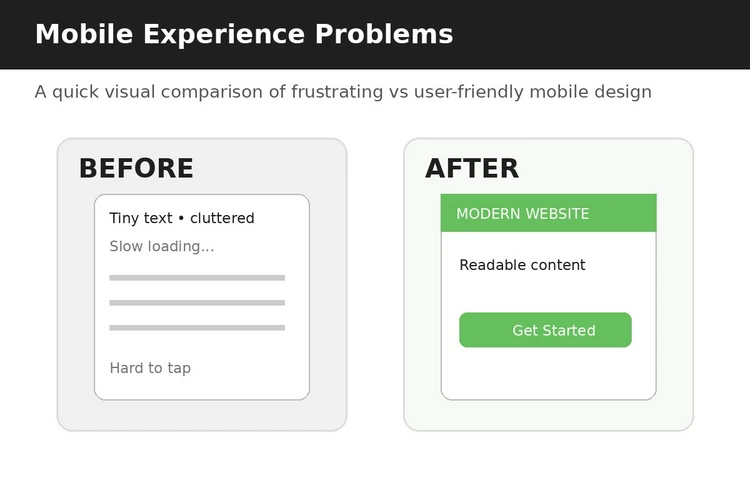
Mobile-first design means more than making desktop pages shrink. Buttons should be easy to tap. Text should remain readable. Navigation should be understandable. Images should load efficiently. Forms should not require unnecessary typing. Phone numbers should be clickable. Maps and directions should work naturally on a mobile device.
Think about the circumstances in which an El Paso customer might use the site. They could be searching from a vehicle passenger seat, between appointments, from a job site, from a restaurant, or while planning a visit from elsewhere. The design should respect limited attention.
Test the site using one hand. Can the visitor reach the main menu? Can they tap the call button? Can they complete the form without zooming? Can they see the address without fighting a giant image or popup?
Mobile usability is also a trust signal. A broken form, tiny text, or awkward menu tells customers that the business may not pay attention to details. A smooth mobile experience quietly communicates the opposite.
Make Contacting the Business Almost Effortless
Lead generation does not happen because a website contains a contact page. It happens when the customer understands what to do and feels that doing it will be easy.
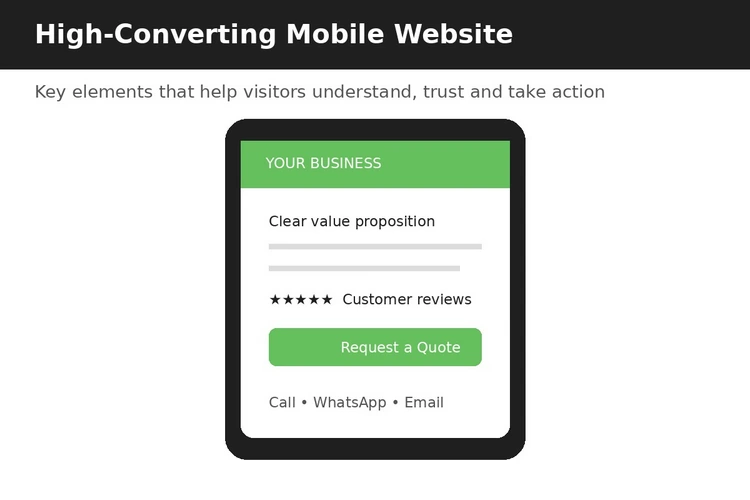
Start by matching the call to action to the business model. A high-value service may need Request a Quote. A restaurant may need Order Online or Reserve a Table. A professional firm may need Schedule a Consultation. A local store may need Get Directions or Call the Store.
Do not force every visitor through the same form. A person who only wants to ask whether you serve their ZIP code should not have to complete a ten-field lead form. Collect what the business genuinely needs to respond.
Make phone contact visible when calls are important. Use a real local business number and make it tappable on mobile. If the business receives text messages, state that clearly rather than making customers guess.
Forms should also create confidence. Tell people what happens after submission. “We will review your request and contact you during business hours” is better than a silent Submit button.
Finally, test every conversion path. Submit the form. Call the number. Check the email notification. Verify that confirmation messages work. A beautiful website that loses leads because nobody receives the form is not a successful website.
Homepage, Services, and Conversion Structure
Build Service Pages Around Customer Questions
A service page should not read like a company brochure. It should answer the questions a potential customer has before making contact.
Start with the problem. What is happening that causes the visitor to look for this service? Then explain what you do, who the service is for, what the process looks like, what makes your approach different, and what the customer should do next.
Include practical information where relevant: service area, typical project types, timelines, what customers need to prepare, whether consultations are available, and what happens after an inquiry.
For El Paso businesses, service-area language can be especially useful. Instead of simply saying “we serve El Paso,” explain the actual geographic scope when it matters. If your team regularly works in specific parts of the city or nearby communities, make that clear without creating dozens of thin pages with nearly identical text.
Use internal links to guide visitors toward related services, case studies, FAQs, and contact options. This creates a natural journey and gives search engines clearer signals about the relationship between your pages.
A strong service page can become one of the most valuable lead-generation assets on the site because it meets a visitor at the exact moment they are researching a solution.
Make Your Location Easy to Understand
Local customers should never have to guess where a business is located or whether the business will come to them. Put the physical address, service area, hours, phone number, and directions where they are easy to find.
For businesses with a storefront, show the address consistently across the website. Include a map when it genuinely helps, but do not make the map the only source of location information.
For mobile users, connect the address to a mapping action. For service businesses, explain whether customers visit the office or whether technicians travel to customers. For businesses serving both El Paso and customers across the border or region, explain those service boundaries clearly.
Location pages can also build trust by showing the real environment. Exterior photographs, parking instructions, nearby reference points, entrance details, and accessibility information can remove small uncertainties that otherwise become reasons to delay a visit.
The principle is simple: local information should help someone act, not merely prove that you inserted a city name for SEO.
This El Paso guide focuses on local customer behavior, but the same principles apply across Texas. For a complete framework covering homepage strategy, service pages, local SEO, mobile-first design, trust building, and lead generation, read our pillar guide on Web Design in Texas. It brings together the essential website strategies that help Texas businesses attract more qualified customers and convert more visitors into enquiries.
Design for the Businesses That Define El Paso’s Economy
Local context becomes more useful when it changes the design decisions. El Paso’s public economic-development material highlights international trade, manufacturing and logistics, visitor activity, entrepreneurship, and business growth as important parts of the region. Each category creates different website requirements.
A logistics company needs capability information, service territories, operational proof, and a strong business inquiry path. A manufacturer may need product or capability information, certifications, facility photography, and technical documentation. A tourism business needs fast access to hours, directions, booking information, and visual experience. A professional service firm needs expertise, credentials, team information, and a clear explanation of the process.
Do not force all businesses into the same website template. A useful El Paso web design strategy starts with the customer’s buying process. What does someone need to know before they call? What evidence do they need? What practical information could prevent a lost lead?
That is how localization becomes meaningful. The website does not simply say “El Paso.” It demonstrates an understanding of how the business operates in El Paso.
Local Relevance, Visibility, and Search
Use the Border Context Carefully and Credibly
El Paso’s relationship with Ciudad Juárez is a genuine part of the region’s identity and economy. The city operates international bridges and describes them as infrastructure supporting residents, businesses, and visitors participating in a binational community. The wider region also has major cross-border trade and manufacturing connections.
For businesses whose customers, employees, suppliers, or partners interact across the border, the website should explain that reality clearly. A logistics provider might describe cross-border capabilities. A manufacturer might explain supply-chain experience. A professional firm may provide bilingual resources.
But not every El Paso business needs a cross-border message. Do not add it merely because it sounds local. Authentic localization means using the context when it helps customers understand the business.
Also be precise. If the business has specific cross-border services, state what those services actually include. Avoid broad claims such as “we handle everything across the border” unless the business can support them.
A trustworthy website knows when local context is relevant—and when it is not.
Accessibility Is Part of Trust
Accessibility should not be treated as an optional design layer. A website should be usable by as many customers as reasonably possible, including people who navigate differently, use assistive technology, have visual or hearing limitations, or simply struggle with poor contrast and small text.
Use readable typography, meaningful headings, descriptive link text, sufficient contrast, alternative text for meaningful images, keyboard-friendly interactions, clear form labels, and error messages that explain what went wrong.
Accessibility also improves ordinary usability. Clear headings help everyone scan. Large enough buttons help everyone tap. Descriptive form labels help everyone understand what information is needed.
El Paso’s own technology materials emphasize accessibility alongside language and technology-literacy considerations for residents and visitors. That makes accessibility especially relevant when thinking about public-facing local digital experiences.
Do not wait until the end of a redesign to test accessibility. Build it into the design system from the beginning.
Mobile Experience, Accessibility, and Performance
A Better El Paso Website Should Reduce Customer-Service Friction
One of the best ways to discover website improvements is to listen to the questions your staff answers repeatedly.
If customers constantly ask about hours, put hours somewhere obvious. If they ask whether you serve their neighborhood, create a service-area explanation. If they ask what documents they need, create a preparation checklist. If they ask how long the process takes, explain the stages.
This approach turns everyday customer-service conversations into website content. It also keeps the content grounded in real customer language instead of generic SEO phrases.
Create a list of the ten questions your team hears most often. Search the website for each answer. If the answer exists but takes too long to find, improve the page structure. If it does not exist, create it.
Over time, this can turn the website into a useful pre-sales and customer-service resource. The sales team can spend more time on qualified conversations because routine uncertainty has already been addressed online.
Website Trust Checklist
Use this quick audit before launching or redesigning a website. Score each item Yes or No.
- Can a first-time visitor understand what the business does within seconds?
- Is the primary service or offer obvious?
- Is the location or service area easy to find?
- Is the main phone number accurate and clickable on mobile?
- Does the site show real evidence of the business’s work?
- Are testimonials specific and credible?
- Are important services explained on dedicated pages?
- Can visitors complete the main action without unnecessary steps?
- If the business serves Spanish-speaking customers, is the Spanish experience genuinely usable?
- Are forms working and producing notifications?
- Are hours, address, and contact details current?
- Does the site work comfortably on a phone?
- Can a visitor understand what happens after they submit a request?
- Are accessibility basics addressed?
- Does the website sound like the actual business rather than a generic template?
If you answered No to several questions, do not automatically conclude that you need a complete redesign. Start by fixing the problems that create the most uncertainty or cost the most lost leads.
Before You Hire an El Paso Web Designer: A Practical Brief
Prepare a short brief before contacting a web design agency. List your primary audiences, top services, service areas, languages, current website problems, desired customer actions, competitors, and technology requirements.
Also document what you can realistically maintain. A bilingual website with dozens of pages is only valuable if someone can keep those pages accurate. If your team can reliably maintain a smaller set of strong pages, build a content governance process before expanding.
Ask potential designers how they approach bilingual UX, mobile testing, accessibility, content migration, analytics, forms, local search, and post-launch maintenance. These questions help you compare proposals on business value rather than screenshots.
Ask for examples of how the proposed site will guide different visitors. A local customer, a Spanish-speaking visitor, a business buyer, and someone who is ready to contact you may need different information. The website should have a clear route for each important audience.
Finally, ask how success will be measured. Depending on the business, useful indicators might include qualified inquiries, calls, appointment requests, quote requests, bookings, direction requests, or sales-assisted conversions. Traffic alone does not tell you whether the website is producing business value.
Content, Proof, and Customer Confidence
A Practical Pre-Launch Review for an El Paso Website
Before launch, review the website in both languages and on at least one phone and one desktop-sized screen. Check every menu item, button, form, phone number, map, address, business hour, service description, and confirmation message.
A bilingual website should not have an English page that points to a Spanish page that no longer exists, or a Spanish form whose confirmation suddenly returns to English without explanation. Treat the language experience as a complete customer journey.
Ask three different reviewers to test three different journeys. A local customer should find a service and contact method. A Spanish-speaking customer should be able to switch languages and complete the same task. A visitor or business buyer from outside El Paso should be able to understand where the company is and whether it serves them.
Record every hesitation. If someone asks, “Where do I click?” or “Do they actually offer this?” that is useful evidence. Fix the confusion before launch.
Also review the tone. El Paso’s culture should not be reduced to stereotypes or token bilingual phrases. Use real local photography, natural language, and specific information about the business. When bilingual content matters, have it reviewed by someone who understands the intended audience rather than relying entirely on literal translation.
Finally, assign an owner for ongoing updates. Decide who is responsible for keeping hours, services, team information, promotions, language versions, and contact details current. A trustworthy local website is not merely launched well; it is maintained well.
Lead-Generation Section: Turn Trust Into the Next Step
If your website has done its job, the visitor should not have to wonder what to do next. Make the next action specific and low-friction.
Consider a primary CTA such as “Request an Estimate,” “Schedule a Consultation,” “Call Our El Paso Team,” “Get Directions,” or “Ask About Availability.” Choose one based on the actual buying process.
For higher-value services, consider a short qualification form that asks only the information needed to start a useful conversation. For lower-friction businesses, a phone call or direct booking path may be better.
Add reassurance beside the CTA. Explain response times, business hours, what the first conversation involves, or what information the customer should prepare. Small details can remove hesitation.
Most importantly, make the CTA feel like the natural conclusion of the page. The visitor has just learned something useful; the next step should help them continue that progress.
Ready to Make Your Website More Mobile-Friendly?
We can help improve your website's responsiveness, speed, usability and conversion experience across smartphones and other devices.
Frequently Asked Questions
1. How much does web design in El Paso cost?
The cost depends on the number of pages, design complexity, copywriting, bilingual requirements, integrations, e-commerce, SEO, and ongoing support. A useful way to compare proposals is to focus on the business outcomes and scope rather than choosing solely on the lowest price.
2. Does an El Paso business need a bilingual website?
Not every business needs a fully bilingual website. The decision should reflect the audiences the business actually serves. If Spanish-speaking customers are important, the language experience should cover the pages and actions those customers need rather than offering only a partial translation.
3. What should an El Paso business website include?
At minimum, most local business websites need a clear homepage, service or product information, location/service-area details, trust signals, contact options, mobile-friendly design, and a clear call to action. The exact structure should follow the business’s customer journey.
4. How can a website generate more leads?
Lead generation improves when the website attracts relevant visitors, answers their questions, builds trust, and makes the next action easy. Strong service pages, local relevance, clear calls to action, testimonials, case studies, mobile usability, and well-tested forms all contribute.
5. Should a local business redesign its website every few years?
Not necessarily. A website should be reviewed continuously. If the business has changed significantly, the site is difficult to use, important information is outdated, mobile performance is poor, or the website no longer supports the sales process, a redesign may be justified.
Conclusion: Build the Website El Paso Customers Can Trust
The strongest El Paso website is not necessarily the one with the most animations, the largest number of pages, or the most aggressive sales copy. It is the one that makes customers feel confident that they have found the right business.
That confidence comes from clarity, proof, usability, accessibility, authentic local context, and a straightforward path to action. For businesses serving bilingual audiences, the experience must extend naturally across languages. For businesses connected to tourism or cross-border commerce, relevant local context should be visible when it helps the customer. For every business, the website should reflect the real quality of the company behind it.
El Paso’s business environment is diverse, and that means there is no single website formula that fits everyone. A logistics company, restaurant, contractor, medical practice, manufacturer, retailer, hotel, and professional-services firm will each need a different customer journey.
But the principle remains the same: design around the questions customers need answered before they are ready to choose you.
When your website removes uncertainty, demonstrates credibility, works smoothly on mobile, communicates clearly, and makes the next step easy, it stops being just an online brochure. It becomes part of your sales process—and a digital representation of the trust your El Paso business has worked to earn.

Table of contents
Introduction
A beautiful website can make a business look professional. It can use elegant typography, polished photography, smooth animations and a carefully selected color palette. But beauty alone does not answer the questions that matter most to a Fort Worth customer: Can I trust this company? Do they actually serve my area? Have they solved a problem like mine before? Can I reach them easily? What happens after I contact them? And, perhaps most importantly, why should I choose them instead of the next business on Google?
That distinction matters in Fort Worth because the city is no longer a small local market where a company can rely only on word of mouth and a familiar storefront. Fort Worth’s population reached an estimated 1,028,117 on July 1, 2025, according to U.S. Census Bureau estimates, and the city says it has grown 11.9% since the 2020 estimate base. It is now one of the largest cities in the United States and continues to add residents and businesses.
At the same time, Fort Worth’s own economic-development strategy emphasizes high-growth businesses, creative businesses, community vitality and support for entrepreneurs and established small businesses. The city’s revitalization work also treats neighborhoods as distinct communities with different characteristics, priorities and commercial opportunities.
For a local business, that creates an important website lesson: your website cannot simply be attractive. It needs to be useful, credible, local, fast and persuasive.
This is the real purpose of Fort Worth web design. The goal is not to win a design award. The goal is to create a digital front door that makes the right customer comfortable enough to take the next step.
Why a Beautiful Website Is Not Enough
Imagine two Fort Worth landscaping companies. The first has a stunning homepage with cinematic photos, animated sections and a stylish logo. The second has a simpler design, but it clearly explains the services offered, shows recent projects, displays genuine customer reviews, identifies the communities it serves, answers common questions and makes requesting an estimate easy.
Which one is more likely to generate a lead?
The answer is not automatically the second business. Design still matters. A poor-looking website can damage trust before a visitor reads a word. But once a website reaches a reasonable level of visual quality, the bigger question becomes what the design helps the visitor accomplish.
A business website is part of a customer journey. Someone may discover the company through Google, a social post, a referral, a business directory, a neighborhood recommendation or a sign seen while driving. The website then has a short window to turn that initial interest into confidence.
That requires more than aesthetics.
- Clarity — visitors understand what the business does.
- Relevance — visitors can see that the company serves their type of customer and location.
- Proof — the website demonstrates that the business can deliver.
- Usability — visitors can find information without effort.
- Conversion — the next action is obvious and easy.
- Local context — the website feels connected to the Fort Worth market.
- Performance — pages load and work well on phones and other devices.
Is Your Website Turning Mobile Visitors Away?
Get your website checked for mobile usability, speed, navigation and conversion issues.
What Makes Fort Worth Web Design Different?
Fort Worth has a strong sense of place, but it is also a large and geographically varied city. The city government’s revitalization strategy explicitly notes that neighborhoods have distinct characteristics and therefore require tailored approaches. Its target areas include places such as Historic Northside, Historic Southside, Polytechnic Heights, Riverside, Stop Six, Como, East Berry, East Lancaster, Historic Handley, Camp Bowie West and other corridors.
That matters for website strategy. A local business should not think only in terms of “Fort Worth” as one generic audience. Customers can have very different expectations depending on where they live, work, shop or seek services.
A home-service company may need to explain coverage across Fort Worth and nearby communities. A restaurant may depend heavily on customers within a short drive. A professional service may serve clients across Tarrant County. A neighborhood retailer may win business through local familiarity. A company targeting commercial clients may need to communicate differently from one serving homeowners.
The website should reflect that reality without becoming a collection of generic city-name pages.
Trust Should Be Designed, Not Assumed
A common mistake is to treat trust as something a business either has or does not have. In reality, a website can communicate trust through dozens of small signals.
A visitor cannot personally know whether a company is competent. They look for evidence. They notice whether the business provides a real address or service area, whether the team is identifiable, whether reviews seem genuine, whether previous work is shown, whether contact information is easy to find and whether the website answers questions honestly.
Trust is especially important for local services where the customer is making a financial or personal decision. A Fort Worth homeowner inviting a contractor onto their property wants reassurance. A parent researching a local service provider wants credibility. A business owner considering a professional consultant wants evidence of experience.
The website should therefore answer the unspoken question behind every enquiry: “Why should I trust you?”
Trust Signals Worth Showing
- Real customer testimonials with useful context.
- Recent project photography.
- Case studies explaining the problem, work and outcome.
- Team profiles where people are part of the buying decision.
- Relevant certifications, licenses or professional memberships.
- Years in business when the claim is accurate.
- Clear business contact information.
- Transparent service descriptions and expectations.
- Frequently asked questions that address common concerns.
- A clear explanation of what happens after a customer contacts the business.
Local Relevance Is More Than Putting Fort Worth in the Headline
One of the easiest mistakes in local SEO and website design is adding a city name without adding local value. A page that says “We provide quality services in Fort Worth” is not automatically a Fort Worth page. It is a generic statement with a location attached.
Real local relevance comes from experience, coverage, context and useful information.
For example, a roofing company could explain the types of properties it commonly serves, show completed Fort Worth-area projects and explain its inspection process. A restaurant could make its location, parking, hours, menu and event options immediately accessible. A professional firm could explain the kinds of local businesses it works with and the areas where consultations are available.
The difference is substance.
Understanding the Local Audience and Market
Use Neighborhoods Carefully
Fort Worth offers many legitimate opportunities for neighborhood-level relevance, but businesses should resist the temptation to create dozens of thin location pages. If a company genuinely serves Near Northside, Historic Southside, West Fort Worth, the Cultural District, TCU-area customers, Alliance, North Fort Worth or surrounding communities, those relationships can be reflected naturally.
Each useful location page should answer:
- Do you actually serve this area?
- What services do customers there typically need?
- What experience do you have in the area
- Are there practical service or scheduling details customers should know?
- How can someone in this area contact you
If those questions cannot be answered, a location page may not deserve to exist.
Your Homepage Should Behave Like a Good Sales Conversation
A good salesperson does not begin by listing every fact about the company. They listen, identify the customer’s need, explain the relevant solution, provide reassurance and guide the customer toward an appropriate next step.
Your homepage should do something similar.
A strong Fort Worth business homepage can follow this sequence:
- Identify the customer and problem.
- Explain the service or solution.
- Establish local credibility.
- Show proof.
- Explain why the company is different.
- Answer common objections.
- Provide a clear next step.
This structure is more useful than simply arranging attractive sections until the page looks full.
A Five-Second Homepage Test
Open your homepage and look only at the first screen. Ask:
“What does this business do?”
“Who does it help?”
“Where does it operate?”
“What should I do next?”
If a visitor needs to scroll through several sections before answering these questions, the page may need stronger hierarchy.
The test is simple, but it exposes a common problem: businesses often write websites from the inside out. They begin with company history, values and services because those things are familiar to them. Customers begin with a problem. The website needs to meet them there.
Show the Work Instead of Just Describing It
If your business does visual work, your website should prove it visually. Contractors, remodelers, landscapers, photographers, designers, restaurants, salons, event companies and many other businesses can benefit from real examples.
But a gallery alone is not enough. A collection of beautiful photographs can show that the company produces attractive work without showing how it handles customer problems.
Turn projects into stories.
Instead of:
“Kitchen Remodel — Fort Worth”
try:
“Modern Kitchen Remodel for a Fort Worth Family”
Then explain the starting challenge, the scope, important decisions and final result. Where appropriate, include customer feedback.
This approach creates a case study rather than a photo album.
Make Reviews Work Harder
Many local websites display a row of five-star icons and a sentence such as “Our customers love us.” That is better than nothing, but it wastes an opportunity.
A useful testimonial gives context.
Compare:
“Great company. Highly recommend.”
with:
“We needed our HVAC system replaced before summer, and the team explained the options clearly, completed the installation on schedule and left the property clean.”
The second statement helps a prospective customer imagine their own experience.
Whenever permission allows, connect testimonials to a type of service, project or customer need. Avoid fabricating, exaggerating or selectively editing reviews in ways that change their meaning. Trust grows from evidence, not decoration.
Understanding your local audience is just one part of building a website that consistently generates leads. For a broader framework covering homepage strategy, local SEO, content structure, user experience, and conversion optimization across Texas, read our pillar guide on Web Design in Texas. It brings together the essential principles every Texas business should consider before launching or redesigning a website.
Your Website Should Answer the Questions Customers Are Afraid to Ask
People often leave a website because they are uncertain, not because they dislike the design.
A prospective customer may wonder:
- How much will this cost?
- How long will it take?
- Do you serve my neighborhood?
- What if my project is unusual?
- Will someone actually answer the phone?
- What happens after I submit the form?
- Are you insured or qualified?
- Do you work with businesses like mine?
- Can I see examples?
The exact questions vary by industry, but the principle is universal: objections should become content.
A strong FAQ section can therefore do more than support SEO. It can reduce hesitation before the sales conversation begins.
Building a Professional Brand and User Experience
Mobile Design Is Part of Local Customer Service
A local customer may discover a business while away from a computer. They may search from a parking lot, at work, from a job site or while comparing providers from home.
That makes mobile usability essential.
A phone visitor should be able to:
- Tap the phone number.
- Find the address or service area.
- View important services.
- Request a quote.
- Book an appointment
- where applicable.
- Read reviews.
- Navigate without repeatedly opening tiny menus.
Forms deserve special attention. If a customer needs to complete twelve fields just to request a callback, the website may be creating unnecessary friction. Ask only for information needed at that stage and collect additional details later when appropriate.
Speed Is a Trust Signal
Slow websites create a subtle credibility problem. If a page takes too long to reveal basic information, visitors may assume the business is less organized or less modern than its competitors.
Performance starts with design choices. Large images, background videos, excessive animations, third-party scripts and poorly optimized plugins can all contribute to slow experiences.
A Fort Worth website should be tested on actual mobile devices and realistic connections. Compress images. Use appropriate image dimensions. Avoid loading resources that are not needed. Keep animation purposeful. Review scripts regularly.
A beautiful website that makes customers wait is not delivering a beautiful experience.
Common Website Design Mistakes
Mistake 1: Making the Logo and Hero Section the Whole Strategy
Branding is important, but customers need more than a logo and an impressive headline. Give them information and proof.
Mistake 2: Using Stock Photos Everywhere
Stock photography can support a design, but it cannot replace evidence of the actual business. Show the team, workplace, products and projects whenever possible.
Mistake 3: Hiding the Contact Information
If leads matter, contact information should not be buried. Make the next step obvious.
Mistake 4: Writing About the Company Instead of the Customer
Your history matters, but the visitor first wants to know whether you can solve their problem.
Mobile, Performance, and Search Visibility
Mistake 5: Copying Competitors
A website that looks like five competitors may be professionally designed but strategically invisible. Identify your real difference and communicate it.
Mistake 6: Creating Dozens of Thin Location Pages
Local SEO is not a license to create duplicate pages with different city names. Build useful location content where there is a genuine customer relationship.
Mistake 7: Treating the Website as Finished Forever
Services, reviews, staff, projects and customer questions change. A good website should be maintained and improved.
How to Choose a Fort Worth Web Design Partner
A strong web design partner should be interested in more than colors and layouts. They should ask about customers, services, sales processes, competitors, service areas, content, performance and business goals.
Before signing a project, ask:
- How will you learn about our customers?
- How will you structure the site around our services?
- How will you handle Fort Worth and surrounding service areas?
- Who will write the content?
- How will mobile performance be tested?
- How will conversion tracking be configured?
- Will we be able to update the website ourselves?
- Who owns the domain and website assets?
- What happens after launch?
- How will the website support SEO?
- Can you show examples where the website solved a business problem, not just examples that look attractive?
A good partner should be able to explain why the design works, not merely why it looks good.
Ready to Make Your Website More Mobile-Friendly?
We can help improve your website's responsiveness, speed, usability and conversion experience across smartphones and other devices.
Turning a Beautiful Contractor Website Into a Trust-Building Website
Consider a hypothetical Fort Worth remodeling company with a visually impressive website. The homepage has large project photos, an elegant logo and a beautiful animation. But the service pages are short, there are no detailed project stories, the reviews are hidden and the contact form asks only for a name and email.
The redesign does not need to throw away the visual identity.
Instead, it can add substance.
The homepage clearly states the company’s remodeling specialties and service area. Each major service gets a detailed page. Projects become case studies. Reviews appear near relevant services. The team is introduced. The process is explained. A simple quote request appears throughout the site. The mobile experience is tested. Images are optimized.
The result may look only slightly different at first glance. But the business function is completely different.
The old website says, “We have a beautiful business.”
The new website says, “We understand your project, we have done this before, people trust us and here is how to get started.”
That is the difference between decoration and conversion.
The Website Should Continue Building Trust After the First Visit
Not every visitor converts on the first visit. A prospective customer may leave to compare prices, discuss the decision with a spouse or business partner, check reviews or simply wait until the need becomes urgent.
Useful content gives them a reason to return.
Case studies, guides, FAQs, project updates and helpful resources can keep the business present during the decision process. This is particularly valuable for services where the buying cycle is longer.
The website should therefore be thought of as a relationship-building tool, not a single-use advertisement.
Frequently Asked Questions
1. How much does Fort Worth web design cost?
There is no universal price. Cost depends on the number of pages, strategy, content, design complexity, functionality, integrations, ecommerce or booking requirements, SEO work and ongoing support. A simple business website and a custom lead-generation platform are very different projects. Define the business outcome and required functionality before comparing prices.
2. What should a Fort Worth business website include?
At minimum, most businesses need a clear homepage, service or product information, trust evidence, contact information and a simple next step. Depending on the business, additional pages may include case studies, service areas, FAQs, team information, resources, booking or ecommerce functionality.
3. Should I create separate pages for Fort Worth neighborhoods?
Only when the business genuinely serves those areas and can provide unique information. A useful local page should help customers understand service availability, relevant experience and the next step. Do not create pages simply by swapping neighborhood names in identical copy.
4. How important are reviews on a Fort Worth website?
Only when the business genuinely serves those areas and can provide unique information. A useful local page should help customers understand service availability, relevant experience and the next step. Do not create pages simply by swapping neighborhood names in identical copy.
5. How important are reviews on a Fort Worth website?
Very important for many local businesses because reviews provide third-party evidence. The strongest testimonials give enough context to help a prospective customer understand what the business actually did.
6. Do I need professional photography?
Not necessarily for every image, but authentic photography can be highly valuable for local businesses. Real people, projects, products and locations provide evidence that stock photography cannot.
Conclusion: Build a Website Fort Worth Customers Can Believe
Fort Worth does not need more websites that are beautiful for the sake of being beautiful. It needs websites that help good businesses become easier to discover, understand and trust.
The city’s rapid growth means local businesses increasingly compete in a larger and more diverse market. Fort Worth’s own economic-development strategy emphasizes creative and high-growth businesses, entrepreneurship, community vitality and neighborhood-specific approaches. That environment rewards companies that understand that local growth is not simply about being present. It is about being relevant.
Your website is one of the few places where a prospective customer can evaluate your business before ever speaking to you. Use that opportunity.
- Show the work.
- Explain the process.
- Make the service area clear.
- Give customers evidence.
- Answer the uncomfortable questions.
- Make mobile use easy.
- Create a clear next step.
- Keep the content current.
And above all, make the website reflect the real quality of the business behind it.
A beautiful website may get someone’s attention. A useful, credible and strategically designed website gives them a reason to stay.
If your business serves customers across Texas, continue with our broader Web Design in Texas guide for a statewide perspective on building a stronger online presence.

Table of contents
Introduction: Growth Creates Opportunity—and Digital Pressure
Fast-growing markets create a particular challenge for local businesses. Opportunity attracts new companies, raises customer expectations, increases competition, and makes it easier for an outdated digital presence to fall behind.
For businesses in Frisco, website design should therefore be treated as part of a growth strategy. The website may be the first place a new customer, potential employee, investor, partner, or relocating resident encounters the company. That first impression can shape whether the visitor explores further or moves on to another option.
Frisco’s broader growth story has made adaptability an important business theme. As the community continues to attract development, business activity, residents, visitors, and major organizations, companies cannot assume that a website built for yesterday’s audience will automatically work for tomorrow’s market.
The strongest websites in fast-moving markets do not simply look current. They are built to communicate change clearly. They help a growing company explain new services, serve new customer segments, demonstrate recent proof, capture demand quickly, and adjust without rebuilding everything from scratch.
This article focuses on how fast-growing businesses can win online by making their websites more adaptable, more useful, more persuasive, and more closely connected to real business growth.
Fast Growth Can Make an Old Website Look Smaller Than the Business
A business can grow faster than its website. This happens when a company adds locations, services, staff, industries, products, or capabilities while the website still presents the organization as it existed years earlier.
The problem is not merely cosmetic. An outdated website can create a credibility gap. A prospect may see a small service list even though the company now offers a broader solution. A candidate may see no careers information despite active hiring. A potential customer may assume the business is less established than it actually is.
Review your website against the current company, not against the day it launched. Ask what has changed in the last year or two. Have you entered new markets? Changed your ideal customer? Added a team? Expanded your service capacity? Won stronger clients? Developed new expertise?
Every major change does not require a redesign, but growth should trigger regular website reviews. The digital story should keep pace with the real business story.
Build for Change Instead of Designing for a Single Moment
Fast-growing companies need flexibility. A website should have a clear structure that can accommodate change without becoming confusing.
Start with a scalable information architecture. Organize services, industries, locations, resources, projects, and company information into categories that make sense now and can still make sense later.
Use repeatable page patterns. If you know the business will publish more case studies, create a consistent case-study format. If more services may be added, use a service-page structure that can be repeated. If locations may expand, plan location content carefully from the beginning.
Scalability also means thinking about internal management. A website that requires a developer for every minor change can become a bottleneck for a growing marketing team. Choose workflows that allow appropriate staff to update approved content while protecting important technical and brand elements.
The goal is not to predict every future need. It is to avoid building a site that becomes difficult to change as soon as the business evolves.
Is Your Website Turning Mobile Visitors Away?
Get your website checked for mobile usability, speed, navigation and conversion issues.
Positioning the Business for Current and Future Customers
Clarify Why a Customer Should Choose You Now
In a competitive and fast-changing market, customers may have many options. The website must make the company’s current value clear.
Avoid relying on generic claims such as quality, innovation, excellence, or great service without explaining what those words mean in practice. What does the company do differently? Who is the ideal customer? What outcomes can the business help create?
Use a clear value proposition near the beginning of important pages. Then support it with specific information and evidence.
For example, a growing service company may emphasize speed and capacity. A technology business may emphasize specialized expertise. A local professional firm may emphasize responsiveness and industry knowledge. A hospitality business may emphasize convenience and customer experience.
The message should reflect a real competitive advantage rather than a slogan selected because it sounds impressive.
Design for Customers Who Are Discovering Frisco—and Discovering You
Growth can bring new residents, employees, companies, and visitors into a market. These people may not have the same local knowledge or brand familiarity as long-term customers.
Your website should not assume that everyone already knows who you are, where you operate, or how your service works. Make essential information easy to understand.
Explain what the company does in plain language. Make the service area clear. Show practical contact information. Provide useful introductions to important services. Use location information when it helps a new customer determine whether the business is relevant.
For a customer who has recently moved into the area, local proof can be valuable. Reviews, project examples, recognizable community involvement, and accurate location details can reduce uncertainty.
Think of the website as an introduction for someone who has no previous relationship with the business.
Homepage and Conversion-Focused Website Structure
Turn the Homepage Into a Growth Engine
A homepage in a fast-growing business should not become a storage area for every announcement. It needs a clear strategic role.
Start with the primary audience and the primary business message. Then provide pathways to the company’s most valuable services or customer journeys.
Use the homepage to establish the current scale and credibility of the business. If the company has expanded capabilities, show them. If there are meaningful proof points, surface them. If the business has multiple service categories, help visitors choose the relevant path.
Growth often creates more content. The answer is not to place all of it on the homepage. Use the homepage to direct attention, then let deeper pages provide detail.
Review the homepage regularly. A fast-growing company’s priorities can change. A page that highlighted a launch six months ago may no longer represent the most important reason a prospect should choose the business.
Make Speed Part of the Customer Experience
Fast-growing businesses often focus on growth speed internally while overlooking speed online. Website performance is part of the customer experience.
A visitor should not have to wait through unnecessary visual effects to find basic information. Large media files, excessive scripts, autoplay features, and poorly optimized page elements can slow down the experience.
Speed also means speed of understanding. Can a visitor quickly identify what the company offers? Can they find the right service? Can they contact someone without searching?
Audit both technical and decision-making friction. A technically fast page can still be slow for the customer if the message is confusing.
Design the site to help people reach answers quickly. That principle is particularly important when a customer is comparing multiple local businesses during a short research session.
Services, Proof, and Lead Generation
Create Service Pages That Can Compete for Attention
Fast growth can lead to an expanding list of services. If those services are buried on one generic page, the website may fail to capture specific customer intent.
Create dedicated pages for important services. Each page should explain the problem, the service, who it is for, the approach, proof, frequently asked questions, and the next step.
Different services may need different conversion paths. A straightforward service may lead to an immediate quote request. A complex solution may need a consultation or discovery call. A visitor researching early may benefit from a guide or assessment.
Do not create pages merely to increase the page count. Each page should have a clear reason to exist and provide information that helps the customer make a decision.
Over time, review search performance and conversion data. This can reveal which services need stronger content or clearer positioning.
Use Recent Proof, Not Only Historical Proof
A growing company should make its current momentum visible, but it should do so with substance.
Case studies, project spotlights, customer testimonials, awards, certifications, milestones, and relevant partnerships can demonstrate progress. However, proof is strongest when it is specific and current.
If the newest project on the website is several years old, a visitor may assume the company is inactive or has little recent work to show. If testimonials describe services the company no longer offers, they may create confusion.
Create a process for updating proof. When a project is completed, decide whether it can become a case study. When a meaningful customer comment is received, determine whether permission can be obtained to use it. When the company reaches a legitimate milestone, consider whether it helps customers understand the business.
The website should become a living record of capability, not a frozen archive.
Build Lead Capture Around Customer Readiness
More traffic is not useful if the website creates friction when a qualified visitor is ready to act.
Use different conversion options for different levels of intent. Someone ready to buy may want to schedule a consultation. Someone still evaluating may prefer a guide, assessment, service comparison, or newsletter.
For high-value inquiries, use forms that collect enough context to make the follow-up useful. Ask about the service, timeline, project type, or business need when those details help route the inquiry.
Do not ask every visitor for the same amount of information. A long form can be appropriate for a serious project inquiry and inappropriate for a simple question.
Make response expectations clear. If the business responds during certain hours or within a typical time frame, communicate that accurately. The conversion is only the beginning of the lead experience.
Interactive Features and Mobile Customer Experience
Use Interactive Tools to Stand Out for the Right Reasons
Interactive features can make a fast-growing company’s website more useful and memorable when they help customers solve a real problem.
A service selector can guide visitors toward the right solution. A project planner can help them prepare for a consultation. A cost-range tool can explain the factors that affect a budget. A readiness assessment can help a business prospect understand whether a service is appropriate.
The best interactive tools are connected to the sales process. They do not exist simply to make the website appear more advanced.
Before adding a tool, ask four questions: What customer problem does it solve? What useful result does the visitor receive? What information does the business receive? Who will maintain it?
If the answers are unclear, a simpler content experience may be better.
Mobile Design Matters When the Market Moves Quickly
Customers do not always research businesses from a desk. They may be traveling, attending meetings, visiting locations, comparing options, or researching during a break.
Mobile design should therefore prioritize the actions that matter most. Make contact options easy to use. Keep navigation clear. Avoid tiny text. Reduce unnecessary typing. Make forms manageable.
For local businesses, practical information such as location, service area, hours, and directions can be particularly important on mobile.
Test the entire journey, not just the homepage. Open a service page on a phone, move to the contact page, complete a form, and check the confirmation experience.
A fast-growing business should remove small frustrations before those frustrations become lost opportunities at scale.
The strategies in this guide are part of a much bigger picture. If you want to learn how positioning, homepage structure, lead generation, mobile UX, and scalable website architecture work together, explore our pillar guide on Web Design in Texas. It provides a complete roadmap for building a business website that attracts customers and grows with your company.
Content, Local Relevance, and Trust
Build Content Around Change and Customer Questions
Fast-growing companies often have more stories to tell. New services, projects, markets, and expertise create opportunities for useful content.
However, publishing should remain customer-centered. Ask what prospects need to understand before they can make a confident decision.
Create pillar content around major business topics and supporting articles around specific questions. Add case studies, comparison pages, process guides, industry insights, and FAQs where they help.
Content can also support change. If a business introduces a new service, explain why the service exists, who it helps, and how it works. If the company expands into a new customer segment, build content that addresses that segment’s concerns.
The website becomes stronger when content development is connected to real changes in the business and real questions from customers.
Keep Local Relevance Authentic as You Expand
A fast-growing Frisco business may begin serving a wider region. This creates a challenge: how do you expand without losing local credibility?
The answer is not to repeat city names on every page. Explain the company’s actual service footprint. Keep local contact information accurate. Use genuine examples from the markets you serve.
If the business has a strong Frisco base, that can be part of the company’s story. But customers in other locations should also be able to understand whether and how the company serves them.
Create location-specific content when there is a genuine difference in service, audience, regulations, logistics, or customer needs. Avoid thin location pages that offer no useful distinction.
Authentic local relevance scales better than keyword repetition.
Design for Trust at a Larger Scale
As a company grows, customers may ask different questions. Can this business handle a larger project? Does it have the right expertise? Who is responsible? What happens if something changes?
The website should anticipate these questions with clear information about the company, its process, team, credentials, projects, and customer support.
Show the human side of the business where appropriate. Team pages can demonstrate expertise. Leadership content can provide context. Process pages can reduce uncertainty.
Trust also comes from consistency. Broken links, outdated team members, old announcements, and inaccurate service information can weaken an otherwise strong design.
Professionalism is cumulative. Every accurate detail adds confidence; every neglected detail can remove it.
Ready to Make Your Website More Mobile-Friendly?
We can help improve your website's responsiveness, speed, usability and conversion experience across smartphones and other devices.
Data, Optimization, and the Website Scorecard
Use Data to Decide What to Improve Next
Fast-growing companies cannot improve everything at once. Website data can help prioritize.
Track meaningful conversions and examine the pages that influence them. Look at traffic quality, engagement, form completion, call activity, and pathways through the site.
Pair quantitative data with qualitative feedback. Ask sales teams what prospects mention. Ask customers where they were confused. Review search terms and frequently asked questions.
Then form a hypothesis. If visitors reach a service page but rarely contact the company, test whether the offer, proof, or call to action needs improvement. If a page receives little traffic, investigate search intent and internal linking.
Continuous optimization is particularly valuable in a fast-moving market because the website can evolve in smaller, informed steps.
The Fast-Growth Website Scorecard
Use this scorecard to assess whether your website is ready to support the next stage of growth.
Does the website reflect the company as it exists today? Can new customers quickly understand the offer? Can the site accommodate new services, content, or locations? Is the value proposition specific?
Are high-value services easy to find? Is recent proof visible? Does the website work well on mobile? Are conversion paths matched to customer readiness?
Are forms designed around useful qualification? Do interactive tools solve real customer problems? Can the marketing team update content efficiently? Are meaningful outcomes measured?
If several answers are no, the issue may be structural rather than visual. Start by fixing the business and customer journey problems that create the greatest friction.
A Practical 90-Day Website Growth Plan
Days 1–30: audit the current website. Identify outdated information, broken journeys, unclear messages, weak conversion pages, missing proof, and technical friction. Speak with sales and customer-facing teams.
Days 31–60: prioritize improvements. Update high-value service pages, clarify the homepage message, improve calls to action, add recent proof, and simplify mobile journeys.
Days 61–90: build the next layer. Create supporting content, add useful interactive tools where appropriate, strengthen analytics, and establish a recurring content and website review process.
The purpose of a 90-day plan is not to finish the website forever. It is to create momentum and a repeatable improvement process.
Fast-growing businesses benefit from regular optimization because the market, the company, and customer expectations continue to change.
Frequently Asked Questions
1. When should a fast-growing Frisco business redesign its website?
Consider a redesign when the website no longer reflects current services, customers, brand, team, sales process, technology, or growth plans. A strategic audit can determine whether targeted improvements or a full redesign are more appropriate.
2. What makes a website scalable?
A scalable website has a logical information structure, repeatable page templates, manageable content workflows, and room to add services, locations, case studies, resources, and other content without confusing visitors.
3. How can a website help a growing business generate more leads?
It can attract relevant traffic, clearly explain services, demonstrate proof, provide different conversion paths, qualify inquiries, and make the next step easy for ready prospects.
4. Should every growing business use interactive website tools?
No. Interactive features should be used when they solve a real customer problem or improve qualification. A simple, useful tool is better than an advanced feature with no clear purpose.
5. How often should a fast-growing company update its website?
Important information should be updated whenever the business changes. A broader review should happen regularly so the website keeps pace with new services, proof, customer questions, and market priorities.
6. What should Frisco businesses measure after a website launch?
Track business-relevant outcomes such as qualified inquiries, consultations, quote requests, bookings, phone calls, applications, and conversion paths, in addition to traffic and engagement.
Conclusion: Winning Online Means Being Ready to Evolve
Fast-growing businesses win online when their websites do more than make a good first impression. They communicate clearly, demonstrate current capability, capture demand, and adapt as the business changes.
For Frisco companies, the opportunity is to treat web design as an active part of growth. The website should help new customers discover the business, help existing prospects understand its expanding capabilities, and give the company a flexible platform for future marketing and sales efforts.
The strongest digital presence is not necessarily the one with the most features. It is the one that makes the business easy to understand, easy to trust, easy to engage, and easy to choose.
As the company grows, the website should grow with it.

Table of contents
Introduction: The Small Business Website as a Lead-Generation Asset
A customer in Houston can pass several businesses offering the same service before deciding whom to call. A homeowner in Katy may compare three roofing companies on a phone. A patient near the Texas Medical Center may check a clinic’s website before booking. A restaurant customer in The Heights may look at the menu, reviews and directions before leaving home. A business owner in Midtown may compare professional-service firms before requesting a consultation. In each case, the website becomes part of the sales conversation before a salesperson, receptionist or owner ever speaks to the customer.
That is why Houston website design should be treated as a business-growth decision rather than a purely visual project. A good website does more than look polished. It explains the offer quickly, makes the business feel credible, helps the right local customers find the company, answers objections and gives visitors a simple next step.
Houston is a particularly interesting market for this approach because it is large, diverse and geographically spread out. The U.S. Census Bureau estimates Houston’s population at about 2.4 million in 2025, with the city continuing to grow from its 2020 base. The city’s population is also notably diverse, while Houston’s official business portal supports businesses across sectors including food service, lawn care, retail, cleaning, transportation and other local services. These characteristics create a website challenge that a generic template cannot solve: the site has to be relevant to real people in real parts of the Houston area.
This guide presents a practical blueprint for building a business website that can turn local attention into enquiries. It is not about stuffing a page with the phrase “Houston website design.” It is about understanding how a Houston customer thinks, what information they need, what creates confidence and what removes friction at the moment they are ready to act.
Why Houston Businesses Need a Different Website Strategy
Houston is not a one-neighborhood market. A company may describe itself as serving Houston while its actual customers come from a collection of communities and surrounding cities. A contractor might work in Houston, Katy and Cypress. A professional firm may serve Downtown, Uptown and Sugar Land. A family-owned restaurant may depend on customers from a handful of nearby neighborhoods. The website therefore needs enough local context to tell a visitor, “Yes, this business serves people like me.”
The City of Houston itself provides business resources for planning, starting, managing and growing companies, including sector-specific starter kits. That variety reflects the broader commercial character of the city: a website for a restaurant should not be structured like a law firm website, and a home-service company should not be forced into the same customer journey as a medical practice.
Houston Customers Do Not All Need the Same Website
Consider four people searching on the same afternoon. One needs an emergency plumber. One is looking for a family dentist. One wants catering for a corporate event. Another needs an accounting firm. Their expectations are different, even though all four may begin with Google and eventually land on a website.
- Emergency service customer: wants speed, phone access, service area and reassurance.
- Healthcare customer: wants credibility, services, provider information, location and appointment options.
- Restaurant customer: wants menu, hours, photos, location, ordering or reservation information.
- Professional-service customer: wants expertise, proof, clear services and an easy consultation path.
The lesson is simple: design around the decision your customer is trying to make. Do not begin with “Which homepage style looks modern?” Begin with “What must a Houston customer know before they will trust us enough to take the next step?”
The 7 Foundations of a Lead-Generating Website
Houston businesses face unique challenges, but the core principles of building a high-performing website apply across the entire state. For a broader strategy covering planning, user experience, SEO, mobile responsiveness, and business growth, read our complete guide to Web Design in Texas. It expands on the ideas in this article and provides a statewide framework for creating websites that generate leads and support long-term growth.
A Clear Value Proposition Above the Fold
When someone lands on a website, they should not have to decode the business. The first screen should communicate who you help, what you provide and where you operate. A headline such as “Professional Commercial Cleaning for Houston Offices” is immediately useful. A vague statement such as “Excellence Through Innovation” may sound polished but leaves the visitor guessing.
Pair the headline with a short supporting statement and one primary call to action. For example: “Reliable commercial cleaning for offices, medical facilities and retail locations across Houston and nearby communities. Request a site assessment.” The visitor now knows the service, audience, location and next action.
Mobile-First Design Is a Sales Requirement
Houston is a mobile-first market in practical terms. People search from vehicles, workplaces, homes, restaurants and job sites. A visitor may discover a business while standing outside a property or comparing providers between appointments. If the phone number is difficult to tap, the form is awkward or the page takes too long to load, the customer has an easy alternative: go back to the search results.
A strong mobile experience should make the primary action obvious. For many local businesses that means a click-to-call button, a short enquiry form, clear service links and a map or directions option. Buttons should be large enough to use comfortably. Text should be readable without pinching and zooming. Images should be optimized so the page does not become a burden on a mobile connection.
Is Your Website Turning Mobile Visitors Away?
Get your website checked for mobile usability, speed, navigation and conversion issues.
Local Positioning and Customer Understanding
Speed Builds Confidence
Website speed is not merely a technical metric. It affects perception. A business that takes several seconds to reveal its services can feel less prepared than a competitor whose website responds immediately. Large hero videos, oversized images, unnecessary animations and poorly managed plugins can quietly undermine an otherwise excellent design.
A Houston business website should therefore be designed for performance from the beginning. Compress photographs, use modern image formats where appropriate, remove unnecessary scripts, keep layouts purposeful and test important pages on real mobile devices. Performance should be considered during design, not treated as a repair job after launch.
Real Houston Photography Creates Familiarity
Stock photography can make a local business look interchangeable. Real images give customers evidence that the company exists, operates locally and has experience doing the work it claims to do. A contractor can show completed projects. A restaurant can show its actual dining room and food. A clinic can introduce its team. A professional firm can show its office and people.
Localization does not mean covering every page with a Houston skyline. In many cases, the strongest local image is simply an authentic photograph of the business, its team or a completed project. The goal is recognition and credibility, not tourism advertising.
One Primary Call to Action Should Lead the Journey
A website can have several useful actions without giving visitors a dozen competing choices. Decide what the highest-value action is. For a service business it may be “Request a Quote.” For a clinic it may be “Book an Appointment.” For a professional firm it may be “Schedule a Consultation.” For a restaurant it may be “View Menu” or “Order Online.”
Use that primary action consistently in the header, relevant service sections and near the end of important pages. Supporting actions can remain available, but the visitor should never wonder what the business wants them to do next.
Local Proof Should Appear Before the Customer Has to Ask
People are cautious about spending money with an unfamiliar company. A website can reduce that uncertainty with proof: reviews, project examples, certifications, memberships, years in business, recognizable clients where permission exists, and specific testimonials. The stronger the claim, the more useful the evidence becomes.
For Houston businesses, testimonials become more meaningful when they provide context. “Great service” is weak. “They replaced the roof on our Cypress home and kept us updated throughout the project” tells a prospective customer what happened, where it happened and what the experience was like.
Navigation Should Feel Obvious
A visitor should not need to study the menu. A straightforward structure such as Home, About, Services, Areas We Serve, Projects or Reviews, Resources and Contact can work well for many local businesses. The exact labels should follow the business, but the principle remains: organize information according to what customers need, not according to how the company is internally organized.
Designing for Houston Neighborhoods Instead of Just Houston
One of the most useful ways to make Houston website design genuinely local is to understand the difference between a city-level page and a service-area experience. Houston businesses may serve Downtown, Midtown, Montrose, The Heights, Uptown, East End, Energy Corridor, Westchase and many communities outside the city limits. Surrounding areas such as Katy, Sugar Land, Pearland, Cypress and The Woodlands can also be commercially important depending on the business.
A service-area page should never be a copied paragraph with a different city name. It should explain why the business serves that area, what services customers there typically request, relevant projects or examples, and how to contact the company. If a business genuinely has experience in Katy, say what that experience is. If it does not serve Sugar Land, do not create a page simply because the keyword appears attractive.
Content, Local Relevance, and Community Connection
What a Lead-Generating Houston Website Looks Like in Practice
Imagine a family-owned HVAC company serving Houston, Katy and Cypress. Its old website says “Quality HVAC Solutions” and displays a large stock photograph. The phone number is in the footer. Services are listed in one long paragraph, and there are no reviews or recent projects.
A redesigned experience could open with a direct message: “Heating & AC Repair for Houston Homes and Businesses.” The supporting text explains service areas and availability. A call button and quote request sit above the fold. The next section introduces common services, followed by real project photographs, customer reviews, service-area links and answers to common questions. The site ends with a simple request form.
Notice what changed. The redesign did not need to invent a gimmick. It simply removed uncertainty at each stage of the customer’s decision. The visitor can identify the service, confirm the area, see evidence, understand the process and act.
That is the essence of lead-generating design: not persuading everyone, but making it easier for the right customer to say yes.
The Role of Content After Launch
A strong website is not only a collection of service pages. Useful content can answer questions that customers ask before they are ready to buy. For a Houston contractor, that might mean explaining how to prepare for a roof inspection after a storm. For a medical practice, it might mean answering common appointment questions. For a restaurant, it could be an event or catering guide. For an accountant, it could be a plain-language explanation of a common business tax question.
The important distinction is relevance. Do not publish articles merely because a keyword tool produced a list. Publish resources that demonstrate expertise, reduce customer uncertainty and create natural reasons to contact the business.
Use Content to Support Services
Every useful article should have a next step. A guide about choosing a roofing material can point readers to the relevant roofing service. An article about preparing for a first dental appointment can link to appointment information. A catering guide can lead to an event enquiry. This creates a connected website rather than a blog that sits separately from the sales process.
A Website Should Reflect Houston Without Becoming a Stereotype
Local content works best when it reflects how people actually interact with the business. Houston is internationally connected, culturally diverse and made up of many distinct communities. The website can acknowledge that reality through accurate service-area information, accessible language, authentic photography and useful local references.
There is also a civic dimension to doing local business well. Houston’s public institutions provide resources for starting and growing businesses, while community organizations work on economic mobility and opportunity. The wider lesson for a business website is that local relevance is about more than putting a skyline behind a headline. It is about understanding the people, places and economic relationships that make the market work.
Avoid making political or cultural assumptions about a customer. A strong commercial website should be welcoming, factual and focused on service. When a business serves multilingual customers, offer meaningful language support. When it serves a particular neighborhood, provide accurate information. When it has community involvement, explain it honestly. Authenticity is more persuasive than performance.
How a Better Website Can Support Business Growth
A website should become more useful as the business grows. A company that begins with three services may later add commercial work, online booking, ecommerce, new locations or additional service areas. Good website architecture makes those changes easier.
This is especially important in a market where surrounding communities can grow and business activity can shift. Recent regional economic reporting has highlighted population growth in places such as Fulshear and Conroe, while communities such as Sugar Land remain important parts of the wider Houston-area business landscape. A business that serves the region should build its website so new, legitimate service areas can be added without rebuilding everything.
Growth-ready architecture might include a well-organized content management system, reusable page components, clean URLs, logical navigation and a deliberate internal-linking structure. The goal is not to build every possible feature on day one. It is to avoid building a website that makes future growth unnecessarily expensive.
When Is It Time to Redesign a Houston Business Website?
A redesign is worth considering when the current website no longer represents the business or creates measurable friction. Warning signs include outdated services, poor mobile usability, slow pages, broken forms, missing security, weak conversion paths, inconsistent branding, outdated reviews or a design that makes the company look less established than it actually is.
Do not redesign merely because another company has a newer color palette. Redesign around a business problem. If visitors cannot understand the service, fix messaging. If they cannot contact the business, fix conversion paths. If the site is slow, fix performance. If local customers do not see relevant information, fix structure and content. The strongest redesigns are driven by evidence.
Ready to Make Your Website More Mobile-Friendly?
We can help improve your website's responsiveness, speed, usability and conversion experience across smartphones and other devices.
Frequently Asked Questions
1. How much does Houston website design cost?
There is no single price because a five-page brochure website, a lead-generation service site and a custom ecommerce platform have very different requirements. Cost can depend on strategy, number of pages, content creation, design complexity, integrations, ecommerce, booking systems, photography, SEO setup and ongoing support. The better question is what the website needs to accomplish and what functionality is necessary to accomplish it.
2. How many pages should a Houston small business website have?
There is no ideal number. A business should have enough pages to explain its services, establish trust, answer important questions and cover legitimate service areas. A focused five-page website can outperform a twenty-page site if the five pages are clearer and more useful. Conversely, a multi-service company may need dozens of genuinely different pages.
3. Should a Houston business create separate pages for Katy, Sugar Land, Cypress and other areas?
Only when those areas are genuinely served and each page can provide unique value. A good location page explains the relationship between the business and the area. Thin pages created only to capture place names can weaken the overall experience.
4. Is WordPress a good choice for Houston businesses?
WordPress can be an effective platform for many business websites because it supports flexible content management, custom design and a wide ecosystem. The platform itself does not guarantee a good website, however. Performance, security, content structure, hosting and implementation matter.
5. How long does it take to build a Houston business website?
A straightforward business website may take several weeks, while a larger project with custom functionality, extensive content, ecommerce or integrations can take longer. Content readiness, approvals and revisions also affect the timeline. A clear scope at the beginning usually produces a smoother project.
Conclusion: Build a Website That Works Like Your Best Salesperson
The strongest Houston website is not necessarily the one with the most animations, the longest homepage or the most fashionable design. It is the one that makes the customer’s decision easier. It tells people what the business does, shows that it understands their needs, proves that it can deliver, makes the local connection clear and gives them a simple way to move forward.
For a Houston small business, that means designing for the reality of the market: a large and growing population, a diverse customer base, a wide geographic footprint and a business community that spans neighborhood shops, professional firms, healthcare providers, contractors, restaurants, retailers and technology companies. The City of Houston’s own business resources reflect this breadth, supporting entrepreneurs across many types of businesses.
If your current website is only an online brochure, it may be time to make it work harder. Review the five-second test. Check the mobile experience. Look at your service-area pages. Read your testimonials. Try submitting your own contact form. Then ask the most important question: “If I were a new customer in Houston, would this website give me enough confidence to contact this business?”
If the answer is no, the opportunity is clear. A strategic website can turn the digital front door of your business into a more useful, credible and measurable part of your sales process.
And if your business serves customers beyond Houston, explore our broader Web Design in Texas guide for a statewide view of website planning, design and business growth.

Table of contents
Introduction: Growth Changes What a Business Website Needs
A website that worked for a small business at launch may stop working when the company begins to grow. More services are added. New audiences appear. Sales conversations become more complex. Customers expect stronger proof. The team needs better ways to explain the business before a prospect ever speaks with anyone.
This is why Plano web design should be viewed as a business-growth decision rather than a purely visual project. A growing company does not simply need a prettier website. It needs a digital platform that can support credibility, marketing, sales, recruitment, customer education, and future expansion.
Plano is part of the broader North Texas business environment, where companies compete for customers, talent, partnerships, and visibility across a large and sophisticated market. A business website therefore has to do more than announce that the company exists. It needs to help the company look established, communicate clearly, and make it easier for the right people to take action.
The central idea of this article is simple: professional websites should grow with the company. That means designing around business goals, customer journeys, sales questions, future services, and measurable conversions.
This approach gives the Plano article a distinct role within the wider Texas supporting-blog strategy. The focus here is not primarily on trust in a border market, visitor traffic, or local event-driven demand. It is on building a professional digital foundation for companies that are becoming more complex and more ambitious.
Business Strategy and Website Purpose
Know When Your Company Has Outgrown Its Website
Businesses often wait too long to redesign because the old website still technically works. The pages load. The contact form exists. The company can still send prospects to the URL.
But a website can function technically while failing strategically. Common signs include an outdated description of the company, services that have expanded beyond the navigation, inconsistent branding, weak mobile experiences, difficulty updating content, low-quality leads, or sales teams constantly sending prospects additional documents to explain information that the website should already communicate.
Another warning sign is when different departments want different things from the site and nobody can agree on the priority. Marketing may want campaigns. Sales may need better qualification. Recruitment may need career pages. Leadership may want stronger corporate positioning. Customer service may want better resources.
That is not necessarily a website problem. It is often evidence that the company has grown. The website needs a clearer information architecture and a stronger strategic foundation.
Before redesigning, document what has changed in the business since the current site was created. New markets, services, customer types, technology, locations, team members, partnerships, and goals should all influence the next version.
Define the Business Job of the Website
Professional web design begins with a business question: what should this website help the company accomplish?
For one Plano company, the answer may be generating qualified sales leads. For another, it may be supporting a longer B2B sales cycle. A growing professional-services firm may need to establish expertise. A technology company may need to explain a complex product. A manufacturer may need to make capabilities easier to evaluate. A multi-location company may need to direct visitors to the correct location.
Write down the website’s primary job and secondary jobs. Then rank them. This prevents every department from treating the homepage as its personal noticeboard.
A useful hierarchy might look like this: first, help qualified prospects understand the offer; second, demonstrate credibility; third, move prospects toward a consultation; fourth, support recruitment; fifth, provide customer resources.
Once priorities are clear, design decisions become easier. Navigation, calls to action, page templates, content, and analytics can all be connected to an actual business purpose.
Brand, Homepage, and Service Structure
Build a Brand Experience That Matches the Company’s Ambition
Growing companies often face a perception gap. The business may have become more capable than its website suggests.
A professional website should close that gap. This does not mean making everything look expensive or adding unnecessary visual effects. Professionalism is created through clarity, consistency, quality control, useful content, strong typography, thoughtful imagery, and reliable interactions.
Ask whether the site reflects the level of customer you want to attract. If the company wants larger projects but the website looks improvised, prospects may question whether the organization can handle complex work. If the company has developed a strong team but barely introduces its people, a major credibility asset is being hidden.
Branding should also be consistent across important touchpoints. The language used in advertising, sales presentations, social content, proposals, and the website should feel connected.
The goal is not to look bigger than you are. The goal is to communicate the business accurately and confidently.
Design the Homepage for Multiple Business Audiences
A growing company may serve more than one audience. A single homepage therefore needs to create clarity without becoming a maze.
Start by identifying the most important audience. The homepage should clearly explain the main value proposition to that group. Then provide structured paths for other high-value audiences.
For example, a company might serve prospective customers, existing customers, partners, and job seekers. The main navigation and key homepage sections can direct each group toward the information they need without giving every audience equal visual weight.
A common mistake is placing too many messages above the fold. A visitor should not need to decode six competing headlines. Start with the most important business promise, explain it, and provide a clear next step.
Professional website design is partly about prioritization. If everything is important, the visitor cannot tell what matters.
Turn Services Into a Clear System, Not a Long List
As companies grow, their service offerings often become difficult to explain. New services are added one at a time until the website becomes a collection of disconnected pages.
A better approach is to organize services into a logical system. Group related services under clear categories, then create dedicated pages for high-value or frequently searched offerings.
Each service page should explain the business problem, the solution, who the service is for, how the company approaches the work, and what the next step looks like.
Do not assume that prospects understand industry terminology. A professional buyer may understand technical language, but an executive evaluating options may not. Good content can serve both audiences by explaining the business value first and providing deeper detail where needed.
This structure also makes the website easier to expand. When the company launches a new service, there is already a framework for deciding where it belongs and how it should be presented.
Proof, Sales Support, and Lead Generation
Use Case Studies to Make Capability Real
Growing companies frequently say they are experienced, innovative, customer-focused, or results-driven. Those claims become much stronger when the website shows what the company has actually done.
Case studies are particularly valuable for Plano businesses with longer sales cycles, professional services, B2B offerings, technology, construction, manufacturing, consulting, or specialized expertise.
A useful case study can follow a simple structure: the customer’s challenge, the context, the approach, the work completed, and the outcome. The objective is not to reveal confidential information. It is to help a future prospect understand how the company thinks and operates.
Whenever possible, connect the story to a decision a future buyer is likely to make. What problem were they trying to solve? What made the project complicated? What changed after the work?
Even a short project spotlight can be more persuasive than another paragraph of general marketing language.
Support the Sales Team Before the First Conversation
A strong professional website should make sales conversations more productive. By the time a prospect submits a form or books a meeting, they should already understand the basics of the company.
Review the questions the sales team answers repeatedly. These questions often reveal missing website content. If prospects always ask about the process, create a process page. If they ask which industries the company serves, build an industry section. If they want examples, create case studies or project pages.
This does not mean publishing every internal sales document. It means identifying information that helps qualified prospects move forward.
Consider creating resources for different stages of the buying journey. Early-stage visitors may need educational guides. Comparison-stage visitors may need service details and proof. Decision-stage visitors may need consultation information, timelines, credentials, or answers to common objections.
When the website handles basic education well, sales teams can spend more time discussing the prospect’s specific situation.
Make Lead Generation Feel Professional
Lead generation for a growing company should not feel like a trap. Aggressive popups, vague promises, and forms that ask for excessive information can undermine a professional brand.
Instead, create conversion paths that match the level of commitment required. A visitor may download a useful guide, request a consultation, ask for a quote, schedule a demo, or contact a specialist.
Explain what happens after the action. If someone requests a consultation, tell them what the consultation is designed to cover. If they request a quote, explain what information will help the team respond accurately.
Use forms to qualify when qualification improves the customer experience. For example, asking about project size, timeline, service category, or company type can help route the inquiry to the right person.
The most effective professional conversion experience feels like the beginning of a useful business conversation.
Design for Decision-Makers and Influencers
In many growing companies, the person researching a service is not the only person involved in the decision. A website may be visited by a manager, specialist, executive, procurement contact, technical evaluator, or business owner.
Different people may care about different information. An executive may focus on outcomes and risk. A technical evaluator may need specifications. A manager may want to understand implementation. A procurement contact may need company information and compliance details.
Do not attempt to put every detail on one page. Use clear pathways. Overview pages can communicate the main value while deeper pages provide supporting information.
Consider whether important content can be shared internally. A well-structured case study, service page, or resource can help an internal champion explain your company to colleagues who have never visited the site.
This is one reason professional website content should be easy to scan, share, and revisit.
Is Your Website Turning Mobile Visitors Away?
Get your website checked for mobile usability, speed, navigation and conversion issues.
Scalability, Mobile Design, Content, and Interactive Features
Build a Website That Can Grow Without Becoming Difficult to Manage
Scalability is one of the most important differences between a simple brochure website and a professional business platform.
Before development, think about what the company may need over the next few years. Will you add services? Locations? Industries? Case studies? Resources? Team members? Events? Careers?
The website does not need every future feature on day one. It needs a flexible structure that can accommodate reasonable growth without requiring a complete rebuild.
Use consistent page templates and content patterns. For example, service pages should follow a repeatable structure. Case studies should have a consistent format. Team profiles should use the same fields.
This improves both management and user experience. Visitors learn how to navigate the site, while internal teams have a clearer process for adding content.
Professional Design Must Work on Mobile
A polished desktop design is not enough. Decision-makers and researchers regularly move between phones, tablets, and computers.
Mobile visitors may not complete a major B2B form immediately, but they may research the company, read a case study, check a location, review credentials, or save a page for later.
Make the mobile experience intentional. Navigation should be simple. Text should be readable. Important calls to action should be easy to tap. Forms should not require unnecessary typing.
Test content hierarchy on smaller screens. A desktop page can hide its priorities through large visuals and side-by-side layouts. On mobile, everything becomes a sequence. Make sure the most important information appears early enough.
A professional website should feel considered on every device, not like a desktop design that has been squeezed into a smaller screen.
Planning for long-term growth starts with the right foundation. If you’d like to understand how scalability, mobile-first design, content strategy, and modern UX come together in a successful business website, read our complete guide on Web Design in Texas, where we cover the entire website planning and development process from start to finish.
Use Content to Demonstrate Expertise Without Becoming Generic
Growing companies often need more content, but more content is not automatically better.
The best content is connected to customer questions, industry problems, and business expertise. Instead of publishing generic articles because competitors have blogs, create resources that help prospects understand decisions they are already trying to make.
A consulting company might explain how to evaluate a provider. A technology company might explain implementation considerations. A construction company might explain planning stages. A professional-services firm might answer common questions about scope, timing, or process.
Over time, this content can support search visibility, sales enablement, email marketing, and trust. It also gives the company a larger digital footprint without relying entirely on the homepage.
Quality matters because the content represents the company’s thinking. Every useful article is an opportunity to show how the organization approaches a problem.
Use Interactive Website Features to Qualify and Educate
Interactive elements can be particularly useful for growing companies when they reduce uncertainty.
Examples include project planners, service selectors, readiness assessments, cost-range calculators, ROI tools, consultation schedulers, and industry-specific questionnaires.
A simple readiness assessment can help a visitor identify whether they are ready for a particular service. A project planner can collect the information a sales team needs before an initial conversation. A calculator can help explain the factors that influence a budget.
Keep the experience transparent. If the tool collects contact information, make that clear. If the result is only an estimate, say so. If a human review is required, explain the next step.
Interactive content should not replace expert advice. Its purpose is to make the website more useful and help visitors move toward a better-informed conversation.
Recruitment, Measurement, and Growth Checklist
Recruitment Is Part of Professional Website Design
Growing companies do not only compete for customers. They also compete for people.
A professional careers section can help potential employees understand the company before applying. Go beyond a list of job titles when possible. Explain the work environment, the type of projects, the company’s values in practical terms, and what applicants can expect.
Show the real organization. Generic stock imagery and vague statements about being a ‘great place to work’ rarely communicate much. Real team stories, workplace insights, professional development opportunities, and clear role information can be more meaningful.
Even if recruitment is not the primary goal of the website, strong talent content supports the broader professional image of the business.
Measure Business Outcomes, Not Just Website Traffic
A growing company needs website metrics that connect to business results.
Traffic can be useful, but traffic alone does not tell you whether the website is helping the company grow. Track meaningful actions such as qualified inquiries, consultations, demos, quote requests, applications, resource downloads, phone calls, or sales opportunities.
Review which content assists conversions. A prospect may read several pages before contacting the company. Understanding those paths can help you identify which content builds confidence.
Also look for friction. If a high-value page receives traffic but produces little engagement, investigate whether the message is unclear, the page is too generic, the call to action is weak, or the search intent does not match the content.
Analytics should support decisions. The purpose of measurement is not to create more reports; it is to improve the website and the customer journey.
The Professional Website Growth Checklist
Use this checklist to evaluate whether the current website can support the next stage of the company.
Can a new visitor quickly understand what the company does? Does the website reflect the company’s current size and capabilities? Are services organized logically? Does the homepage prioritize the most important audience? Are there clear conversion paths?
Does the site show real evidence of expertise? Are case studies or project examples available? Can sales teams send prospects to useful pages before a meeting? Is the website easy to update when services or teams change?
Does the site work well on mobile? Are forms aligned with the sales process? Can different decision-makers find the information they need? Is the site structured to accommodate future growth?
Are website results measured in terms that matter to the business? If several answers are no, a strategic redesign may offer more value than another round of minor visual changes.
A Practical Website Blueprint for Growing Plano Companies
A Practical Website Blueprint for Growing Plano Companies
Start with discovery. Interview leadership, marketing, sales, customer-facing teams, and—when possible—customers. Identify business goals and repeated questions.
Next, define audiences and conversion priorities. Decide what each high-value visitor needs to understand and what action should follow.
Then create the information architecture. Map the homepage, service categories, industry pages, case studies, resources, about section, careers, and conversion pages.
Build the content strategy around real expertise. Create pages that answer important questions and demonstrate capability.
Only then move deeply into visual design and development. A professional visual system works best when the structure and message are already clear.
After launch, treat the website as an active business asset. Review data, collect feedback, add new proof, update services, and improve conversion paths.
Ready to Make Your Website More Mobile-Friendly?
We can help improve your website's responsiveness, speed, usability and conversion experience across smartphones and other devices.
Frequently Asked Questions
1. When should a Plano company redesign its website?
A redesign is worth considering when the website no longer reflects the company’s services, brand, customer journey, technology, sales process, or growth plans. Poor mobile usability and difficulty updating content are also common signs.
2. What makes a website look professional?
Professional design combines clarity, consistency, strong content, reliable functionality, quality imagery, readable typography, useful navigation, and evidence that supports the company’s claims.
3. How can a professional website support sales?
It can answer common questions, explain services, demonstrate expertise, show case studies, qualify inquiries, and give prospects useful information before a sales conversation.
4. Should growing companies create more service pages?
Usually, yes, when individual services have distinct customer needs or search intent. The pages should be genuinely useful rather than repetitive variations of the same content.
5. What interactive features are useful for a business website?
Useful options include project planners, readiness assessments, calculators, service selectors, consultation schedulers, and questionnaires that help visitors understand their needs.
6. How do we measure whether a new website is successful?
Measure outcomes connected to business goals, such as qualified leads, consultations, quote requests, demos, applications, sales opportunities, and conversion rates—not traffic alone.
Conclusion: Build for the Company You Are Becoming
The most important question for a growing business is not whether its website looks modern. The better question is whether the website is prepared to support the company it is becoming.
For Plano companies, professional web design should bring together brand credibility, clear services, useful content, sales support, mobile usability, scalable structure, and measurable lead generation.
A successful website can make a growing company easier to understand, easier to trust, and easier to buy from. It can also help recruit talent, support partnerships, educate customers, and give internal teams a stronger platform for growth.
That is why a redesign should begin with business strategy. Once the company is clear about where it is going, the website can be designed to help get there.

Table of contents
Introduction
If you run a business in San Antonio, getting more local customers is rarely a matter of simply putting your phone number on a website and hoping people call. Customers have choices. They search, compare, check reviews, look at photos, ask friends, visit social profiles and decide whether a business feels credible before they ever make contact.
That makes your website one of the most important parts of the local customer journey.
San Antonio is a particularly interesting market for this kind of strategy. The U.S. Census Bureau estimates the city had 1,548,422 residents in July 2025, an 8.0% increase from its 2020 estimates base. Census data also reports that 64.6% of residents identify as Hispanic or Latino, 15.0% are foreign-born, and 40.4% of residents age five and older speak a language other than English at home. Broadband internet subscriptions are reported in 91.0% of households.
Those numbers do not mean every San Antonio customer behaves the same way. They do show why local businesses should think carefully about accessibility, language, mobile experience, neighborhood relevance and clear communication.
San Antonio also has an active small-business ecosystem. The city’s Economic Development Department identifies its Small Business Division as the lead for city efforts to grow and develop small businesses, while resources such as Launch SA and the UTSA Small Business Development Center provide support to entrepreneurs.
So what does a website designed to get more local customers actually need to do?
It needs to make the right customer feel that they have found the right business, answer the questions that stand between interest and action, and make contacting or buying from the company remarkably easy.
This practical guide shows you how to build that kind of San Antonio website. naturally from discovery to understanding, trust, action, and ultimately business.
What Makes Local Customer Acquisition Different in San Antonio?
Local customer acquisition is about more than ranking for the phrase “San Antonio.” A customer may be searching from the Medical Center, Stone Oak, the South Side, Alamo Heights, West Side, Leon Valley, the I-10 corridor or another part of the metropolitan area. They may be looking for a neighborhood restaurant, a home service, a professional provider, a retailer or a B2B company.
The website therefore needs to connect three things: the customer’s need, the business’s solution, and the customer’s local context. If those three pieces are clear, the website becomes much more useful as a sales tool. If they are missing, a site can receive traffic without producing enough enquiries.
Start With the Local Customer, Not the Website Template
Before choosing colors, menus or homepage sections, identify the people you want to attract.
A plumber and a wedding photographer may both operate in San Antonio, but their websites should not look or behave the same. A restaurant serving tourists and downtown workers has a different customer journey from a pediatric practice serving families in surrounding neighborhoods. A commercial contractor may need a very different conversion process from a local cleaning company.
Write down who your highest-value local customer is, what problem they are trying to solve, what causes them to start searching, what information they need before contacting you, what objections stop them from buying, which areas you genuinely serve, and what makes your business a better fit than another local option.
Your answers become the foundation for the website.
1. Make Your San Antonio Website Immediately Local
A local website should give visitors confidence that the business actually understands and serves the market. That does not require covering every page in city references. It means making legitimate local information easy to find.
Depending on the business, this can include San Antonio service areas, physical location and directions, neighborhoods or communities served, local projects and customer stories, a local phone number, appointment or service availability, delivery or travel coverage, and relevant local partnerships or community involvement.
For example, a landscaping company could show projects across the parts of the city where it actually works. A restaurant can make its location, parking, hours and ordering options prominent. A professional service can explain whether it serves clients throughout Bexar County or primarily meets customers at its San Antonio office.
The objective is reassurance, not keyword stuffing.
2. Build Location Pages Only When They Help Customers
Local SEO often creates the temptation to build a page for every city, neighborhood and ZIP code. That can produce dozens of nearly identical pages that add little value.
Instead, ask whether a location page can answer questions that are genuinely different for customers in that area. A useful page can explain services available there, typical customer needs, relevant completed projects, service or delivery details, distance or scheduling considerations, a local FAQ, and a clear contact option.
San Antonio is geographically broad enough that legitimate service-area content can be valuable, but it should reflect how the business actually operates.
3. Make Mobile the Primary Local Experience
A customer might search for your business while sitting in traffic, walking through a shopping district, standing outside a venue, preparing for a home repair or comparing providers at the kitchen table.
The phone is often the bridge between search and action. A mobile-first San Antonio website should make it easy to call the business, get directions, request a quote, book an appointment, view hours, read essential service information, open a menu, find pricing information where appropriate, or send a message.
Do not force mobile visitors through a desktop-style maze. If a customer has already decided they want to talk to you, the website should not make them search for the phone number.
Is Your Website Turning Mobile Visitors Away?
Get your website checked for mobile usability, speed, navigation and conversion issues.
Turn Your Homepage Into a Local Customer Guide
A homepage should help a new visitor orient themselves quickly.
A useful structure for many San Antonio businesses is: hero section explaining what you do and who you serve; proof through reviews, results, years of experience or credentials; core services; local relevance; process; FAQs; and a clear CTA.
This structure works because it mirrors the questions a customer naturally asks.
1. Use Real San Antonio Proof
Local customers want evidence. If you have completed projects in San Antonio, show them. If customers have left detailed reviews, use them. If your team has served the community for years, explain what that experience means for the customer. If you have partnerships, certifications or relevant qualifications, present them clearly.
Real proof can include project photography, before-and-after examples, customer stories, video testimonials, team photos, case studies, product photos, local event participation where genuinely relevant, and professional credentials.
A stock image of a smiling person holding a clipboard does not prove that your company can solve a customer’s problem. Your actual work does.
2. Build Service Pages That Match Local Search Intent
A visitor searching “emergency plumber San Antonio” is not looking for the same page as someone searching “plumbing maintenance tips.” One has strong commercial intent. The other may be researching.
Your website should support different stages of the decision. High-intent service pages should be direct: explain the service, who it is for, the process, relevant service areas and how to get started. Educational content can answer earlier questions and guide readers toward the relevant service when appropriate.
This creates a path: Question → Helpful answer → Relevant service → Proof → Contact.
3. Make Local Search and Website Architecture Work Together
Search engines need to understand what each page is about. Customers need to understand the same thing.
A simple local service business might use: Homepage → Service pages → Location/service-area pages → Case studies → FAQs → Resources → Contact.
Each layer has a purpose. The homepage establishes the business. Service pages target specific commercial needs. Location pages clarify legitimate coverage. Case studies provide proof. FAQs reduce objections. Resources capture informational searches. Contact pages convert intent into action.
Internal links should connect these pages naturally so customers and search engines can move through the site.
Write for San Antonio’s Diverse Audience
San Antonio’s population is culturally and linguistically diverse. Census data reports that 40.4% of residents age five and older speak a language other than English at home, while 64.6% identify as Hispanic or Latino.
For some businesses, that makes bilingual or multilingual communication commercially important. But translation should be treated as a real customer-experience decision, not a decorative SEO tactic.
If Spanish-speaking customers are an important part of the audience, consider professionally translated pages and a consistent process for navigation, forms, customer support and important service information. Do not simply translate a few headlines and leave the rest of the customer journey in English.
Also remember that accessibility goes beyond language. Use readable typography, strong contrast, clear forms, descriptive links and straightforward navigation.
1. Use Neighborhood Context Without Stereotyping
San Antonio’s neighborhoods and communities have their own histories, commercial patterns and identities. City resources include neighborhood and community planning information, and economic-development programs work with different areas and commercial districts.
For a business, local context can be valuable when it is authentic. If you serve the South Side, say so when appropriate. If your customers come from Alamo Heights, Stone Oak, the Medical Center, the West Side or other areas, make genuine service coverage clear. If your business participates in a neighborhood organization or community event, show that involvement accurately.
But avoid turning neighborhoods into marketing stereotypes. The strongest local message is: “We actually serve people here,” supported by evidence.
2. Use Reviews to Remove the Last Layer of Doubt
Local customers often compare several businesses that appear to offer the same service. Reviews can help break the tie.
Put relevant testimonials near the service or decision they support. A dental service page can feature patient experience relevant to that service. A remodeling page can show a homeowner testimonial alongside the project. A restaurant can highlight customer comments alongside menu or experience information. A B2B page can show client outcomes near the service being evaluated.
Do not fabricate reviews or create misleading testimonials. Trust is an asset that becomes more valuable as the website grows.
3. Make Your Call to Action Specific
“Contact Us” is not always the strongest CTA. A more specific action can reduce uncertainty: Request a Free Estimate, Book an Appointment, Schedule a Consultation, Check Service Availability, Get Directions, Request a Quote, Order Online, or Talk to Our Team.
The best CTA depends on the business. A local restaurant may want “View Menu” or “Order Now.” A law firm may use “Schedule a Consultation.” A home service company may use “Request an Estimate.”
The CTA should describe what happens next, not simply tell people to contact the business.
4. Explain What Happens After the Customer Clicks
A customer may hesitate because they do not know what happens next. If they request an estimate, when will they hear back? If they book a consultation, how long is it? If they submit a project enquiry, what information should they provide? If they call, who answers? If they visit, where should they park?
Small details can remove large amounts of uncertainty. A short “What happens next” section can therefore become a powerful conversion element.
Make Contact Forms Short Enough to Complete
The purpose of a first contact form is usually to start a conversation, not conduct a full interview. For many businesses, a basic form can ask for name, phone or email, service needed, general location and a short description. More complex businesses may need additional information, but every field should have a purpose.
On mobile, long forms are particularly frustrating. If you need detailed information, consider collecting it in stages.
1. Create Content Around San Antonio Customer Questions
A useful local content strategy begins with questions customers actually ask: How much does a service cost in San Antonio? How long does it take? What should I do before a contractor arrives? What questions should I ask before choosing a provider? Do you serve my part of San Antonio? Do you offer same-day appointments? What is included?
The content should answer the question genuinely. At the end, offer the relevant next step. This is how content becomes lead generation instead of simply adding words to the website.
2. Use Seasonal and Local Buying Moments
San Antonio businesses can often build useful content around seasonal demand, local events, weather-related needs, holidays, tourism patterns or annual customer behavior.
A home-service company may publish seasonal maintenance guidance. A restaurant may create holiday catering content. A retailer may prepare local event or gift guides. A service business may publish preparation checklists before peak seasons.
The key is to create content before customers need it, not after the demand has already passed.
3. Design for Visitors Who Are New to San Antonio
San Antonio is not only a market of long-time residents. A growing city also receives newcomers, visitors, students, workers, military-connected households and people relocating for business or family reasons.
A local website can help these customers by being unusually clear about practical details: where you are located, which areas you serve, whether you offer delivery, whether parking is available, whether appointments are required, your hours, how quickly you can respond, and what a first-time customer should expect.
This kind of information can turn a stranger into a customer faster than another paragraph about company values.
4. Think Beyond San Antonio Without Losing Local Relevance
Some businesses eventually grow from San Antonio into surrounding communities and the broader Texas market. The website should allow that growth without weakening its local identity.
You might begin with San Antonio → service pages → Bexar County coverage → nearby communities where genuinely served → broader Texas expansion when justified.
Do not claim coverage that the business cannot actually provide. A strong local website should be expandable, but it should remain truthful at every stage.
Build a Website That Supports Small-Business Growth
San Antonio’s small-business ecosystem includes city resources, Launch SA, the UTSA SBDC and other organizations that help entrepreneurs build sustainable businesses.
A growing business therefore needs a website that can grow with it. Start with the essential customer journey, then create room for additional services, new case studies, more locations, educational resources, team growth, online booking, ecommerce and customer portals where needed.
Do not build unnecessary complexity on day one. Build a structure that can accommodate reasonable growth.
1. Improve Local Conversion With a Simple Offer
Sometimes customers need a reason to take the first step. That reason does not have to be a discount. It could be a free consultation, free estimate, initial assessment, service checklist, downloadable guide, appointment request or quote review.
The offer should make sense for the business and should not promise something the company cannot deliver. Its purpose is to reduce the psychological cost of taking the first step.
2. Use Click-to-Call and Direction Actions Strategically
For local businesses, the website should recognize that a phone call or visit can be the conversion. Place phone numbers where they are easy to use on mobile. Make addresses clickable where appropriate. Provide clear directions. For multi-location businesses, make each location easy to distinguish.
Do not make customers copy an address manually when the business can make the journey easier.
3. Speed and Reliability Affect Local Trust
A customer searching for a nearby provider may be comparing several businesses in a short period. If your website is slow while competitors load quickly, you have created a disadvantage before the customer reads the page.
Performance priorities include compressing images, reducing unnecessary scripts, avoiding oversized video backgrounds, using efficient hosting, testing mobile pages, monitoring important templates, and removing unused plugins or integrations.
A fast website communicates competence quietly. A slow website can undermine it quietly too.
4. Build Local SEO Into Every Important Page
Local SEO should not mean repeating “San Antonio” twenty times. Instead, use natural signals: clear service descriptions, accurate business details, genuine service-area information, relevant location references, useful local content, strong internal links, descriptive page titles, helpful headings, optimized images, customer reviews and consistent business information.
The goal is to make the page useful to a San Antonio customer and understandable to search engines.
5. Create a Google-to-Website Experience
Local customers may discover a business through search before ever seeing the homepage. That means the page they land on matters.
If someone searches for a specific service, send them to the relevant service page rather than forcing them to start at the homepage. The landing page should immediately confirm: “Yes, you found the right service.” Then answer: “Here is what we do. Here is where we do it. Here is proof. Here is what happens next.”
That continuity between search intent and landing-page content is one of the simplest ways to improve local conversion.
Ready to Make Your Website More Mobile-Friendly?
We can help improve your website's responsiveness, speed, usability and conversion experience across smartphones and other devices.
Common Website Design Mistakes
Mistake 1: Treating Every Customer as the Same. A diverse city requires clear audience thinking.
Mistake 2: Using Spanish as Decoration. If bilingual communication is important, support the actual customer journey rather than translating one heading.
Mistake 3: Hiding Local Information. Service areas, hours, location, parking and contact options should be easy to find.
Mistake 4: Sending Every Visitor to the Homepage. Specific searches deserve specific landing pages.
Mistake 5: Using Generic Stock Photography. Local businesses benefit from showing real work, real people and real environments.
Mistake 6: Creating Empty Location Pages. A city or neighborhood name does not create local value by itself.
Mistake 7: Focusing on Traffic Instead of Leads. More visitors are not automatically better.
Mistake 8: Forgetting the Follow-Up. A lead-generation website should connect forms and enquiries to an actual response process.
How to Choose a San Antonio Web Design Partner
When evaluating a web design company, ask questions that reveal whether they understand business outcomes.
Ask how they will research local customers, structure service pages, handle San Antonio service areas, approach mobile-first design, support bilingual audiences if needed, improve conversion paths, measure leads, handle ownership, manage SEO during the redesign, support the site after launch, and test performance.
The strongest partner will connect design decisions to customer behavior and business goals.
1. A Practical San Antonio Website Launch Checklist
Before launch, confirm that the primary customer and offer are clear; the homepage explains the business quickly; major services have dedicated pages; San Antonio service coverage is accurate; relevant community information is natural; real customer proof is visible; reviews are genuine; mobile navigation is simple; phone, directions and contact actions work; forms are tested; language and accessibility needs have been considered; images are optimized; pages load quickly; SEO titles and descriptions are complete; internal links connect services, locations and resources; analytics tracks conversions; business information is accurate; ownership and account access are documented; content maintenance responsibilities are assigned; and the lead follow-up process is ready.
2. Turning a San Antonio Service Website Into a Local Lead Machine
Imagine a hypothetical San Antonio home-services company. Its current website has a logo, a short homepage, a phone number and a generic contact form. The company receives some traffic but few leads.
Instead of immediately spending money on a dramatic visual redesign, the strategy changes the customer journey.
First, the homepage clearly identifies the service and customer. Second, each major service receives a dedicated page. Third, the company adds genuine project photographs and customer testimonials. Fourth, a service-area section explains where the company actually operates. Fifth, the contact CTA becomes “Request a Free Estimate.” Sixth, the form asks for only the information needed to begin. Seventh, common questions about pricing, timing and process are answered. Eighth, the pages are optimized for mobile and performance. Ninth, analytics measures phone clicks and form submissions.
The result is not merely a prettier website. It is a website that removes more reasons for a customer to leave without contacting the business.
3. Local Businesses Should Make the First Interaction Easy
The first interaction with a business can feel like a risk to the customer. Will they pressure me? Will they call repeatedly? Will they quote a price I cannot afford? Will they understand my problem? Will they waste my time?
Your website can answer some of these fears. Explain your process. Tell customers what information you need. Give realistic expectations. Offer low-commitment first steps where appropriate. Show how previous customers experienced the process.
The easier you make the first step, the more likely qualified visitors are to take it.
4. Think of Your Website as a Local Employee
Imagine hiring an employee whose job is to welcome every potential customer, explain the business, answer basic questions, show examples, describe the process, collect enquiries and direct people to the right next step.
A poor employee says, “We are a great company. Call us.”
A useful employee says: “Here is what we do. Here is who we help. Here is where we work. Here is what customers say. Here is what the service includes. Here are answers to common questions. Here is what happens next. Here is the easiest way to get started.”
Build the website accordingly.
Table of contents
Introduction
Choosing the right partner for website design Dallas Texas is one of the most important decisions a business can make. Your website is often the first impression potential customers have of your brand, and it plays a vital role in attracting visitors, generating leads, and converting them into paying customers. With many agencies and freelancers offering web design services, finding a reliable website design company that understands your business goals can be challenging.
Whether you’re launching a new business, redesigning an outdated website, or expanding your online presence, selecting experienced web designers in Dallas Texas can make all the difference. In this guide, we’ll walk you through the key factors to consider when choosing a website designer Dallas TX, helping you invest in a website that not only looks professional but also supports your long-term business growth.
This article focuses on choosing a web design company. For a complete overview of Dallas web design, including pricing, website features, SEO, timelines, and FAQs, read our comprehensive Dallas Web Design Guide.
Why Professional Website Design Matters for Dallas Businesses
In today’s competitive digital marketplace, a professionally designed website is more than just an online presence—it’s a powerful business tool. Whether you own a retail store, law firm, healthcare practice, restaurant, or service-based business, investing in website design Dallas Texas helps you build credibility and make a strong first impression on potential customers.
A modern website should do more than look attractive. It should load quickly, work seamlessly on desktops, tablets, and smartphones, and make it easy for visitors to find information or contact your business. Experienced web designers in Dallas Texas understand how to combine attractive design with user-friendly navigation and conversion-focused features that encourage visitors to take action.
Choosing the right website design company also ensures your website is built with search engine optimization (SEO), security, and future growth in mind. Instead of simply creating a digital brochure, a professional website becomes a valuable marketing asset that helps your business generate enquiries, increase sales, and stay ahead of the competition in the Dallas market.
What to Look for in Web Designers in Dallas Texas
Not all web design agencies offer the same level of expertise, so it’s important to evaluate your options carefully before making a decision. The best web designers in Dallas Texas will take the time to understand your business, industry, target audience, and long-term goals before recommending a solution.
Start by reviewing the company’s portfolio. Look for websites that are modern, visually appealing, easy to navigate, and responsive across all devices. A strong portfolio demonstrates creativity, technical skills, and the ability to deliver results for businesses in different industries.
Experience is another key factor. A reputable website designer Dallas TX should have a proven track record of designing websites that not only look professional but also perform well in search engines and convert visitors into customers. Ask for client testimonials or case studies to understand how their work has helped other businesses achieve measurable results.
You should also consider the range of services offered. A reliable website design company should provide more than just website development. Services such as search engine optimization (SEO), website maintenance, security updates, hosting, and ongoing technical support can save you time and ensure your website continues to perform well after launch.
Finally, choose a team that communicates clearly and keeps you informed throughout the project. They should explain timelines, pricing, deliverables, and post-launch support without hidden costs. Working with experienced professionals who value transparency and customer service will give you confidence that your website project is in capable hands and positioned for long-term success.
Questions to Ask Before Hiring a Website Designer Dallas TX
Before selecting a website designer Dallas TX, take time to ask the right questions. The answers will help you determine whether the company has the expertise, experience, and support needed to deliver a website that meets your business goals.
Start by asking about their experience and portfolio. Request examples of recent projects, preferably for businesses similar to yours, and ask what results those websites have achieved. This will give you a better understanding of their design style and technical capabilities.
Next, ask what is included in the project. A professional website design company should clearly explain the scope of work, including the number of pages, custom design features, mobile responsiveness, basic SEO setup, contact forms, and any integrations your business may require.
It’s also important to discuss ownership and ongoing support. Ask whether you will own the website, domain name, and content once the project is complete. Find out if they provide website maintenance, software updates, backups, and technical support after launch.
Finally, ask about the project timeline, communication process, and pricing. Understanding how long the project will take, who your point of contact will be, and whether there are any additional costs will help you avoid surprises later. By asking these questions before hiring a website designer Dallas TX, you can confidently choose a partner that will build a website designed for long-term business growth.
How to Compare a Website Design Company
Choosing the right website design company requires more than comparing prices. While cost is an important factor, businesses should also consider experience, quality, services offered, and the long-term value they will receive from their website investment. For a broader look at the website design process, costs, SEO, essential features, and other considerations, see our complete Dallas web design guide for small businesses.
Start by comparing portfolios and previous projects. A professional company should have examples of websites that demonstrate strong design, easy navigation, mobile responsiveness, and industry knowledge. Look beyond appearance and consider whether the websites are designed to generate enquiries, improve user experience, and support business goals.
Next, evaluate the range of services included. Some companies focus only on website development, while others provide complete digital solutions such as SEO, website maintenance, content support, hosting, and online marketing. Choosing a company that understands how websites attract and convert customers can provide greater value over time.
Reviews, testimonials, and client feedback are also important when comparing web designers in Dallas Texas. They provide insight into reliability, communication, project management, and customer satisfaction. A company with positive client experiences is more likely to deliver a smooth and successful website project.
Finally, compare pricing based on what is included rather than choosing the cheapest option. A low-cost website may lack important features, SEO foundations, security, or future support. The best website design company will provide a balance of professional design, technical expertise, and ongoing support to help your business succeed online.
Ready to Build Your Website?
Looking for a Web Design Partner You Can Trust?
Choosing the right website design company is an important decision. Ace Solution Africa combines professional design, responsive development, SEO-ready websites, and ongoing support to help turn your ideas into a website built around your business goals.
Common Mistakes Businesses Make When Hiring Web Designers
Choosing the wrong web design partner can result in wasted time, unexpected costs, and a website that fails to generate results. Many businesses focus only on the visual appearance of a website and overlook other important factors that determine its long-term success.
One common mistake is choosing a web designer based only on the lowest price. While affordability matters, the cheapest option may not include essential features such as mobile optimization, SEO setup, website security, or ongoing support. A professional website should be viewed as a business investment rather than a one-time expense.
Another mistake is failing to review previous work. Before hiring web designers in Dallas Texas, businesses should examine portfolios, customer reviews, and case studies to understand the quality of work they can expect.
Some businesses also overlook SEO when developing a website. A visually attractive website will have limited value if potential customers cannot find it through search engines. Your website should be built with SEO-friendly structures, fast loading speeds, and user experience in mind from the beginning.
Finally, many companies fail to ask about post-launch support. Websites require regular updates, security checks, backups, and improvements over time. Choosing a reliable website design company that offers ongoing support ensures your website continues to perform effectively as your business grows.
Why SEO Should Be Included in Every Website Project
A professionally designed website is only valuable when potential customers can find it. This is why search engine optimization (SEO) should be included in every website project from the beginning. When businesses invest in website design Dallas Texas, they should ensure their website is built with both users and search engines in mind.
SEO-friendly website design involves more than adding keywords to pages. It includes creating a fast-loading website, optimizing page structure, improving mobile performance, using clear navigation, and ensuring search engines can properly understand and index your content. These technical foundations help improve visibility on Google and other search platforms.
Experienced web designers in Dallas Texas understand that design and SEO work together. A beautiful website with poor performance or weak search visibility may struggle to attract visitors and generate enquiries. By incorporating SEO during the design process, businesses can create a stronger online presence from day one.
Working with a website design company that understands SEO can also help your website support long-term marketing efforts. Whether your goal is attracting local Dallas customers, increasing enquiries, or growing online sales, an SEO-ready website provides a stronger foundation for sustainable business growth.
Conclusion
Choosing the right partner for website design Dallas Texas can have a significant impact on your business growth and online success. A professional website should do more than look attractive—it should help you build credibility, attract potential customers, generate enquiries, and support your long-term marketing goals.
Before hiring a website design company, take time to review their experience, portfolio, services, customer feedback, SEO approach, and long-term support. If you’re looking for a broader overview of the website design process, costs, essential features, SEO, and other considerations for your business, explore our complete Dallas web design guide for small businesses.
Whether you need a new website or want to improve your existing online presence, working with experienced web designers in Dallas Texas can help you create a website that positions your business for success in a competitive digital marketplace.
Table of contents
Introduction
A professional website has become one of the most valuable business assets for companies in Dallas, Texas. Whether you’re a startup, local service provider, retailer, professional firm, or established enterprise, your website is often the first place potential customers go to learn about your business. Before making a phone call, requesting a quote, or visiting your location, many people will evaluate your credibility based on your online presence.
Dallas is one of the fastest-growing business hubs in the United States, with thousands of new businesses launching every year and established companies continuously investing in digital marketing. In such a competitive environment, simply having a website is no longer enough. Your website needs to be professionally designed, mobile-friendly, fast-loading, easy to navigate, and optimized to convert visitors into customers.
Effective Dallas web design goes beyond creating an attractive layout. A successful business website combines thoughtful design, user experience (UX), search engine optimization (SEO), strong calls to action, and reliable performance to help businesses attract qualified traffic, build trust, and generate consistent enquiries. Every element—from the homepage and service pages to contact forms and page speed—plays a role in influencing whether a visitor becomes a customer.
Whether you’re planning to build your first business website or redesign an existing one, understanding the web design process can help you make informed decisions and avoid costly mistakes. Choosing the right platform, defining your business goals, planning your website structure, and working with an experienced web design partner are all important steps toward creating a website that supports long-term business growth.
This comprehensive guide explores everything small business owners need to know about Dallas web design in 2026. You’ll learn what makes an effective business website, current web design trends, expected pricing, essential website features, common mistakes to avoid, how website design and SEO work together, and what to look for when choosing a web design company. By the end of this guide, you’ll have a clear understanding of how a professionally designed website can strengthen your online presence and help your business compete more effectively in the Dallas market.
Why Dallas Businesses Need a Professional Website
Dallas is one of the largest and most dynamic business markets in the United States. Home to thousands of startups, small businesses, established enterprises, and regional headquarters, the city offers tremendous opportunities for growth. However, it also presents intense competition across nearly every industry. Whether you operate a construction company, law firm, healthcare practice, retail store, consulting business, or professional service, your potential customers are comparing multiple businesses online before deciding who to contact.
A professionally designed website is no longer just an online brochure—it is a powerful marketing and sales tool that works around the clock. While social media platforms help businesses engage with audiences, your website is the one digital asset you fully own and control. It serves as the central hub for your brand, allowing customers to learn about your services, view your portfolio, read testimonials, request quotes, and contact your business at any time.
First Impressions Matter
Studies consistently show that visitors form an opinion about a website within seconds of arriving. A modern, well-organized, and visually appealing website helps establish credibility and professionalism from the first interaction. On the other hand, an outdated design, slow-loading pages, broken links, or confusing navigation can quickly drive potential customers to a competitor.
For many Dallas businesses, a website is often the first interaction a customer has with the company. Making that first impression count can significantly influence trust, engagement, and ultimately, purchasing decisions.
Customers Search Online Before They Buy
Today’s consumers rely heavily on online research before making buying decisions. Whether they need a contractor, accountant, medical clinic, marketing agency, or restaurant, most people begin with a search engine. They compare businesses based on website quality, service information, customer reviews, and how easy it is to find answers to their questions.
A professional website ensures that when potential customers discover your business, they find accurate information presented in a clear, trustworthy, and user-friendly format.
A Website Builds Trust and Credibility
A well-designed website communicates that your business is established, reliable, and committed to serving customers professionally. Features such as client testimonials, case studies, certifications, project galleries, frequently asked questions, secure HTTPS connections, and clear contact information all contribute to building confidence in your business.
Without a professional website, many potential customers may question your legitimacy or choose a competitor whose online presence appears more polished and trustworthy.
Your Website Works 24 Hours a Day
Unlike a physical office, your website never closes. It provides information, answers common questions, captures enquiries through contact forms, and encourages visitors to take action regardless of the time of day.
This constant availability allows businesses to generate leads outside normal business hours while reducing the number of routine enquiries that staff must handle manually.
Mobile Users Expect a Seamless Experience
A significant percentage of website visitors now browse using smartphones and tablets. If your website is difficult to navigate on smaller screens, loads slowly, or requires excessive zooming and scrolling, visitors are unlikely to stay.
Responsive web design automatically adjusts your website to different screen sizes, providing a consistent user experience across desktops, laptops, tablets, and mobile devices. This not only improves customer satisfaction but also supports better search engine visibility.
A Professional Website Supports Your Marketing Efforts
Your website serves as the foundation for nearly every digital marketing strategy. Search engine optimization (SEO), Google Ads, social media campaigns, email marketing, and content marketing all direct visitors back to your website.
Without a well-designed website capable of converting visitors into enquiries or customers, even the most successful marketing campaigns can struggle to deliver a strong return on investment.
Better User Experience Leads to More Conversions
Professional web design focuses on making it easy for visitors to find information and complete important actions. Clear navigation menus, strategically placed calls to action, fast page loading, easy-to-complete contact forms, and intuitive page layouts all help guide visitors toward requesting a quote, booking a consultation, making a purchase, or contacting your business.
When visitors enjoy a positive browsing experience, they are more likely to remain on your website longer and convert into qualified leads.
Gain a Competitive Advantage
Many businesses still rely on outdated websites that fail to meet modern customer expectations. Investing in a professional website gives your business a competitive advantage by presenting your products and services more effectively, improving online visibility, and creating a better overall customer experience.
A modern website demonstrates that your business is forward-thinking, customer-focused, and ready to meet today’s digital expectations.
Ready to Build a Website That Helps Your Business Grow?
Your website should do more than look professional. It should help you attract the right customers, build trust, and generate enquiries.
Key Takeaway
For businesses in Dallas, a professional website is no longer optional—it’s an essential investment in long-term growth. It strengthens credibility, improves customer experience, supports digital marketing, and generates leads around the clock. Whether you’re launching a new business or upgrading an existing website, investing in quality web design helps position your company to compete effectively in one of America’s most vibrant business markets.
What Is Dallas Web Design?
When people hear the term Dallas web design, they often think it’s simply about creating an attractive website. While visual design is certainly important, professional web design involves much more than choosing colors, fonts, and images. It is the process of planning, designing, developing, and optimizing a website that helps businesses achieve specific goals, whether that’s generating enquiries, selling products, booking appointments, or building brand awareness.
For businesses in Dallas, effective web design means creating a website that reflects the company’s brand, provides an excellent user experience, performs well on all devices, and encourages visitors to take action. A professionally designed website should not only look impressive but also support your marketing efforts, improve search engine visibility, and contribute to long-term business growth.
Web Design vs. Website Development
Although the terms are often used interchangeably, web design and website development are two different disciplines that work together.
Web Design focuses on the visual appearance and user experience of a website. This includes:
- Website layout and page structure
- Brand colors and typography
- Navigation menus
- User interface (UI)
- User experience (UX)
- Images, graphics, and icons
- Call-to-action placement
- Mobile responsiveness
The goal of web design is to make a website visually appealing, easy to navigate, and effective at guiding visitors toward important actions such as requesting a quote or contacting the business.
Website Development, on the other hand, is the technical process of building and maintaining the website. Developers transform the design into a fully functional website by writing code, integrating content management systems, configuring forms, implementing security features, and ensuring everything works correctly across different browsers and devices.
Successful business websites require both professional design and solid development.
More Than Just a Beautiful Website
An attractive website alone is not enough to grow a business. Today’s customers expect websites to be fast, secure, informative, and easy to use.
A professional Dallas web design project typically includes:
- Business discovery and planning
- Website architecture
- Responsive design
- Content organization
- Search engine optimization (SEO)
- Website performance optimization
- Security implementation
- Contact forms and lead generation tools
- Analytics integration
- Ongoing maintenance planning
Every element should work together to create a positive experience for visitors while helping the business achieve measurable results.
Responsive Web Design
People access websites from desktops, laptops, tablets, and smartphones. A responsive website automatically adapts its layout and content to fit different screen sizes without sacrificing usability.
Responsive web design offers several benefits:
- Better user experience
- Faster mobile browsing
- Easier navigation
- Improved search engine performance
- Higher conversion rates
- Lower visitor bounce rates
Since many potential customers now browse on mobile devices, responsive design is considered a standard feature rather than an optional enhancement.
User Experience (UX) and User Interface (UI)
Two important concepts in modern web design are User Experience (UX) and User Interface (UI).
User Experience (UX) focuses on how visitors interact with your website. Good UX ensures users can quickly find information, complete tasks, and navigate your site without frustration.
Examples of good UX include:
- Logical page organization
- Clear navigation menus
- Fast loading pages
- Easy-to-read content
- Simple contact forms
- Accessible design
User Interface (UI) refers to the visual elements users interact with, such as buttons, menus, icons, forms, colors, and typography. A well-designed UI creates a polished, professional appearance while making the website intuitive to use.
Together, UX and UI help create websites that are both visually appealing and highly functional.
SEO-Friendly Web Design
A professionally designed website should also support search engine optimization from the beginning.
SEO-friendly web design includes:
- Clean website structure
- Optimized page titles and headings
- Fast loading speeds
- Mobile responsiveness
- Secure HTTPS connection
- Optimized images
- Internal linking
- Easy navigation
- Schema markup where appropriate
By building these elements into the website from the start, businesses improve their chances of appearing in search engine results and attracting qualified visitors.
Content Management Systems (CMS)
Most business websites are built using a Content Management System (CMS), allowing owners to update content without advanced technical skills.
Popular CMS platforms include:
- WordPress
- Shopify (for ecommerce)
- Wix
- Squarespace
- Joomla
- Drupal
For many small and medium-sized businesses, WordPress remains a popular choice because it offers flexibility, scalability, and a wide range of customization options. However, the right platform depends on the specific goals, budget, and functionality required for each project.
Web Design Is an Ongoing Process
Launching a website is only the beginning. To remain effective, websites require regular updates, performance monitoring, content improvements, security maintenance, and ongoing optimization.
As customer expectations, technology, and search engine algorithms evolve, businesses that continuously improve their websites are better positioned to attract visitors, generate leads, and stay ahead of competitors.
Key Takeaway
Dallas web design is about much more than creating an attractive online presence. It combines strategy, design, development, user experience, search engine optimization, and ongoing maintenance to build websites that support business growth. Whether you’re launching a new website or redesigning an existing one, understanding these core principles will help you make informed decisions and invest in a website that delivers long-term value.
Types of Websites for Dallas Businesses
Every business has unique goals, customers, and operational requirements. As a result, there is no one-size-fits-all approach to website design. The type of website that’s right for a local restaurant will be very different from what a law firm, construction company, healthcare practice, or online retailer needs.
Before investing in a new website, it’s important to understand the different types of business websites available and choose one that aligns with your objectives, budget, and long-term growth plans.
Below are some of the most common website types used by businesses in Dallas.
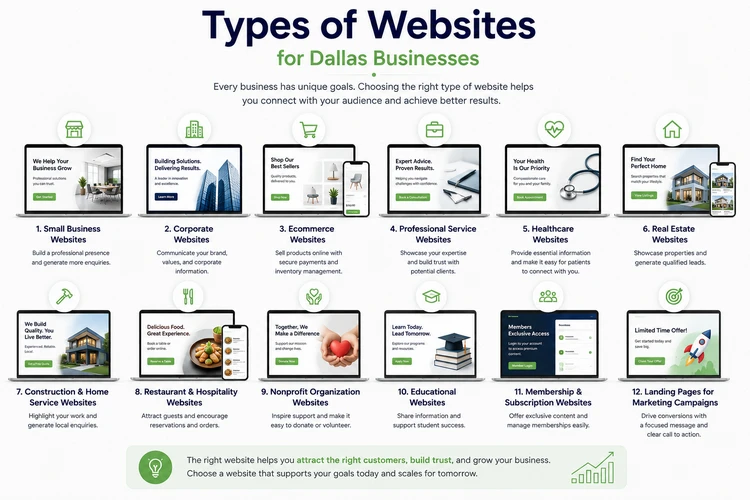
1. Small Business Websites
Small business websites are designed to establish a professional online presence and generate enquiries. They typically provide information about the company, products or services, contact details, customer testimonials, and clear calls to action.
A typical small business website includes:
- Home page
- About Us
- Services or Products
- Portfolio or Gallery
- Testimonials
- Frequently Asked Questions
- Contact page
These websites are ideal for businesses such as consultants, accountants, cleaning companies, contractors, marketing agencies, and other service providers looking to attract new customers.
2. Corporate Websites
Corporate websites are built for larger organizations that need to communicate with customers, investors, partners, job applicants, and the media.
These websites often include:
- Company profile
- Leadership team
- Investor information
- Careers
- News and press releases
- Multiple service divisions
- Corporate responsibility initiatives
- Contact information
Corporate websites focus on professionalism, credibility, and brand consistency while supporting a wide range of business functions.
3. Ecommerce Websites
An ecommerce website allows businesses to sell products online and accept secure payments.
In addition to standard website pages, ecommerce sites often include:
- Product catalog
- Product search
- Shopping cart
- Secure checkout
- Payment gateway integration
- Customer accounts
- Inventory management
- Shipping options
- Order tracking
These websites are suitable for retailers, wholesalers, manufacturers, and businesses expanding into online sales.
4. Professional Service Websites
Professional service providers depend heavily on trust and expertise. Their websites should clearly communicate qualifications, experience, and the value they bring to clients.
Examples include:
- Law firms
- Accounting firms
- Financial advisors
- Business consultants
- Engineering firms
- Marketing agencies
- Insurance agencies
Important features include detailed service pages, team profiles, client testimonials, case studies, and consultation request forms.
5. Healthcare Websites
Healthcare providers require websites that are informative, trustworthy, and easy for patients to navigate.
Typical healthcare websites include:
- Medical services
- Doctor profiles
- Appointment requests
- Insurance information
- Patient resources
- Clinic locations
- Contact details
- Frequently asked questions
Accessibility, security, and a user-friendly experience are especially important in this sector.
6. Real Estate Websites
Real estate professionals need websites that showcase properties while making it easy for buyers and sellers to get in touch.
Common features include:
- Property listings
- Search filters
- Photo galleries
- Virtual tours
- Interactive maps
- Agent profiles
- Mortgage calculators
- Contact forms
A modern real estate website helps build credibility while generating qualified property enquiries.
7. Construction and Home Service Websites
Businesses in construction and home services rely heavily on showcasing completed projects and demonstrating their expertise.
Examples include:
- General contractors
- Roofing companies
- HVAC contractors
- Electricians
- Plumbers
- Landscapers
- Remodeling companies
Recommended features include:
- Service area pages
- Project galleries
- Customer reviews
- Before-and-after photos
- Quote request forms
- Emergency contact information
These websites are designed to generate local enquiries and build confidence with potential customers.
8. Restaurant and Hospitality Websites
Restaurants, cafés, hotels, and hospitality businesses need websites that encourage visitors to make reservations, place orders, or plan visits.
Useful features include:
- Menus
- Online reservations
- Food galleries
- Event information
- Customer reviews
- Location maps
- Opening hours
- Online ordering (where applicable)
Professional photography and fast mobile performance are especially important in this industry.
9. Nonprofit Organization Websites
Nonprofit organizations use websites to raise awareness, attract volunteers, communicate their mission, and collect donations.
Key features often include:
- Mission and vision
- Programs and initiatives
- Success stories
- Donation forms
- Volunteer registration
- Events calendar
- Annual reports
- Contact information
A well-designed nonprofit website helps organizations engage supporters and increase community impact.
10. Educational Websites
Educational institutions and training providers require websites that help students access information and register for programs.
Examples include:
- Schools
- Colleges
- Training centers
- Coaching institutions
- Online course providers
Common features include:
- Course listings
- Admissions information
- Faculty profiles
- Student resources
- Online applications
- Event calendars
- News and announcements
11. Membership and Subscription Websites
Some businesses generate recurring revenue by offering exclusive content or services to members.
Membership websites may include:
- User registration
- Secure login
- Member dashboards
- Subscription management
- Premium content
- Online communities
- Learning resources
These websites require secure user management and scalable functionality.
12. Landing Pages for Marketing Campaigns
Not every business needs a large website. Sometimes, a dedicated landing page is the most effective way to promote a specific service, event, or advertising campaign.
Landing pages are commonly used for:
- Google Ads campaigns
- Social media advertising
- Product launches
- Event registrations
- Lead generation
- Free consultations
- Special promotions
Unlike a traditional website, a landing page focuses on a single objective and includes a clear call to action to maximize conversions.
How to Choose the Right Website for Your Business
When deciding which type of website is right for your business, consider the following questions:
- What are your primary business goals?
- Who is your target audience?
- What actions do you want visitors to take?
- Will you sell products online?
- How often will you update your content?
- Do you need appointment booking or customer portals?
- What is your budget?
- How do you expect your business to grow over the next few years?
The answers to these questions will help determine the website structure, features, and functionality best suited to your business.
Key Takeaway
The best website is one that aligns with your business objectives and provides a seamless experience for your customers. Whether you need a simple informational website, a lead-generation platform, an ecommerce store, or a comprehensive corporate website, investing in the right type of website will help strengthen your online presence and support long-term business growth.
As your business evolves, your website should evolve with it—adding new features, improving user experience, and supporting your changing marketing and sales goals.
Features Every Dallas Business Website Should Have
A successful business website is not defined only by how attractive it looks. While professional visuals and branding are important, an effective website must also be functional, easy to use, secure, fast, and designed to achieve specific business goals.
For businesses investing in Dallas web design, the focus should be on creating a website that attracts visitors, builds trust, provides valuable information, and encourages users to take action—whether that means requesting a quote, scheduling a consultation, making a purchase, or contacting the business.
Modern customers have high expectations. If a website is slow, difficult to navigate, outdated, or missing important information, visitors may leave and choose a competitor instead. The following features are essential for any Dallas business website looking to compete effectively online.
1. Mobile Responsive Design
A mobile-friendly website is no longer optional. Many customers search for businesses using smartphones, and they expect websites to work smoothly regardless of the device they use.
Responsive web design ensures that your website automatically adapts to different screen sizes, including:
- Smartphones
- Tablets
- Laptops
- Desktop computers
A responsive website provides:
- Easy navigation on smaller screens
- Readable text without zooming
- Properly sized images and buttons
- Faster mobile browsing
- Better user experience
Google also considers mobile usability when evaluating websites for search rankings, making responsive design an important part of both user experience and SEO.
2. Fast Loading Speed
Website speed has a direct impact on customer experience and conversions. Visitors expect websites to load quickly, and slow pages can cause potential customers to leave before they explore your services.
You can use Google PageSpeed Insights to test your website’s performance and identify opportunities for improvement.
A fast website improves:
- User satisfaction
- Search engine performance
- Conversion rates
- Overall website engagement
Important speed optimization practices include:
- Optimizing images
- Using reliable hosting
- Reducing unnecessary plugins
- Improving website code
- Enabling caching
- Optimizing website resources
For Dallas businesses competing in crowded markets, every second matters when turning visitors into leads.
3. Professional and Consistent Branding
Your website should clearly communicate who you are and what your business represents. Consistent branding helps customers recognize your company and builds trust.
Professional website branding includes:
- Company logo placement
- Brand colors
- Typography choices
- Professional imagery
- Consistent page layouts
- Clear messaging
A well-branded website creates a stronger first impression and helps differentiate your business from competitors.
4. Clear Website Navigation
Visitors should be able to find important information quickly and easily. Confusing menus or poorly organized content can frustrate users and cause them to leave.
A well-structured website should include:
- Simple navigation menus
- Logical page categories
- Clear service pages
- Search functionality where needed
- Easy access to contact information
A visitor should not have to search through multiple pages to understand what your business offers or how to contact you.
5. Strong Calls to Action (CTAs)
Every business website should guide visitors toward the next step.
Examples of effective calls to action include:
- Request a Quote
- Schedule a Consultation
- Contact Us Today
- Get Started
- Book an Appointment
- Shop Now
- Download a Guide
Strategically placed CTAs help turn website visitors into leads and customers.
A website without clear calls to action may receive traffic but fail to generate meaningful business results.
6. SEO-Friendly Structure
A professionally designed website should be built with search engines in mind from the beginning.
SEO-friendly website features include:
- Optimized page titles
- Proper heading structure
- Search-friendly URLs
- Image optimization
- Internal linking
- Fast loading speed
- Mobile responsiveness
- XML sitemap
- Schema markup
Good website design and SEO work together. A visually impressive website that cannot be easily discovered online may struggle to attract potential customers.
7. High-Quality Content
Design attracts visitors, but content helps convince them to take action.
Every business website should clearly communicate:
- Who you are
- What services you provide
- Who you serve
- Why customers should choose you
- How visitors can contact you
Effective website content includes:
- Service descriptions
- Customer testimonials
- Case studies
- FAQs
- Blog articles
- Industry-specific information
Quality content also supports SEO by helping your website rank for relevant searches.
8. Contact Information and Lead Generation Tools
A business website should make it easy for customers to contact you.
Essential contact features include:
- Phone number
- Email address
- Contact form
- Business location
- Google Maps integration
- Appointment scheduling (where applicable)
Lead generation tools may include:
- Quote request forms
- Consultation booking forms
- Newsletter signup
- Live chat
- Customer enquiry forms
The easier it is for visitors to contact your business, the more opportunities you have to convert website traffic into customers.
9. Trust-Building Elements
Customers want confidence before choosing a business. Your website should include elements that demonstrate credibility.
Trust signals include:
- Customer testimonials
- Reviews
- Client logos
- Certifications
- Awards
- Industry experience
- Case studies
- Portfolio examples
For service-based businesses, trust factors can significantly influence whether a visitor decides to make contact.
10. Secure Website Infrastructure
Website security protects both your business and your customers.
Essential security features include:
- SSL certificate (HTTPS)
- Secure hosting
- Regular backups
- Software updates
- Malware protection
- Strong authentication practices
A secure website also improves customer confidence, especially when visitors submit personal information through forms or make online payments.
11. Analytics and Performance Tracking
A professional website should provide insights into how visitors interact with your pages.
Analytics tools help businesses understand:
- How many visitors they receive
- Where traffic comes from
- Which pages perform best
- How users navigate the website
- Which marketing campaigns generate results
Tracking this information allows businesses to make informed improvements and maximize their marketing investment.
12. Accessibility Features
Modern websites should be designed so that they can be used by as many people as possible, including visitors with disabilities. Following the Web Content Accessibility Guidelines (WCAG) can help businesses create more accessible and inclusive online experiences.
Accessibility considerations include:
- Readable text sizes
- Clear color contrast
- Keyboard-friendly navigation
- Image alt text
- Proper heading structure
- Descriptive links
An accessible website provides a better experience for all users while supporting professional and inclusive business practices.
13. Scalable Website Structure
A business website should be built with future growth in mind.
As your business expands, you may need to add:
- New services
- Additional locations
- Blog content
- Ecommerce functionality
- Customer portals
- Marketing landing pages
A scalable website saves businesses from having to rebuild everything when their needs change.
14. Integration With Marketing Platforms
Your website should work together with your broader marketing activities.
Useful integrations include:
- Google Analytics
- Google Search Console
- Google Business Profile
- Email marketing platforms
- CRM systems
- Social media platforms
- Advertising tracking tools
These integrations help businesses measure performance and improve their marketing results.
Key Takeaway
A successful Dallas business website should do more than provide information—it should actively support business growth. Mobile responsiveness, fast performance, SEO-friendly structure, strong calls to action, security, trust signals, and lead generation features all contribute to creating a website that attracts customers and produces measurable results.
When planning a new website or redesigning an existing one, businesses should focus not only on appearance but also on functionality, user experience, and long-term growth. The right combination of design, technology, and strategy transforms a website from a simple online presence into a powerful business tool.
Is Your Website Ready for 2026?
Modern customers expect websites that are fast, mobile-friendly, accessible, and easy to use. If your current website feels outdated or isn't generating enough enquiries, it may be time for a strategic redesign.
Website Design Trends in Dallas (2026)
The way businesses approach website design continues to evolve as customer expectations, technology, and online competition change. For Dallas businesses, having a modern website is no longer only about creating an attractive online presence. Successful websites in 2026 are focused on delivering faster experiences, improving customer engagement, increasing accessibility, and converting visitors into customers.
The best Dallas web design strategies combine visual creativity with practical business goals. A website should not only look professional but also make it easier for customers to find information, trust the brand, and take action.
Businesses should also remember that trends should support usability and conversions rather than simply following design styles. A website that looks impressive but loads slowly or makes it difficult for customers to contact the business will not deliver strong results.
Below are some of the key website design trends shaping business websites in Dallas in 2026.
1. AI-Powered Website Experiences
Artificial intelligence is becoming increasingly integrated into modern websites. While AI should not replace human strategy and creativity, it is helping businesses create smarter and more personalized customer experiences.
AI-powered website features may include:
- Intelligent chat assistants
- Personalized content recommendations
- Automated customer support
- Smarter search functions
- Improved enquiry handling
- AI-assisted content organization
For small businesses, AI can help improve customer communication by answering common questions, guiding visitors toward relevant services, and capturing enquiries outside normal business hours.
However, successful AI implementation requires balance. Customers still expect authentic communication, clear information, and a human connection with a business. AI should enhance the customer experience rather than make websites feel impersonal.
2. Mobile-First Website Design
Mobile browsing continues to influence how websites are designed. Many customers discover businesses, compare services, and make purchasing decisions using smartphones.
In 2026, businesses are moving beyond simply making websites “mobile-friendly.” The focus is on creating a mobile-first experience where the website is designed around how users interact with smaller screens.
Important mobile-first features include:
- Easy-to-use navigation menus
- Large, accessible buttons
- Fast loading pages
- Simple contact forms
- Click-to-call functionality
- Clear calls to action
For Dallas businesses, mobile-first design is especially important because potential customers may search for services while commuting, comparing local providers, or looking for immediate solutions.
3. Performance-Focused Web Design
Website speed has become a major factor in customer experience. Modern users expect websites to load quickly, and slow websites can negatively affect engagement and conversions.
In 2026, professional website design focuses heavily on performance optimization, including:
- Optimized images
- Efficient website code
- Reliable hosting
- Reduced unnecessary animations
- Faster page rendering
- Improved Core Web Vitals
A fast website helps businesses provide a smoother experience while supporting search engine visibility.
For Dallas companies competing in crowded industries, website speed can become a competitive advantage because customers are more likely to stay on websites that provide quick access to information.
4. Clean, Minimalist, and Conversion-Focused Design
Many modern websites are moving away from cluttered layouts and excessive design elements. Instead, businesses are focusing on simple, clear designs that guide visitors toward important actions.
Minimalist web design typically includes:
- More white space
- Clear typography
- Simple navigation
- Strong visual hierarchy
- Focused messaging
- Strategic calls to action
The goal is not to make a website empty or basic. The goal is to remove distractions and help visitors quickly understand:
- Who the business is
- What services it provides
- Why customers should choose them
- What action they should take next
5. Bold Typography and Strong Brand Identity
With many businesses using similar website templates, companies are increasingly looking for ways to create a more memorable digital presence.
In 2026, website designers are using:
- Larger headlines
- Custom typography
- Strong brand messaging
- Unique visual elements
- More distinctive layouts
Typography is becoming an important branding tool because the right fonts and text styles can communicate personality, professionalism, and trust.
For Dallas businesses operating in competitive industries, a strong visual identity can help create differentiation.
6. Authentic Visual Content
Customers increasingly want to see real businesses, real teams, and real experiences.
Instead of relying only on generic stock photography, businesses are investing in:
- Original business photography
- Team images
- Customer stories
- Project galleries
- Behind-the-scenes content
- Video testimonials
Authentic content helps build trust because customers can better understand who they are considering working with.
For service-based businesses such as contractors, consultants, healthcare providers, and professional firms, original visuals can significantly improve credibility.
7. Interactive Design and Micro-Animations
Small interactive elements are becoming more common in modern websites. When used correctly, animations can improve engagement and guide visitors through a page.
Examples include:
- Hover effects
- Animated buttons
- Scrolling effects
- Interactive service sections
- Subtle transitions
The key is moderation. Animations should support the user experience rather than distract visitors or slow down the website.
Good interactive design helps highlight important information and creates a more engaging browsing experience.
8. Accessibility-Focused Website Design
Accessibility is becoming an increasingly important consideration in professional website design. Businesses are recognizing the importance of creating websites that are usable by a wider range of visitors.
Accessibility-focused design includes:
- Clear text contrast
- Readable fonts
- Keyboard-friendly navigation
- Descriptive image text
- Proper heading structures
- Simple and understandable layouts
Building accessibility into the design process from the beginning creates better experiences for all users, not only those with specific accessibility needs.
9. SEO and AI Search-Friendly Website Structure
Search is changing, and businesses need websites that are structured clearly for both traditional search engines and emerging AI-powered search experiences.
Modern websites should focus on:
- Clear page organization
- Detailed service pages
- Helpful content
- Frequently asked questions
- Structured data
- Strong internal linking
- Expert business information
A well-designed website should make it easy for both users and search technologies to understand:
- What the business offers
- Who it serves
- Where it operates
- Why it is trustworthy
10. Personalized User Experiences
Businesses are increasingly using technology to create more relevant website experiences.
Examples include:
- Industry-specific landing pages
- Location-based content
- Personalized recommendations
- Dynamic enquiry forms
- Customized customer journeys
For example, a Dallas website visitor looking for commercial construction services should quickly find relevant information without searching through unrelated content.
Personalization helps improve engagement and makes websites more effective at generating qualified leads.
11. Conversion-Focused Website Design
One of the biggest trends in 2026 is the shift from websites that simply provide information to websites designed around measurable business outcomes.
A conversion-focused website considers:
- Customer journey
- Website visitor behavior
- Clear messaging
- Strategic calls to action
- Lead capture opportunities
- Trust-building content
Every page should have a purpose. Whether the goal is requesting a quote, booking an appointment, making a purchase, or contacting the business, the design should support that action.
Key Takeaway
The future of Dallas web design in 2026 is focused on creating websites that are smarter, faster, more accessible, and more customer-focused. Businesses should not adopt trends simply because they look modern. The best website design decisions are those that improve user experience, strengthen credibility, support SEO, and generate more enquiries.
For Dallas businesses, a successful website combines modern design trends with proven fundamentals: clear messaging, strong branding, excellent performance, mobile usability, and a focus on converting visitors into customers.
How Much Does Website Design Cost in Dallas?
One of the first questions most business owners ask before starting a website project is: “How much does website design cost in Dallas?”
The answer depends on several factors, including the type of website, the number of pages, required features, design complexity, content requirements, and the experience of the web design company you choose.
While some businesses may only need a simple online presence, others require advanced functionality such as ecommerce capabilities, appointment booking systems, customer portals, integrations, or custom applications. Understanding the different cost factors can help Dallas business owners make better decisions and avoid choosing a website based only on the lowest price.
A professionally designed website should be viewed as an investment in your business rather than simply an expense. A well-planned website can help attract customers, generate leads, strengthen credibility, and support long-term growth.
Average Website Design Cost in Dallas
Website design pricing in Dallas varies widely depending on the project’s scope and requirements. Small businesses may spend a few thousand dollars for a professional website, while larger companies with advanced requirements may invest significantly more.
Typical price ranges include:
| Website Type | Estimated Cost Range |
|---|---|
| Basic Small Business Website | $1,000 – $3,000+ |
| Professional Business Website | $3,000 – $8,000+ |
| Ecommerce Website | $5,000 – $15,000+ |
| Custom Corporate Website | $10,000 – $30,000+ |
| Advanced Web Applications | $20,000+ |
These ranges are general estimates. The final cost depends on the specific goals, functionality, design requirements, and development approach.
For many Dallas small businesses, a professional business website is often the most practical starting point because it provides the essential features needed to attract customers without unnecessary complexity.
Factors That Influence Website Design Cost in Dallas
Understanding what affects pricing helps business owners compare proposals more effectively.
1. Number of Website Pages
The size of the website is one of the biggest factors affecting cost.
A simple website with five pages requires less planning and development compared to a larger website with:
- Multiple service pages
- Industry-specific pages
- Location pages
- Blog sections
- Resource libraries
- Customer portals
More pages typically require additional design, content organization, optimization, and testing.
2. Website Design Approach
The design process can vary depending on the level of customization required.
Template-Based Website Design
Template-based websites use professionally created themes that are customized with your branding, content, images, and features.
Benefits include:
- Faster development
- Lower cost
- Proven layouts
- Easier maintenance
This approach works well for many small businesses that need a professional website quickly and efficiently.
Custom Website Design
Custom websites are designed from the ground up based on specific business requirements.
Benefits include:
- Unique brand experience
- Custom functionality
- Greater flexibility
- More control over user experience
Custom development is often suitable for larger organizations or businesses with specialized requirements.
3. Website Functionality and Features
The features included in a website can significantly affect the investment required.
Common features that may increase website costs include:
- Ecommerce functionality
- Online payment systems
- Appointment scheduling
- Customer login areas
- Membership systems
- Advanced search
- Interactive tools
- CRM integrations
- Marketing automation
- Custom databases
A simple service website may only require basic enquiry forms, while a more complex website may require advanced technology solutions.
4. Content Creation
Quality content plays an important role in website success.
Website costs may include:
- Professional copywriting
- Service page content
- Blog articles
- Product descriptions
- Photography
- Video production
- Graphic design
- Brand messaging
Many businesses underestimate the importance of content. A beautiful website with unclear messaging may struggle to convert visitors into customers.
5. Search Engine Optimization (SEO)
A website should be built with search visibility in mind from the beginning.
SEO-related costs may include:
- Keyword research
- Website structure planning
- On-page optimization
- Technical SEO setup
- Content strategy
- Local SEO optimization
Investing in SEO during the website design process can help businesses build a stronger foundation for attracting organic traffic.
6. Website Hosting, Security, and Maintenance
The initial website build is only part of the total investment. Businesses should also consider ongoing website costs.
Common ongoing expenses include:
- Website hosting
- Domain registration
- SSL certificate
- Security monitoring
- Backups
- Software updates
- Technical support
- Content updates
A website requires ongoing care to remain secure, fast, and effective.
Affordable vs Cheap Website Design in Dallas
Many businesses search for affordable website design options, but it is important to understand the difference between affordable and cheap.
An affordable website provides good value by balancing:
- Professional design
- Essential features
- Business goals
- Quality development
- Future scalability
A cheap website often focuses only on reducing the initial price and may involve:
- Limited customization
- Poor user experience
- Slow performance
- Lack of SEO preparation
- Minimal support
- Difficulty making future improvements
The goal should not be finding the cheapest website. The goal should be finding a website solution that delivers value and supports business growth.
Website Design Pricing for Small Businesses in Dallas
Most small businesses need a website that helps them:
- Build credibility
- Explain their services
- Generate enquiries
- Improve online visibility
- Support marketing campaigns
A professional small business website usually includes:
- Mobile responsive design
- Professional layout
- Service pages
- Contact forms
- Basic SEO setup
- Google Analytics integration
- Security features
- Social media integration
For businesses starting out, a well-planned professional website provides a strong foundation that can grow as the company expands.
Questions to Ask Before Choosing a Website Design Company
Before selecting a web design company in Dallas, consider asking:
What is included in the website package?
Make sure you understand whether the proposal includes:
- Design
- Development
- Content support
- SEO setup
- Hosting
- Maintenance
- Training
Will the website be mobile-friendly?
Mobile responsiveness should be included as a standard feature.
Can the website grow with my business?
A good website should allow future improvements without requiring a complete rebuild.
Do you provide ongoing support?
Reliable support after launch helps businesses maintain website performance and security.
How will success be measured?
A professional website should have clear goals, such as:
- More enquiries
- More calls
- More sales
- Better search visibility
Choosing the Right Website Investment
The right website budget depends on your business goals. A local service business may not need the same investment as an ecommerce company or large corporation.
Before choosing a provider, consider:
- Your target customers
- Your marketing strategy
- Your growth plans
- Required website features
- Expected return on investment
A website that generates consistent leads and supports sales can quickly become one of the most valuable assets in your business.
Key Takeaway
The cost of website design in Dallas depends on the size, complexity, and goals of the project. While prices can vary significantly, businesses should focus on value rather than simply choosing the lowest-cost option.
A professionally designed website combines strategy, design, technology, SEO, and ongoing support to help businesses attract customers and grow online. By understanding the factors that influence website pricing, Dallas business owners can make informed decisions and invest in a website that delivers long-term results.
Let's Build a Website That Converts Visitors Into Customers
From strategic design and mobile responsiveness to SEO-friendly development and clear conversion paths, we build websites designed around your business goals.
Affordable vs Cheap Website Design: Understanding the Difference
When searching for a web design company, many Dallas business owners naturally want to find an affordable solution. Every business wants to make smart financial decisions, especially when investing in a new website.
However, there is an important difference between affordable website design and cheap website design.
An affordable website provides the right balance between cost, quality, functionality, and long-term value. A cheap website focuses mainly on reducing the upfront price, often by sacrificing important elements that affect performance, credibility, security, and business growth.
Understanding this difference can help businesses avoid costly mistakes and choose a website solution that supports their goals.
What Is Affordable Website Design?
Affordable website design means creating a professional website that provides the essential features a business needs while staying within a reasonable budget.
An affordable website should help your business:
- Build credibility online
- Attract potential customers
- Generate enquiries
- Support marketing campaigns
- Improve customer experience
- Grow over time
The goal is not to include every possible feature. The goal is to invest in the features that provide the greatest value for your business.
A professionally planned affordable website usually includes:
- Custom business branding
- Mobile responsive design
- Clear website structure
- Professional service pages
- Contact forms
- Search engine-friendly setup
- Security features
- Analytics tracking
- Basic performance optimization
For many small and medium-sized businesses in Dallas, an affordable professional website provides everything needed to establish a strong online presence.
What Is Cheap Website Design?
Cheap website design usually focuses primarily on achieving the lowest possible initial cost. While this may seem attractive, businesses often discover hidden problems after launch.
A low-cost website may involve:
- Generic templates with little customization
- Limited design flexibility
- Poor website structure
- Slow loading performance
- Weak mobile experience
- No SEO planning
- Minimal support after launch
- Difficult future improvements
The problem is not that inexpensive websites are always bad. Some businesses have simple needs and can benefit from basic solutions. The issue is choosing a website based only on price without considering whether it will achieve business objectives.
Affordable vs Cheap Website Design Comparison
| Affordable Website Design | Cheap Website Design |
|---|---|
| Affordable Website Design | Cheap Website Design |
| Focuses on business goals | Focuses mainly on low price |
| Professional planning | Limited strategy |
| Designed around customer needs | Often uses generic layouts |
| Mobile-friendly experience | May have usability issues |
| SEO-ready structure | Little search optimization |
| Better scalability | Difficult to expand |
| Quality support available | Limited assistance |
| Built for long-term value | Built mainly for immediate launch |
Why the Cheapest Website Is Not Always the Best Option
A website is often the first interaction potential customers have with your business. If visitors encounter a poor experience, they may question the quality of your products or services.
Some problems caused by poorly planned websites include:
1. Lost Customer Opportunities
A website that is difficult to navigate or unclear about your services can cause visitors to leave before contacting you.
Potential customers may choose a competitor simply because their website appears more professional and trustworthy.
2. Poor Search Engine Visibility
Many inexpensive websites are built without considering SEO.
Common issues include:
- Poor page structure
- Missing metadata
- Slow performance
- Unoptimized images
- Weak content organization
Without a strong SEO foundation, businesses may struggle to attract customers searching online.
3. Higher Costs Later
A website that was built cheaply may eventually require major improvements or a complete rebuild.
Businesses may end up paying more to fix:
- Design problems
- Security issues
- Poor functionality
- Technical limitations
- SEO problems
Investing properly from the beginning can reduce unnecessary costs in the future.
4. Limited Growth Potential
Your business will likely change over time. You may need to add:
- New services
- More locations
- Blog content
- Online payments
- Booking systems
- Marketing campaigns
A professionally planned website makes future growth easier.
How Dallas Businesses Can Choose the Right Website Solution
Before selecting a web design company, business owners should focus on value rather than simply comparing prices.
Consider the following questions:
Does the Website Represent My Brand Professionally?
Your website should communicate trust, quality, and professionalism. The design should reflect your business personality and appeal to your target customers.
Will the Website Help Generate Leads?
A good business website should do more than provide information. It should encourage visitors to:
- Call your business
- Submit an enquiry
- Request a quote
- Schedule a consultation
- Purchase products
Is SEO Included?
A website that cannot be found online has limited value.
Ask whether the website includes:
- SEO-friendly structure
- Proper headings
- Search engine optimization basics
- Fast loading performance
- Mobile optimization
Is Support Available After Launch?
Businesses often need help after their website goes live.
Support may include:
- Technical updates
- Security monitoring
- Content changes
- Performance improvements
- Website maintenance
The Best Website Investment Depends on Your Business Goals
Not every business needs an expensive custom website. A small local business, startup, and large corporation will have different requirements.
A small business may need:
- Professional branding
- Service information
- Lead generation forms
- Customer testimonials
- An ecommerce business may need:
- Product management
- Online payments
- Inventory features
- Customer accounts
A larger company may require:
- Custom integrations
- Advanced functionality
- Multiple departments
- Complex content management
The right approach is to choose a website solution that matches your current needs while allowing room for future growth.
Key Takeaway
Affordable website design is about achieving the best value for your investment. It means creating a professional, functional, and scalable website without unnecessary expenses.
Cheap website design may save money initially, but it can create challenges that affect your online visibility, customer trust, and long-term growth.
For Dallas businesses, the goal should not be finding the lowest-priced website—it should be finding a reliable web design solution that helps attract customers, generate leads, and support business success.
A well-designed website is an investment that continues working for your business long after launch.
How Long Does Website Development Take?
One of the most common questions businesses ask before starting a website project is: “How long does it take to build a website?”
The answer depends on several factors, including the size of the website, the number of pages, the complexity of the design, required functionality, content availability, and the communication process between the business and the web design team.
For Dallas businesses, a professional website can take anywhere from a few weeks to several months depending on the project’s scope. A simple small business website may be completed relatively quickly, while a larger ecommerce platform or custom website requires more planning, development, testing, and optimization.
Understanding the website development timeline helps businesses prepare the necessary information, set realistic expectations, and ensure a smoother project experience.
Average Website Development Timeline
While every project is different, the following provides a general guide:
| Website Type | Typical Timeline |
|---|---|
| Landing Page | 1–3 weeks |
| Small Business Website (5–10 pages) | 3–8 weeks |
| Professional Business Website (10–25 pages) | 6–12 weeks |
| Ecommerce Website | 8–16+ weeks |
| Custom Website or Web Application | 3–6+ months |
These timelines may vary depending on the complexity of the project, the availability of content, and how quickly decisions and feedback are provided.
The Website Development Process
A professional website is not created overnight. It involves several important stages to ensure the final product meets business objectives and provides a positive experience for customers.
1. Discovery and Planning (1–2 Weeks)
The first stage involves understanding the business, customers, goals, and requirements.
During discovery, a web design company may review:
- Business objectives
- Target audience
- Competitors
- Required website features
- Branding guidelines
- Content requirements
- Marketing goals
This planning stage is essential because it creates the foundation for the entire project.
A website built without proper planning may look attractive but fail to support business goals.
2. Website Structure and Strategy (1–2 Weeks)
Before designing pages, the website structure needs to be planned.
This includes:
- Sitemap creation
- Page organization
- Navigation planning
- User journey mapping
- Content structure
- Conversion strategy
A well-planned structure helps visitors quickly find information and encourages them to take important actions.
For example, a service business website may need:
- Homepage
- About page
- Individual service pages
- Portfolio
- Testimonials
- Blog
- Contact page
3. Design Phase (2–4 Weeks)
During the design stage, the visual appearance of the website is created.
This includes:
- Page layouts
- Color schemes
- Typography
- Images
- Brand elements
- User interface design
The goal is to create a website that reflects the company’s brand while providing a simple and enjoyable experience for visitors.
A professional Dallas web design project should focus on both appearance and functionality.
4. Website Development (2–8 Weeks)
Once the design is approved, development begins.
During this stage, developers build the website and implement functionality such as:
- Content management systems
- Contact forms
- Ecommerce features
- Booking systems
- Integrations
- Security features
- SEO foundations
The development timeline depends heavily on the complexity of the website.
A basic business website may require only a few weeks, while advanced websites with custom features require significantly more time.
5. Content Creation and Upload (1–4 Weeks)
Content is one of the most important parts of a successful website.
This stage may involve:
- Writing website copy
- Preparing images
- Creating service descriptions
- Uploading products
- Adding testimonials
- Formatting blog content
Many website projects experience delays because content is not prepared on time.
Businesses can speed up the process by preparing:
- Company information
- Service details
- Photos
- Brand materials
- Customer reviews
- Contact information
- before development begins.
6. Testing and Quality Assurance (1–2 Weeks)
Before launch, the website should be carefully tested.
Testing includes:
- Mobile responsiveness
- Browser compatibility
- Website speed
- Contact forms
- Links
- Security features
- Page layouts
- User experience
This ensures visitors receive a professional experience from the first day the website goes live.
7. Website Launch and Training (1 Week)
After final approval, the website is launched.
The launch process may include:
- Domain connection
- Hosting setup
- Final SEO checks
- Analytics installation
- Security verification
- Website handover
Businesses may also receive training on how to update content, manage pages, or maintain their website.
Factors That Can Affect Website Development Time
Several factors can speed up or delay a website project.
1. Website Size and Complexity
A five-page business website will usually take less time than a large website with dozens of pages and advanced functionality.
More complex requirements increase development time.
2. Content Preparation
Content delays are one of the most common reasons website projects take longer.
Businesses should provide:
- Text content
- Images
- Logos
- Product details
- Service information
- as early as possible.
3. Number of Design Revisions
Feedback and revisions are a normal part of website development.
However, projects may take longer when:
- Multiple decision-makers provide conflicting feedback
- Approvals are delayed
- Requirements change frequently
- Clear communication helps keep projects moving.
4. Custom Features and Integrations
Additional functionality can increase development time.
Examples include:
- Customer portals
- Payment systems
- CRM integration
- Booking systems
- Custom databases
- Advanced search features
These require additional planning, development, and testing.
How Dallas Businesses Can Speed Up Website Development
Businesses can help complete projects faster by:
Preparing Content Early
Have your:
- Business information
- Service descriptions
- Images
- Testimonials
- Branding materials
- ready before the project begins.
Defining Clear Goals
Know what you want your website to achieve:
- Generate leads
- Sell products
- Book appointments
- Increase brand awareness
- Clear goals make planning easier.
Choosing the Right Web Design Partner
An experienced web design company can guide the process, recommend the right solutions, and avoid unnecessary delays.
Why Rushing Website Development Can Be a Mistake
While every business wants a website launched quickly, rushing the process can create problems.
A rushed website may have:
- Poor user experience
- Weak messaging
- Technical issues
- Missing SEO elements
- Limited conversion opportunities
Taking the right amount of time to plan, design, test, and optimize helps create a website that delivers better long-term results.
Key Takeaway
The time required to build a website depends on the project’s size, complexity, and preparation. A professional business website may take several weeks, while larger ecommerce websites and custom solutions may require several months.
For Dallas businesses, the most important goal is not simply launching a website quickly—it is creating a website that works effectively, represents the brand professionally, attracts customers, and supports long-term growth.
A well-planned website development process ensures that your investment delivers lasting value.
Choosing the Right Web Design Company in Dallas
Selecting the right web design company is one of the most important decisions a business can make when investing in a new website. Your website is not just a digital brochure—it is a tool that represents your brand, communicates with customers, generates leads, and supports your business growth.
With many web designers, freelancers, and agencies available, choosing the right partner can feel overwhelming. The cheapest option is not always the best choice, and the company with the most impressive portfolio may not necessarily be the right fit for your business.
The ideal web design partner should understand your business goals, your customers, your industry, and how to create a website that delivers measurable results.
Choosing the right web design partner involves more than comparing portfolios or prices. You need to consider experience, communication, SEO capabilities, technical expertise, ongoing support, and whether the agency understands your business goals. If you’re comparing agencies, our detailed guide on how to choose the right web design company in Dallas covers the key factors to consider before making your decision.
For businesses searching for Dallas web design services, the following factors can help you evaluate and choose the right web design company.
1. Review Their Portfolio and Previous Work
A company’s portfolio is one of the best ways to evaluate their experience and design capabilities.
Look beyond whether the websites simply look attractive. Consider:
- Are the websites easy to navigate?
- Do they work well on mobile devices?
- Are the designs suitable for different industries?
- Do the websites appear professional and trustworthy?
- Are there examples similar to your business type?
A strong portfolio demonstrates that the company understands different business requirements and can create websites tailored to specific goals.
For example, a restaurant website, law firm website, ecommerce store, and construction company website may require completely different approaches. A good web design company should be able to adapt its strategy based on the client’s industry and audience.
2. Understand Their Web Design Process
A professional web design company should have a clear process for taking a project from idea to launch.
Ask how they approach:
- Business discovery
- Website planning
- Content organization
- Design creation
- Development
- Testing
- Launch
- Post-launch support
A structured process reduces confusion, prevents delays, and ensures that important details are not overlooked.
Companies that focus only on quickly creating a website without understanding your goals may deliver a website that looks good but does not effectively support your business.
3. Look for Business-Focused Design, Not Just Visual Design
A great website is not only about appearance. It should be designed around business objectives.
A quality web design company should understand:
- Who your customers are
- What problems your business solves
- What actions visitors should take
- How to turn visitors into leads
Effective business websites use design strategically through:
- Clear messaging
- Strong calls to action
- Easy navigation
- Trust-building elements
- Conversion-focused layouts
The goal is to create a website that helps your business achieve results, not just win design awards.
4. Check Their Knowledge of SEO
A beautiful website has limited value if potential customers cannot find it online.
When choosing a web design company, ask whether they consider SEO during the design and development process.
Important SEO considerations include:
- Search-friendly website structure
- Optimized page titles
- Proper heading structure
- Fast loading speeds
- Mobile responsiveness
- Image optimization
- Internal linking
- Technical SEO setup
SEO should not be added as an afterthought. The website foundation should support future search engine optimization efforts.
5. Confirm Mobile and Performance Optimization
A modern website must perform well across all devices.
Ask whether the company provides:
- Responsive design
- Mobile testing
- Speed optimization
- Performance improvements
- Core Web Vitals considerations
Many customers will first experience your business through a smartphone. A website that performs poorly on mobile can negatively affect both user experience and conversions.
6. Evaluate Their Communication and Project Management
Good communication is essential for a successful website project.
Before hiring a company, consider:
- How quickly do they respond?
- Do they explain technical concepts clearly?
- Will you have a dedicated contact person?
- How often will updates be provided?
- How are revisions handled?
A website project requires collaboration between the business owner and the design team. A company that communicates clearly makes the process smoother and more efficient.
7. Understand What Is Included in Their Pricing
Website pricing can vary significantly between providers. Before choosing a company, make sure you understand exactly what is included.
Ask about:
- Number of website pages
- Design customization
- Mobile optimization
- SEO setup
- Content support
- Hosting
- Security features
- Maintenance options
- Training
- Future updates
A lower initial price may exclude important services that you later need to purchase separately.
A transparent web design company should clearly explain what you receive and what additional costs may apply.
8. Check Client Reviews and Testimonials
Customer feedback provides valuable insight into a company’s reliability and service quality.
Look for reviews that mention:
- Communication
- Project delivery
- Technical quality
- Support after launch
- Overall satisfaction
While testimonials should not be the only factor in your decision, they can help confirm whether a company consistently delivers positive experiences.
9. Consider Their Technical Expertise
Different businesses require different website solutions.
A capable web design company should understand:
- Content management systems
- Ecommerce platforms
- Website security
- Website hosting
- Analytics tracking
- SEO tools
- Third-party integrations
The right technical approach depends on your business needs. A small business website may require a different solution from an ecommerce store or a company needing custom functionality.
10. Ask About Website Ownership and Access
Before signing an agreement, clarify ownership and access.
Important questions include:
- Who owns the website after completion?
- Will I have administrator access?
- Can I update the website myself?
- Who controls the domain name?
- Who manages hosting accounts?
A professional relationship should provide transparency and ensure the business maintains control over its digital assets.
11. Evaluate Their Long-Term Support
A website requires ongoing attention after launch.
Ask whether the company provides:
- Website maintenance
- Security updates
- Technical support
- Performance monitoring
- Content updates
- Website improvements
Having a reliable support partner helps ensure that your website remains secure, updated, and effective as your business grows.
12. Choose a Partner That Understands Your Industry
Industry knowledge can make a significant difference in website effectiveness.
A company that understands your market can better recommend:
- Website structure
- Content strategy
- Customer journey
- Lead generation methods
- Required features
For example, a local service business may need strong enquiry generation, while an ecommerce business may focus more on product discovery and checkout experience.
Questions to Ask Before Hiring a Dallas Web Design Company
Before making your decision, consider asking:
About Experience
- How long have you been designing websites?
- Can I see examples of similar projects?
- What industries do you specialize in?
About Process
- What does your website design process look like?
- How long will the project take?
- How do you handle revisions?
About Results
- How will the website help generate leads?
- Do you include SEO considerations?
- How do you measure website success?
About Support
- What happens after launch?
- Do you offer maintenance plans?
- Who should I contact if I need help?
Red Flags to Watch Out For
Be cautious if a provider:
- Promises instant #1 Google rankings
- Offers extremely low prices without explaining limitations
- Has no portfolio
- Cannot explain their process
- Avoids discussing SEO
- Does not provide clear contracts or agreements
- Does not provide access to your website
A reliable web design company should be transparent, professional, and focused on helping your business succeed.
Choosing the Right Web Design Company in Dallas
Selecting the right web design company is one of the most important decisions a business can make when investing in a new website. Your website is not just a digital brochure—it is a tool that represents your brand, communicates with customers, generates leads, and supports your business growth.
With many web designers, freelancers, and agencies available, choosing the right partner can feel overwhelming. The cheapest option is not always the best choice, and the company with the most impressive portfolio may not necessarily be the right fit for your business.
The ideal web design partner should understand your business goals, your customers, your industry, and how to create a website that delivers measurable results. For businesses searching for Dallas web design services, the following factors can help you evaluate potential partners.
1. Review Their Portfolio and Previous Work
A company’s portfolio is one of the best ways to evaluate its experience and design capabilities.
Look beyond whether the websites simply look attractive. Consider:
- Are the websites easy to navigate?
- Do they work well on mobile devices?
- Are the designs suitable for different industries?
- Do the websites appear professional and trustworthy?
- Are there examples similar to your business type?
A strong portfolio demonstrates that the company understands different business requirements and can create websites tailored to specific goals.
For example, a restaurant website, law firm website, ecommerce store, and construction company website may require completely different approaches. A good web design company should be able to adapt its strategy based on the client’s industry and audience.
2. Understand Their Web Design Process
A professional web design company should have a clear process for taking a project from idea to launch. This may include business discovery, website planning, content organization, design, development, testing, launch, and post-launch support.
A structured process reduces confusion, prevents delays, and helps ensure that important details are not overlooked. Companies that focus only on quickly creating a website without understanding your goals may deliver a website that looks good but does not effectively support your business.
3. Look for Business-Focused Design, Not Just Visual Design
A great website is not only about appearance. It should be designed around your business objectives and the needs of your target customers.
A quality web design company should understand:
- Who your customers are
- What problems your business solves
- What actions visitors should take
- How to turn visitors into leads or customers
Effective business websites use design strategically through clear messaging, strong calls to action, easy navigation, trust-building elements, and conversion-focused layouts.
The goal is to create a website that helps your business achieve results, not just one that looks impressive.
4. Check Their Knowledge of SEO
A beautiful website has limited value if potential customers cannot find it online.
When choosing a web design company, ask whether they consider SEO during the design and development process. Important SEO considerations include:
- Search-friendly website structure
- Optimized page titles
- Proper heading structure
- Fast loading speeds
- Mobile responsiveness
- Image optimization
- Internal linking
- Technical SEO foundations
SEO should not be treated as an afterthought. The website should be built on a foundation that supports future search engine optimization efforts.
5. Confirm Mobile and Performance Optimization
A modern website must perform well across desktops, tablets, and smartphones.
Ask whether the company provides:
- Responsive design
- Mobile testing
- Speed optimization
- Performance improvements
- Core Web Vitals considerations
Many customers will first experience your business through a smartphone. A website that performs poorly on mobile can negatively affect both user experience and conversions.
6. Evaluate Communication and Project Management
Good communication is essential for a successful website project. Before hiring a company, consider how clearly they communicate, how project updates are handled, how revisions are managed, and whether you will have a reliable point of contact throughout the project.
A website project requires collaboration between the business owner and the design team. A company that communicates clearly and maintains an organized process can make the project smoother and more efficient.
7. Compare Pricing Based on Value
Website pricing can vary significantly between providers. Rather than choosing a company based only on the lowest price, make sure you understand what is included in the overall investment.
Consider factors such as:
- Number of website pages
- Design customization
- Mobile optimization
- SEO setup
- Content support
- Hosting
- Security features
- Maintenance options
- Training
- Future updates
A lower initial price may exclude important services that you later need to purchase separately. A transparent web design company should clearly explain what you receive and what additional costs may apply.
For a more detailed guide on comparing website design companies, evaluating pricing and services, and understanding what to look for before hiring, read our guide on how to choose the right web design company in Dallas.
8. Check Client Reviews and Testimonials
Customer feedback can provide valuable insight into a company’s reliability and service quality.
Look for reviews and testimonials that mention:
- Communication
- Project delivery
- Technical quality
- Support after launch
- Overall customer satisfaction
While testimonials should not be the only factor in your decision, they can help confirm whether a company consistently delivers positive client experiences.
9. Consider Their Technical Expertise
Different businesses require different website solutions. A capable web design company should understand content management systems, ecommerce platforms, website security, hosting, analytics tracking, SEO tools, and third-party integrations.
The right technical approach depends on your business needs. A small business website may require a different solution from an ecommerce store or a company that needs custom functionality or complex integrations.
10. Ask About Website Ownership and Access
Before signing an agreement, clarify ownership and access to your website and digital assets.
Important questions include:
- Who owns the website after completion?
- Will I have administrator access
- Can I update the website myself?
- Who controls the domain name?
- Who manages hosting accounts?
A professional relationship should provide transparency and ensure that your business maintains appropriate control over its digital assets.
11. Evaluate Long-Term Support
A website requires ongoing attention after launch. Ask whether the company provides maintenance, security updates, technical support, performance monitoring, content updates, and future improvements.
Having a reliable support partner can help ensure that your website remains secure, updated, and effective as your business grows.
12. Choose a Partner That Understands Your Industry
Industry knowledge can make a significant difference in website effectiveness.
A company that understands your market and target audience may be better positioned to recommend the right:
- Website structure
- Content strategy
- Customer journey
- Lead generation methods
- Website features
For example, a local service business may need strong enquiry generation, while an ecommerce business may focus more on product discovery, customer experience, and checkout functionality.
Watch Out for Warning Signs
While comparing web design companies, businesses should also be cautious of providers that make unrealistic promises, offer extremely low prices without explaining what is included, have no relevant portfolio, cannot clearly explain their process, or avoid important conversations about SEO, website ownership, contracts, and ongoing support.
Be particularly careful of anyone promising instant #1 Google rankings or guaranteed results without explaining the work involved. A reliable web design company should be transparent about its process, pricing, capabilities, and the realistic outcomes a website can support.
Making the Right Choice
Ultimately, the right web design company should offer a balance of professional design, technical expertise, SEO awareness, clear communication, and ongoing support. The goal is not simply to find the cheapest provider or the company with the most visually impressive portfolio, but to find a partner that understands your business and can build a website that supports your long-term goals.
By evaluating potential providers based on their experience, portfolio, process, business-focused approach, technical capabilities, pricing, and support, you can make a more informed decision and invest in a website that delivers value beyond the initial launch.
Key Takeaway
Choosing the right web design company in Dallas requires looking beyond price and visual appearance. The best partner combines creative design, technical expertise, SEO knowledge, clear communication, and a focus on business results.
A professionally designed website is an investment that can help your business attract customers, build credibility, and generate leads for years to come. Taking time to choose the right web design partner ensures your website becomes a valuable business asset rather than simply another online expense.
Questions to Ask Before Hiring a Web Designer
Choosing a web designer is an important decision that can significantly impact your business’s online success. A website is not simply a collection of pages on the internet—it is a platform that represents your brand, communicates with potential customers, supports your marketing efforts, and helps generate business opportunities.
Many businesses make the mistake of choosing a web designer based only on price or visual examples. While cost and design quality are important, there are many other factors that determine whether a website project will be successful.
Before hiring a web design company, it’s important to ask the right questions about their experience, process, pricing, SEO approach, timelines, and ongoing support. For a more detailed evaluation process, you can also review our complete guide to choosing a Dallas web design company before speaking with potential agencies.
1. Can You Show Examples of Websites You Have Designed?
A portfolio is one of the first things you should review before hiring a web designer.
Ask to see examples of:
- Recent website projects
- Websites in your industry
- Mobile versions of websites
- Before-and-after redesign projects
- Websites designed for businesses with similar goals
When reviewing their portfolio, do not only focus on how the websites look. Consider:
- Is the navigation easy to use?
- Does the website communicate the business clearly?
- Are calls to action visible?
- Does it look professional on mobile devices?
- Does it appear designed to generate enquiries?
A strong portfolio demonstrates both creative ability and practical business understanding.
2. How Do You Approach the Website Design Process?
A professional web designer should have a clear process for creating websites.
Ask them to explain their approach, including:
- Initial consultation
- Business research
- Website planning
- Sitemap creation
- Design development
- Content preparation
- Website development
- Testing
- Launch
A structured process helps ensure that important business requirements are considered before design and development begin.
A web designer who immediately starts building without understanding your goals may create a website that looks attractive but does not effectively support your business.
3. How Will You Understand My Business and Target Customers?
Your website should be designed around your customers, not just your preferences.
A good web designer should ask questions about:
- Your products or services
- Your ideal customers
- Your competitors
- Your business goals
- Your unique selling points
- Your desired customer actions
Understanding your audience helps create a website that speaks directly to potential customers and encourages them to take action.
4. Will My Website Be Mobile-Friendly?
Mobile responsiveness should be a standard feature of every modern website.
Ask:
- Will the website work properly on smartphones and tablets?
- How do you test mobile performance?
- Will menus and forms work well on smaller screens?
A large percentage of website visitors browse using mobile devices. A poor mobile experience can result in lost customers and reduced engagement.
5. Is SEO Included in the Website Design Process?
Search engine optimization should be considered during website development, not added later.
Ask whether the web designer includes:
- SEO-friendly website structure
- Page title optimization
- Heading optimization
- Image optimization
- Website speed improvements
- Search engine indexing setup
- Google Analytics integration
A website designed without SEO considerations may require expensive improvements later.
6. How Much Will the Website Cost and What Is Included?
Before starting a project, make sure you understand the complete investment.
Ask:
- What is included in the price?
- How many pages are included?
- Are revisions included?
- Is content writing included?
- Is hosting included?
- Is SEO setup included?
- Are there ongoing costs?
A detailed proposal should clearly explain what you receive and prevent unexpected expenses later.
7. How Long Will the Website Project Take?
Understanding the timeline helps you plan your launch and marketing activities.
Ask:
- What is the estimated completion time?
- What factors could delay the project?
- What information do you need from me?
- How are approvals handled?
A professional web designer should provide a realistic timeline rather than unrealistic promises.
8. Will I Be Able to Update My Website After Launch?
Many businesses need to update their websites regularly.
Ask:
- Will I have access to edit content?
- What platform will the website use?
- Will you provide training?
- Can I add new pages or blog posts?
A flexible website allows your business to update information, publish content, and grow without requiring major redevelopment.
9. Who Will Own the Website?
Website ownership is an important question that many businesses overlook.
Clarify:
- Who owns the website design?
- Who owns the website files?
- Who controls the domain name?
- Who controls the hosting account?
- Will I receive administrator access?
A professional web designer should provide transparency and ensure the business maintains control of its digital assets.
10. Do You Provide Website Hosting and Maintenance?
Launching a website is only the beginning. Websites require ongoing maintenance to remain secure and effective.
Ask whether they provide:
- Website hosting
- Security monitoring
- Backups
- Software updates
- Technical support
- Performance optimization
Having a reliable support partner can save time and prevent technical problems after launch.
11. How Will the Website Generate Leads or Sales?
A business website should have clear objectives.
Ask how the website will help you achieve goals such as:
- More enquiries
- More phone calls
- More bookings
- More online sales
- Better customer engagement
A professional website should include strategies such as:
- Clear calls to action
- Contact forms
- Trust signals
- Service pages
- Conversion-focused layouts
A website that only looks good but does not produce results is not a successful business investment.
12. What Content Do You Need From Me?
Website content plays a major role in project success.
Ask what materials you need to provide, such as:
- Company information
- Service descriptions
- Photos
- Logos
- Customer testimonials
- Brand guidelines
Some web designers provide content support, while others require businesses to supply all materials.
Knowing this early helps prevent delays.
13. Do You Have Experience With Businesses Like Mine?
Industry experience can help create a more effective website.
Ask:
- Have you worked with businesses in my industry?
- Do you understand my customers?
- Can you recommend suitable website features?
A designer familiar with your industry may better understand customer expectations and conversion opportunities.
14. How Do You Measure Website Success?
A professional website should have measurable goals.
Ask whether they help track:
- Website visitors
- Contact form submissions
- Phone enquiries
- Sales
- User behavior
- Marketing campaign results
Tools such as Google Analytics and Search Console can provide valuable insights into website performance.
15. What Happens After the Website Goes Live?
The relationship should not end once the website launches.
Ask:
- Will you provide launch support?
- Who handles future updates?
- Can improvements be requested later?
- Do you offer ongoing optimization?
Businesses often discover new opportunities after launch, so having continued support can be valuable.
Web Designer Evaluation Checklist
Before making a final decision, confirm that the web designer:
- Has relevant experience
- Provides examples of previous work
- Understands your business goals
- Creates mobile-friendly websites
- Considers SEO
- Provides transparent pricing
- Communicates clearly
- Offers support after launch
- Focuses on business results
Key Takeaway
Hiring a web designer is about finding the right partner, not simply the lowest price. The right web design company will take time to understand your business, create a website that meets your customers’ needs, and provide the support required for long-term success.
By asking the right questions before hiring a web designer, Dallas businesses can avoid common mistakes, make smarter investments, and build a website that helps generate leads and support growth.
Common Website Mistakes Dallas Businesses Make
A professional website can become one of the most valuable assets for a business, helping attract customers, generate leads, and strengthen brand credibility. However, many businesses make mistakes during the website design process that limit their online success.
Some websites may look attractive but fail to generate enquiries. Others may receive traffic but struggle to convert visitors into customers. In many cases, the problem is not a lack of effort—it is that important website strategy, user experience, and marketing principles were overlooked.
For Dallas businesses operating in competitive markets, avoiding common website mistakes can make the difference between having a website that simply exists and having a website that actively supports business growth.
Below are some of the most common website mistakes businesses make and how to avoid them.
1. Treating the Website as Just an Online Brochure
One of the biggest mistakes businesses make is viewing their website as simply a place to display information.
A modern business website should do more than list services and provide contact details. It should actively help achieve business objectives.
A successful website should:
- Attract potential customers
- Explain solutions clearly
- Build trust
- Answer customer questions
- Encourage enquiries
- Support marketing campaigns
A website that only provides basic information may miss opportunities to turn visitors into customers.
2. Choosing Design Based Only on Appearance
Visual design is important, but a beautiful website alone does not guarantee success.
Some businesses focus heavily on:
- Colors
- Animations
- Graphics
- Images
- Design styles
while overlooking important factors such as:
- User experience
- Website speed
- SEO
- Conversion strategy
- Mobile usability
The best websites balance attractive design with functionality. Every design decision should support the customer’s journey and business goals.
3. Not Clearly Explaining What the Business Offers
Visitors should immediately understand:
- Who you are
- What you provide
- Who you help
- Why they should choose you
A common mistake is using vague messaging that does not clearly communicate the company’s value.
For example, instead of saying:
“We provide innovative solutions for businesses.”
A stronger message explains:
“We help Dallas small businesses attract more customers with professional website design and digital marketing solutions.”
Clear messaging helps visitors quickly determine whether your business is the right fit.
4. Poor Mobile Experience
Many businesses underestimate the importance of mobile website performance.
A website that works well on desktop computers but performs poorly on smartphones can lose potential customers.
Common mobile problems include:
- Small text
- Difficult navigation
- Slow loading pages
- Hard-to-use forms
- Buttons that are difficult to click
A mobile-friendly website should provide a smooth experience regardless of the device being used.
5. Slow Website Loading Speed
Website speed directly affects user experience.
Visitors expect websites to load quickly. If a website takes too long to display information, users may leave before contacting the business.
Common causes of slow websites include:
- Large unoptimized images
- Poor hosting
- Too many plugins
- Excessive animations
- Poor website development practices
Businesses should prioritize performance optimization to improve both customer experience and search visibility.
6. Ignoring Search Engine Optimization (SEO)
A website without SEO planning may struggle to attract customers through search engines.
Common SEO mistakes include:
- No keyword strategy
- Poor page titles
- Missing meta descriptions
- Weak website structure
- Limited content
- No local SEO optimization
For Dallas businesses, local SEO is especially important because many customers search for nearby service providers.
Examples include searches such as:
- Web design Dallas
- Website designer near me
- Dallas website design company
- Local service providers in Dallas
SEO should be considered during website planning, not added as an afterthought.
7. Missing Clear Calls to Action
A website should guide visitors toward the next step.
Many businesses lose potential customers because their websites do not clearly tell visitors what to do next.
Examples of effective calls to action include:
- Request a Quote
- Schedule a Consultation
- Call Today
- Get Started
- Book an Appointment
- Contact Our Team
Calls to action should be placed strategically throughout the website, especially on high-value pages.
8. Making It Difficult for Customers to Contact the Business
Some websites make visitors work too hard to find contact information.
Important contact details should be easy to find, including:
- Phone number
- Email address
- Contact form
- Business location
- Operating hours
For local businesses, adding features such as click-to-call buttons and Google Maps integration can improve customer experience.
9. Not Building Trust With Visitors
Customers often research a business before making contact. A website that lacks trust signals may create uncertainty.
Important trust-building elements include:
- Customer testimonials
- Reviews
- Case studies
- Portfolio examples
- Certifications
- Client logos
- Industry experience
Trust is especially important for service businesses where customers need confidence before making a decision.
10. Using Low-Quality or Generic Content
Website content plays a major role in convincing visitors to choose your business.
Common content mistakes include:
- Copying competitor content
- Using generic descriptions
- Providing too little information
- Ignoring customer questions
- Not explaining benefits
Effective website content should focus on:
- Customer problems
- Business solutions
- Benefits
- Experience
- Results
High-quality content also supports SEO by helping search engines understand your expertise.
11. Not Creating Dedicated Service Pages
Many businesses place all services on a single page. While this may seem simple, it can limit SEO opportunities and make it harder for customers to understand offerings.
Dedicated service pages allow businesses to:
- Explain services in detail
- Target specific keywords
- Answer customer questions
- Improve search visibility
- Create stronger conversion opportunities
For example, instead of one general “Services” page, a business may create separate pages for:
- Website Design
- Ecommerce Development
- SEO Services
- Google Ads Management
- Website Maintenance
12. Ignoring Local SEO
For businesses targeting customers in Dallas, local search visibility is essential.
Common local SEO mistakes include:
- Not optimizing Google Business Profile
- Missing location information
- No local keywords
- No customer reviews
- No location-focused content
Local SEO helps businesses appear when customers search for services in their area.
13. Not Tracking Website Performance
Many businesses launch websites without measuring results.
Without tracking, it is difficult to know:
- How visitors find your website
- Which pages perform best
- Where visitors leave
- How many enquiries are generated
Important tracking tools include:
- Google Analytics
- Google Search Console
- Conversion tracking
- Heatmaps
- CRM systems
Data helps businesses make informed improvements.
14. Failing to Update the Website Regularly
A website should not remain unchanged for years.
Outdated websites may create the impression that a business is inactive or behind competitors.
Regular updates may include:
- New services
- Blog articles
- Updated images
- Customer reviews
- Industry information
- Security updates
A website should evolve as the business grows.
15. Not Planning for Future Growth
Some businesses build websites based only on current needs without considering future expansion.
A website should allow room for:
- Additional services
- New locations
- More content
- Ecommerce features
- Marketing campaigns
- Customer tools
Planning ahead reduces the need for expensive redesigns later.
16. Choosing a Web Designer Based Only on Price
Price is an important consideration, but choosing the cheapest option can create problems.
A low-cost website may result in:
- Limited customization
- Poor performance
- Weak SEO foundation
- Lack of support
- Difficult future updates
Businesses should evaluate the overall value, including quality, expertise, support, and long-term results.
How Dallas Businesses Can Improve Their Website
A successful website improvement strategy should focus on:
Improving User Experience
Make it easy for visitors to:
- Find information
- Understand services
- Contact the business
Improving Search Visibility
Focus on:
- SEO-friendly content
- Local optimization
- Technical improvements
Improving Conversions
Use:
- Clear calls to action
- Trust signals
- Better landing pages
- Lead capture forms
Keeping Content Updated
Regular improvements help maintain performance and competitiveness.
Key Takeaway
Many businesses struggle online not because they lack a website, but because their website was not designed strategically.
Common mistakes such as poor messaging, slow performance, weak SEO, unclear calls to action, and lack of customer-focused content can prevent a website from generating results.
For Dallas businesses, a successful website requires more than attractive design. It requires strategy, usability, search optimization, and continuous improvement.
Avoiding these common mistakes helps create a website that builds credibility, attracts customers, and becomes a valuable tool for business growth.
Avoid Costly Web Design Mistakes
Your website is often the first impression potential customers have of your business. We help businesses create professional, user-friendly websites that avoid common design mistakes and are built to support long-term growth.
Website Design and SEO: Why They Must Work Together
Many businesses think of website design and search engine optimization (SEO) as two separate activities. They may build a website first and then attempt to optimize it for search engines later.
However, modern digital marketing requires a different approach.
A successful website should be designed with SEO in mind from the beginning. The structure, content, speed, user experience, and technical foundation of a website all influence how easily customers can find the business online.
For Dallas businesses competing for local customers, combining professional Dallas web design with SEO creates a stronger foundation for attracting qualified traffic, generating enquiries, and increasing online visibility.
A beautiful website that cannot be found in search results may receive little traffic. Similarly, a website that ranks well but provides a poor user experience may fail to convert visitors into customers.
The best results happen when website design and SEO work together.
What Is the Relationship Between Website Design and SEO?
Website design focuses on creating a website that is visually appealing, easy to use, and aligned with business goals.
SEO focuses on improving a website’s visibility in search engines so potential customers can find it when searching for relevant products or services.
Although they serve different purposes, they are closely connected.
Good website design supports SEO through:
- Better website structure
- Faster loading speeds
- Improved mobile experience
- Clear content organization
- Better user engagement
- Easier search engine crawling
SEO supports website design by helping businesses understand:
- What customers are searching for
- What information visitors need
- Which pages should be created
- How content should be organized
Together, they create a website that attracts visitors and encourages them to take action.
1. SEO-Friendly Website Structure
A well-designed website should have a clear structure that helps both visitors and search engines understand the content.
An SEO-friendly structure includes:
- Logical navigation
- Organized page categories
- Clear URLs
- Internal linking
- Proper heading structure
- Dedicated service pages
For example, a Dallas web design company may create separate pages for:
- Website Design Dallas
- Ecommerce Website Design
- Small Business Website Design
- Website Redesign Services
- SEO Services
Each page provides valuable information for visitors while targeting specific search queries.
2. Keyword Research Before Website Design
One common mistake businesses make is designing a website without understanding what customers are searching for.
Keyword research helps identify:
- Customer search terms
- Popular services
- Local search opportunities
- Content topics
- Competitive keywords
For a Dallas business, potential searches may include:
- Website design Dallas
- Dallas web design company
- Website designer Dallas TX
- Web design services Dallas
- Affordable website design Dallas
Understanding these searches helps determine the website structure and content strategy.
3. Optimized Website Content
Content is one of the most important connections between website design and SEO.
A professionally designed website should include content that answers customer questions and demonstrates expertise.
Effective website content should:
- Explain services clearly
- Address customer concerns
- Highlight benefits
- Include relevant keywords naturally
- Provide helpful information
Important content areas include:
- Homepage messaging
- Service pages
- About page
- Case studies
- FAQs
- Blog articles
Search engines increasingly focus on useful, high-quality content that provides value to users.
4. Mobile-Friendly Website Design
Mobile usability is a critical part of modern SEO.
Many customers search for businesses using smartphones, and search engines consider mobile experience when evaluating websites.
A mobile-friendly website should provide:
- Responsive layouts
- Easy navigation
- Readable text
- Fast loading pages
- Simple forms
- Click-to-call functionality
A poor mobile experience can negatively affect both rankings and conversions.
5. Website Speed and Technical Performance
Website performance affects both user experience and search visibility.
Slow websites may lead to:
- Higher bounce rates
- Lower engagement
- Lost enquiries
- Poor customer experience
SEO-friendly website design includes performance optimization such as:
- Image compression
- Efficient coding
- Quality hosting
- Browser caching
- Reduced unnecessary scripts
- Optimized page elements
A fast website helps visitors find information quickly and improves overall usability.
6. User Experience (UX) and SEO
Search engines aim to provide users with the best possible results. Because of this, user experience has become increasingly important.
A positive user experience includes:
- Easy navigation
- Clear information
- Logical page flow
- Engaging content
- Fast performance
- Mobile usability
When visitors spend more time engaging with a website and successfully find what they need, it signals that the website provides value.
7. Local SEO for Dallas Businesses
For businesses targeting customers in Dallas, local SEO is essential.
Local SEO helps businesses appear when people search for nearby services.
Important local SEO elements include:
- Google Business Profile optimization
- Consistent business information
- Customer reviews
- Location-focused content
- Local keywords
- Service area pages
Examples of local search terms include:
- Web design company near me
- Dallas website designer
- Website design company Dallas TX
- Local web design services
A professionally designed website should support local SEO efforts by clearly communicating:
- Business location
- Service areas
- Contact information
- Customer reviews
8. Technical SEO Foundations
A website should include important technical elements from the beginning.
These include:
- SSL security certificate
- XML sitemap
- Search engine indexing setup
- Proper website redirects
- Structured data markup
- Optimized images
- Clean website code
Technical SEO ensures search engines can properly understand, crawl, and index the website.
9. Conversion-Focused SEO Design
SEO should not only focus on attracting visitors. The goal is to attract the right visitors and convert them into customers.
A conversion-focused website includes:
- Clear calls to action
- Contact forms
- Quote requests
- Consultation buttons
- Trust signals
- Customer testimonials
For example, attracting visitors searching for “Dallas website design company” is valuable only if those visitors can easily request information or contact the business.
10. Blog Content and SEO Growth
A business blog is one of the most effective ways to increase search visibility over time.
Blog content allows businesses to target additional searches and answer customer questions.
Examples of Dallas-focused blog topics include:
- How Much Does Website Design Cost in Dallas?
- Best Website Design Features for Small Businesses
- How to Choose a Web Designer in Dallas
- Signs Your Business Needs a Website Redesign
- Website Design Trends for Dallas Businesses
Regular content creation helps businesses build authority and attract customers earlier in the buying process.
11. Website Analytics and Continuous Improvement
SEO and website design should be improved continuously.
Analytics help businesses understand:
- Which pages attract visitors
- Which keywords generate traffic
- Where users leave
- Which pages generate enquiries
Tools such as:
- Google Analytics
- Google Search Console
- Conversion tracking tools
help businesses make informed decisions.
Why Dallas Businesses Should Invest in SEO-Friendly Website Design
A website built without SEO may require expensive changes later.
When SEO is considered from the beginning, businesses benefit from:
- Better search visibility
- More qualified website traffic
- Stronger online credibility
- Improved customer experience
- More opportunities for enquiries
SEO-friendly website design creates a foundation that supports long-term digital marketing success.
Key Takeaway
Website design and SEO should not be treated as separate services. They work together to create a website that attracts visitors, provides a great experience, and generates business results.
For Dallas businesses, investing in a professionally designed SEO-friendly website helps improve online visibility, compete in local search results, and turn website visitors into customers.
The best websites combine attractive design, technical performance, valuable content, and search engine optimization to create a powerful online marketing asset.
Website Security and Maintenance: Protecting Your Dallas Business Website
Launching a professional website is an important milestone for any business, but the work does not end once the website goes live.
A website requires ongoing security, updates, monitoring, and improvements to remain effective. Many businesses make the mistake of building a website and leaving it untouched for years, only addressing problems when something goes wrong.
For Dallas businesses, website security and maintenance are essential for protecting customer information, maintaining website performance, preventing downtime, and ensuring that the website continues supporting business growth.
A secure and well-maintained website creates confidence for customers and protects the investment made during the website design process.
Why Website Security Matters for Dallas Businesses
Every website, regardless of size, can become a target for security threats. Small businesses are often targeted because they may not have dedicated IT teams or regular website maintenance processes.
Website security helps protect:
- Business information
- Customer data
- Contact form submissions
- Online transactions
- Website content
- Brand reputation
A compromised website can result in:
- Website downtime
- Loss of customer trust
- Data exposure
- Search engine penalties
- Expensive recovery costs
Security should be considered a core part of professional website management rather than an optional service.
1. SSL Certificate and HTTPS Security
An SSL certificate ensures that information exchanged between visitors and your website is encrypted.
Websites with SSL protection use HTTPS instead of HTTP and display a security indicator in browsers.
Benefits of SSL include:
- Protecting customer information
- Building visitor confidence
- Supporting secure transactions
- Improving search engine trust
For businesses collecting enquiries, processing payments, or handling customer information, SSL security is essential.
2. Regular Website Software Updates
Most modern business websites use platforms and technologies that require regular updates.
For example, WordPress websites commonly require updates for:
- Core software
- Themes
- Plugins
- Security components
- Regular updates help:
- Fix security vulnerabilities
- Improve performance
- Maintain compatibility
- Add new features
Ignoring updates can create security risks and cause website functionality problems.
3. Website Backups
A reliable backup system is one of the most important website protection measures.
Backups allow businesses to restore their website if problems occur, such as:
- Security breaches
- Server failures
- Accidental changes
- Website errors
A professional maintenance plan should include:
- Regular automated backups
- Secure backup storage
- Easy restoration options
Without backups, recovering a damaged website can be difficult and expensive.
4. Malware Protection and Security Monitoring
Security monitoring helps detect and respond to potential threats before they cause major problems.
Security checks may identify:
- Malware
- Suspicious activity
- Unauthorized access attempts
- Vulnerable software
- Harmful files
Continuous monitoring provides an additional layer of protection and helps keep websites operating safely.
5. Website Performance Monitoring
Website performance affects both customer experience and marketing results.
Regular maintenance helps monitor:
- Loading speed
- Server performance
- Broken links
- Website errors
- Mobile performance
A slow or unreliable website can negatively affect:
- Customer experience
- Search rankings
- Conversion rates
Ongoing optimization helps maintain a fast and effective website.
6. Content Updates and Improvements
A successful website should continue evolving as the business grows.
Regular content updates may include:
- Adding new services
- Updating company information
- Publishing blog articles
- Adding customer testimonials
- Updating images
- Improving service pages
Fresh and accurate content helps maintain customer trust and supports SEO growth.
7. Protecting Website Forms and Customer Information
Many business websites collect customer information through:
- Contact forms
- Quote requests
- Newsletter subscriptions
- Booking forms
These forms should be properly protected to reduce risks such as spam submissions and unauthorized access.
Security measures may include:
- Spam protection
- Secure form handling
- Data protection practices
- Regular monitoring
Businesses should take customer information protection seriously to maintain trust.
8. Website Maintenance and SEO Performance
Website maintenance also supports search engine optimization.
Regular maintenance helps ensure:
- Pages remain accessible
- Website speed stays optimized
- Technical issues are corrected
- Content remains updated
- Security issues do not affect rankings
A neglected website may gradually lose visibility as technology changes and competitors improve their online presence.
9. Domain and Hosting Management
Professional website maintenance includes managing important website infrastructure.
This includes monitoring:
- Domain registration
- Hosting performance
- SSL certificates
- Email services
- Server resources
Businesses should ensure that critical website assets are properly managed and renewed on time.
10. Website Compatibility Testing
Technology changes constantly. A website that works perfectly today may experience issues after browser updates, software changes, or new device releases.
Regular testing helps ensure compatibility with:
- Modern browsers
- Mobile devices
- Operating systems
- Website integrations
Testing helps maintain a consistent experience for all visitors.
Common Website Maintenance Mistakes Businesses Make
1. Building a Website and Forgetting About It
A website is not a one-time project. Without updates and monitoring, performance and security can decline over time.
2. Waiting Until Something Breaks
Many businesses only seek help after experiencing:
- Website errors
- Security problems
- Lost data
- Downtime
Preventive maintenance is usually faster and less expensive than emergency repairs.
3. Ignoring Website Speed
A website may become slower over time due to:
- Large image files
- Outdated plugins
- Excessive website elements
- Poor optimization
Regular performance reviews help maintain speed.
4. Not Updating Website Content
Outdated information can reduce customer confidence.
Visitors may question whether a business is still active if they see:
- Old promotions
- Outdated contact details
- Missing recent projects
- Inactive blog sections
Website Maintenance Checklist for Dallas Businesses
A professional maintenance routine should include:
- Security monitoring
- Regular backups
- Software updates
- SSL monitoring
- Website speed checks
- Broken link checks
- Content updates
- Mobile testing
- SEO monitoring
- Analytics review
Website Security and Maintenance Plans
Many businesses choose ongoing website care plans because they provide continuous support without requiring internal technical expertise.
A maintenance plan may include:
Basic Website Care
Suitable for small businesses requiring:
- Security updates
- Backups
- Basic monitoring
- Technical support
Professional Website Maintenance
Suitable for growing businesses requiring:
- Performance optimization
- Content updates
- SEO improvements
- Security monitoring
- Regular reporting
Advanced Website Support
Suitable for businesses with more complex needs, including:
- Ecommerce websites
- Custom functionality
- Multiple integrations
- Higher traffic volumes
Why Website Maintenance Is a Long-Term Investment
A professionally maintained website provides long-term benefits:
- Better security
- Improved performance
- More reliable customer experience
- Reduced risk of downtime
- Better search visibility
- Longer website lifespan
Just like a physical business location requires maintenance, your digital presence also requires ongoing attention.
Key Takeaway
Website security and maintenance are essential parts of successful website ownership. A website should not simply be launched and forgotten—it should be monitored, protected, updated, and improved over time.
For Dallas businesses, investing in ongoing website maintenance helps protect their online presence, improve customer trust, and ensure their website continues generating value.
A secure, fast, and well-maintained website is not only safer—it is also better positioned to attract customers and support business growth.
Why WordPress Is Popular for Small Businesses
When small businesses begin planning a new website, one of the most important decisions they need to make is choosing the right website platform. With many website-building options available, selecting a platform that is affordable, flexible, secure, and easy to manage can make a significant difference in long-term success.
For many small businesses in Dallas and across the United States, WordPress has become one of the most popular website platforms because it provides the right balance between functionality, affordability, customization, and scalability.
Today, WordPress powers millions of websites worldwide, from small business websites and blogs to large corporate websites and ecommerce stores. Its flexibility allows businesses to start with a simple professional website and expand as their needs grow.
For Dallas small businesses looking for professional Dallas web design, WordPress offers a reliable foundation for building a website that supports marketing, customer engagement, and business growth.
What Is WordPress?
WordPress is a content management system (CMS) that allows businesses to create, manage, and update website content without needing advanced coding skills.
A content management system provides the tools needed to manage:
- Website pages
- Blog articles
- Images
- Videos
- Forms
- Products
- Customer information
Unlike traditional websites that require developers to make every change, WordPress allows business owners and teams to update many aspects of their website themselves.
This flexibility is one of the main reasons WordPress has become a preferred choice for small businesses.
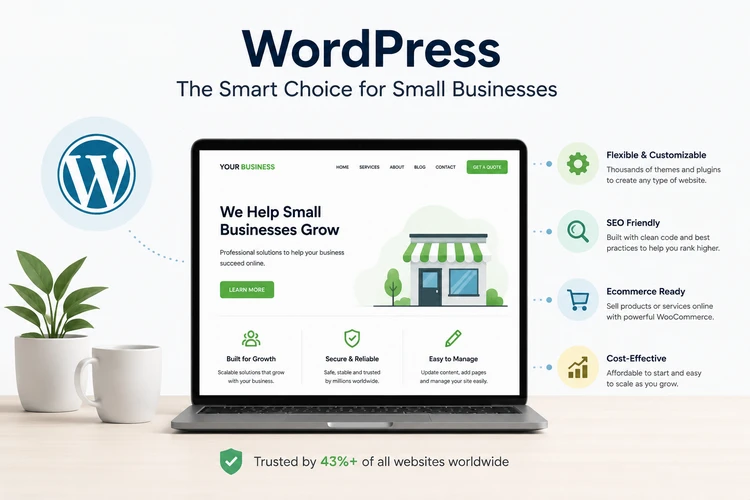
1. WordPress Is Cost-Effective for Small Businesses
One of the biggest advantages of WordPress is affordability.
Small businesses often need a professional online presence without investing in expensive custom development from the beginning.
WordPress helps reduce costs because:
- The platform itself is free to use
- Thousands of affordable themes are available
- Many useful plugins provide additional functionality
- Businesses can expand features over time
Instead of paying for a completely custom website from day one, businesses can start with a professional WordPress website and add advanced features as they grow.
This makes WordPress a practical option for startups, local businesses, and growing companies.
2. WordPress Is Highly Flexible and Customizable
Every business is different, and websites should reflect those differences.
WordPress offers extensive customization options through:
- Themes
- Plugins
- Custom designs
- Page builders
- Custom development
Businesses can create websites for many industries, including:
- Professional services
- Restaurants
- Healthcare
- Real estate
- Construction
- Hospitality
- Ecommerce
- Education
A WordPress website can be designed to match a company’s branding, customer needs, and business objectives.
3. WordPress Is Easy to Manage
Small business owners often need the ability to update their websites without depending on a developer for every change.
WordPress makes it easier to manage:
- Website content
- Blog posts
- Images
- Service pages
- Announcements
- Basic updates
For example, a Dallas business can quickly update:
- New service information
- Customer testimonials
- Company news
- Recent projects
- Special offers
This flexibility saves time and allows businesses to keep their websites current.
4. WordPress Supports SEO
Search engine optimization is essential for businesses that want to attract customers online.
WordPress provides a strong foundation for SEO through:
- SEO-friendly website structures
- Custom page titles
- Metadata options
- Content organization
- Blogging capabilities
- SEO plugins
With proper optimization, WordPress websites can rank well in search results and attract customers searching for relevant products and services.
Businesses can also create content strategies using WordPress blogs to target additional keywords and build online authority.
5. WordPress Is Mobile-Friendly
Mobile usability is critical because many customers search for businesses using smartphones.
Modern WordPress websites can be designed to provide:
- Responsive layouts
- Mobile-friendly navigation
- Fast loading performance
- Easy-to-use contact forms
- Mobile calls to action
A professional WordPress website should be tested across different devices to ensure customers have a smooth experience.
6. WordPress Supports Ecommerce
Many small businesses want the ability to sell products or services online.
WordPress supports ecommerce through platforms such as WooCommerce, allowing businesses to create online stores with features including:
- Product listings
- Shopping carts
- Online payments
- Inventory management
- Customer accounts
- Order management
This makes WordPress suitable for businesses that want to start selling online or expand their existing ecommerce operations.
7. WordPress Has Thousands of Plugins
Plugins extend the functionality of WordPress websites.
Businesses can add features such as:
- Contact forms
- Booking systems
- SEO tools
- Security monitoring
- Analytics integration
- Email marketing
- Social media integration
- Membership systems
This flexibility allows businesses to build websites based on their specific requirements without developing every feature from scratch.
8. WordPress Supports Blogging and Content Marketing
Content marketing is an important strategy for businesses looking to improve visibility and attract customers.
WordPress was originally created as a blogging platform, and it remains one of the strongest platforms for publishing content.
Businesses can use blogs to:
- Answer customer questions
- Share industry knowledge
- Target search keywords
- Build authority
- Attract organic traffic
For example, a Dallas service business can publish articles about:
- Industry advice
- Local market information
- Common customer problems
- Service explanations
Over time, valuable content can help attract more potential customers through search engines.
9. WordPress Can Grow With Your Business
One of the biggest advantages of WordPress is scalability.
A business can start with:
- A simple five-page website
and later expand to include:
- Additional service pages
- Multiple locations
- Ecommerce functionality
- Membership features
- Advanced integrations
- Large content libraries
This makes WordPress suitable for businesses at different stages of growth.
10. WordPress Has a Large Support Community
Because WordPress is widely used, businesses benefit from a large global community of:
- Developers
- Designers
- Hosting providers
- Tutorials
- Support resources
This makes it easier to find professionals who can help with:
- Website improvements
- Troubleshooting
- Custom development
- Security updates
Businesses are not locked into a single provider or technology ecosystem.
11. WordPress Allows Better Ownership and Control
A major advantage of WordPress is that businesses can maintain ownership and control of their website.
With a professionally developed WordPress website, businesses typically have access to:
- Website administration
- Content management
- Website files
- Hosting account
- Domain management
This provides greater flexibility compared with some closed website-building platforms.
12. WordPress Can Be Secure With Proper Management
Some businesses worry about WordPress security because it is widely used. However, security depends largely on how the website is built and maintained.
A properly managed WordPress website should include:
- Regular updates
- Secure hosting
- Strong passwords
- Security monitoring
- Reliable backups
- Quality plugins
Professional maintenance helps keep WordPress websites secure and reliable.
WordPress vs Other Website Platforms
Different platforms serve different business needs.
| Platform | Best For |
|---|---|
| WordPress | Flexible business websites, blogs, ecommerce |
| Shopify | Dedicated ecommerce stores |
| Squarespace | Simple brochure websites |
| Wix | Basic DIY websites |
| Custom Development | Complex business applications |
For many small businesses, WordPress provides the best combination of flexibility, cost, and long-term growth potential.
Is WordPress Right for Your Dallas Business?
WordPress is a strong choice for businesses that need:
- A professional website
- Control over content updates
- SEO capabilities
- Flexible customization
- Room for future growth
- Ecommerce options
- Affordable long-term management
However, the success of a WordPress website depends on professional planning, quality design, proper development, and ongoing maintenance.
A poorly designed WordPress website can still perform poorly, while a professionally developed WordPress website can become a powerful business tool.
Key Takeaway
WordPress remains popular among small businesses because it provides flexibility, affordability, scalability, and control. It allows businesses to create professional websites that can grow alongside their needs.
For Dallas small businesses, a professionally designed WordPress website can provide a strong foundation for attracting customers, improving online visibility, and supporting long-term business growth.
The platform itself is only one part of success—the real value comes from combining WordPress with strategic design, SEO, quality content, and ongoing website management.
Website Redesign: When Is It Time to Update Your Website?
A website is one of the most important marketing assets for a business, but it should not remain unchanged forever. As technology, customer expectations, search engine requirements, and business goals evolve, a website that was effective several years ago may no longer deliver the same results.
Many Dallas businesses continue using outdated websites because they view redesign as an unnecessary expense. However, an outdated website can quietly affect credibility, search visibility, customer experience, and lead generation.
A website redesign is not simply about making a website look newer. A successful redesign improves how the website performs, communicates with customers, supports marketing activities, and helps the business achieve better results.
For businesses investing in Dallas web design, understanding when it is time to redesign a website can help protect their online presence and create more opportunities for growth.
What Is a Website Redesign?
A website redesign involves improving an existing website by updating its:
- Visual appearance
- Website structure
- User experience
- Content
- Technology
- SEO foundation
- Performance
- Conversion strategy
A redesign may involve small improvements or a complete rebuild depending on the condition of the existing website.
Some businesses only need a visual refresh, while others require a complete transformation because their current website no longer supports their goals.
1. Your Website Looks Outdated
One of the clearest signs that a website needs redesign is an outdated appearance.
Website design trends change quickly. A website that looked modern several years ago may now appear old-fashioned compared with competitors.
Signs of outdated design include:
- Old layouts
- Poor typography
- Excessive text
- Low-quality images
- Outdated graphics
- Limited visual appeal
- Lack of modern design elements
Customers often judge a business based on its website. An outdated website can unintentionally create the impression that the business is inactive or does not invest in quality.
A modern redesign helps create a stronger first impression and improves customer confidence.
2. Your Website Is Not Mobile-Friendly
Mobile browsing has become a major part of how customers discover businesses.
If your website:
- Does not display correctly on smartphones
- Has difficult navigation
- Uses small text
- Requires excessive scrolling
- Has buttons that are difficult to use
it may be costing your business potential customers.
A modern website redesign should include responsive design so that visitors receive a consistent experience across:
- Smartphones
- Tablets
- Laptops
- Desktop computers
3. Your Website Is Not Generating Enough Leads
A website should support business growth, not simply exist online.
Many businesses realize they need a redesign when their website receives visitors but generates very few enquiries.
Common reasons include:
- Weak calls to action
- Unclear messaging
- Poor page structure
- Difficult contact process
- Lack of trust signals
- Missing conversion elements
A redesign can improve lead generation by adding:
- Clear service pages
- Strong calls to action
- Contact forms
- Customer testimonials
- Case studies
- Better user journeys
The goal is to guide visitors from discovering your business to taking action.
4. Your Website Loads Slowly
Website speed has a major impact on customer experience.
Visitors expect websites to load quickly. A slow website can cause users to leave before viewing your services or contacting your business.
Common causes of slow websites include:
- Large image files
- Outdated technology
- Poor hosting
- Too many plugins
- Unoptimized code
- Excessive website features
A redesign provides an opportunity to improve:
- Website speed
- Technical performance
- Hosting setup
- Mobile experience
A faster website creates a better experience for customers and supports SEO performance.
5. Your Website Is Difficult to Update
Businesses change over time. New services are added, information changes, and marketing campaigns evolve.
If making simple updates requires contacting a developer every time, your website may not be built on the right platform.
A modern website should allow businesses to easily manage:
- Service information
- Blog content
- Images
- Testimonials
- Company updates
Platforms such as WordPress provide businesses with greater flexibility and control over website updates.
6. Your Website Does Not Rank Well on Google
A website redesign is often an opportunity to improve search engine visibility.
Older websites may have SEO problems such as:
- Poor website structure
- Missing keyword targeting
- Weak content
- Poor mobile performance
- Slow loading speed
- Technical SEO issues
A redesign can include:
- SEO-friendly page structures
- Improved content organization
- Better internal linking
- Local SEO improvements
- Technical optimization
For Dallas businesses, this can help improve visibility for searches such as:
- Web design Dallas
- Website designer Dallas TX
- Local business services
- Industry-specific searches
7. Your Branding Has Changed
Businesses evolve over time.
Your current website may no longer reflect:
- Your brand identity
- Your current services
- Your target customers
- Your market position
A redesign allows businesses to update:
- Colors
- Logo placement
- Brand messaging
- Images
- Content style
- Overall presentation
Your website should accurately represent the business you are today, not the business you were several years ago.
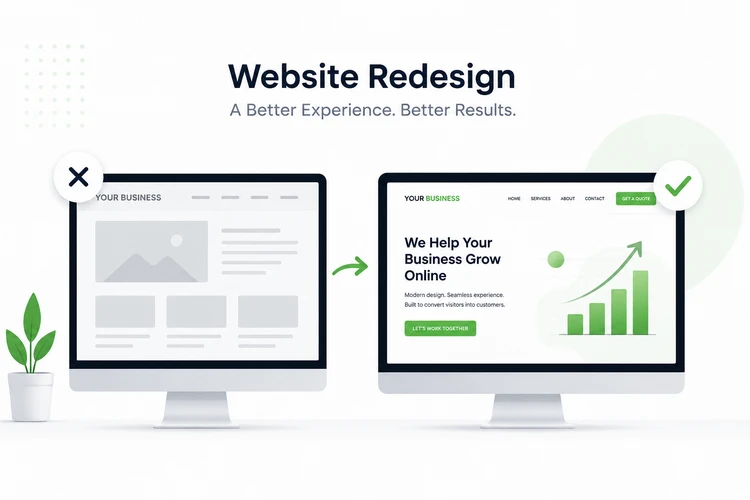
8. Your Competitors Have Better Websites
Customers often compare businesses before making decisions.
If competitors have websites that are:
- Easier to use
- More professional
- Faster
- Better organized
- More informative
they may gain customers who could have chosen your business.
A competitor review during redesign can help identify:
- Missing features
- Content opportunities
- Better user experiences
- New ways to differentiate your brand
Your website does not need to copy competitors—it should provide a better experience for your customers.
9. Your Website Does Not Build Trust
Customers need confidence before contacting a business.
An outdated website may lack important trust elements such as:
- Customer reviews
- Testimonials
- Portfolio examples
- Case studies
- Certifications
- Professional images
A redesign allows businesses to strengthen credibility and show visitors why they should choose them.
10. Your Website Technology Is Outdated
Technology changes constantly. Websites built several years ago may use outdated systems that create problems.
Older websites may experience:
- Security vulnerabilities
- Compatibility issues
- Poor performance
- Limited functionality
- Difficult maintenance
A redesign allows businesses to upgrade to modern technology that is easier to maintain and expand.
How Often Should a Business Redesign Its Website?
There is no fixed timeline because every business is different. However, many businesses consider redesigning their website every few years to keep up with changing technology and customer expectations.
A redesign may be needed sooner if the website:
- No longer supports business goals
- Performs poorly
- Looks outdated
- Has security issues
- Does not generate leads
The right time to redesign is when the website stops effectively supporting your business.
Website Redesign vs Website Refresh
Not every business needs a complete rebuild.
Website Refresh
A refresh may include:
- Updated images
- New content
- Design improvements
- Minor layout changes
- Updated branding
This works well when the existing website structure is still effective.
Website Redesign
A redesign may involve:
- New website structure
- New platform
- New design
- SEO improvements
- Better functionality
- Conversion optimization
This is suitable when the current website has significant limitations.
Benefits of Redesigning Your Business Website
A successful redesign can help businesses achieve:
Better First Impressions
A modern website creates stronger credibility with potential customers.
More Leads
Improved structure and calls to action can increase enquiries.
Better Search Visibility
SEO improvements can help attract more organic traffic.
Improved User Experience
Visitors can find information faster and navigate more easily.
Easier Management
Modern platforms make updates simpler.
Stronger Competitive Position
A professional website helps businesses compete effectively online.
Questions to Ask Before Redesigning Your Website
Before starting a redesign project, consider:
What Problems Does My Current Website Have?
Identify issues such as:
- Low enquiries
- Poor rankings
- Slow speed
- Outdated design
What Should the New Website Achieve?
Define goals such as:
- More leads
- More sales
- Better branding
- Improved customer experience
What Features Does My Business Need?
Consider:
- Booking systems
- Ecommerce
- Blogs
- Customer portals
- Marketing integrations
Key Takeaway
A website redesign is not just about creating a newer-looking website. It is about improving performance, user experience, search visibility, and business results.
For Dallas businesses, an outdated website can mean lost opportunities, while a professionally redesigned website can become a powerful tool for attracting customers and generating growth.
If your website no longer represents your business, struggles to generate enquiries, or cannot compete with modern websites, it may be time for a strategic redesign.
How a Great Website Generates More Leads for Dallas Businesses
A website is one of the most powerful marketing tools available to a business, but simply having a website does not guarantee results.
Many businesses have websites that receive visitors but generate very few enquiries. The difference between a website that exists and a website that grows a business comes down to strategy, user experience, messaging, and conversion optimization.
A great website is designed to attract the right audience, build trust, answer customer questions, and guide visitors toward taking action.
For Dallas businesses competing in a crowded marketplace, a professionally designed website can become a consistent source of qualified leads by turning online visitors into potential customers.
What Is a Lead-Generating Website?
A lead-generating website is designed with one primary purpose: to encourage visitors to take meaningful actions.
These actions may include:
- Requesting a quote
- Filling out a contact form
- Calling the business
- Booking an appointment
- Scheduling a consultation
- Signing up for updates
- Purchasing products online
Unlike a simple online brochure, a lead-generation website is built around the customer journey.
It answers important questions:
- Who are you?
- What problem do you solve?
- Why should customers choose you?
- What should visitors do next?
1. Clear Messaging Helps Visitors Understand Your Business
One of the biggest reasons websites fail to generate leads is unclear messaging.
When visitors arrive on your website, they should quickly understand:
- What your business does
- Who you serve
- What makes you different
- How they can get started
A strong homepage should communicate value within seconds.
For example, instead of a general statement such as:
“We provide quality business solutions.”
A stronger message focuses on customer benefits:
“We help Dallas small businesses attract more customers with professional website design and digital marketing solutions.”
Clear messaging helps visitors decide whether your business is the right choice.
2. Professional Design Builds Customer Trust
Customers often judge the credibility of a business based on its website.
A poorly designed website can create doubts about:
- Professionalism
- Reliability
- Quality of service
- Business experience
A professional website builds trust through:
- Modern design
- High-quality images
- Clear branding
- Customer reviews
- Testimonials
- Case studies
- Portfolio examples
Trust is especially important for businesses where customers need confidence before making contact.
3. Strategic Calls to Action Encourage Enquiries
A common mistake businesses make is creating websites without clear next steps.
Visitors should always know what action to take.
Effective calls to action include:
- Request a Quote
- Schedule a Consultation
- Contact Our Team
- Get Started Today
- Book an Appointment
- Call Now
Calls to action should appear throughout the website, especially on important pages such as:
- Homepage
- Service pages
- Landing pages
- Blog articles
A visitor who cannot easily find the next step may leave without contacting the business.
4. Service Pages Capture High-Intent Customers
Many businesses underestimate the value of dedicated service pages.
A single “Services” page may not provide enough information for customers or search engines.
Individual service pages allow businesses to:
- Explain solutions in detail
- Target specific keywords
- Answer customer questions
- Highlight benefits
- Increase search visibility
For example, a Dallas web design company may create pages for:
- Website Design Dallas
- Ecommerce Website Design
- Website Redesign
- SEO Services
- Website Maintenance
Each page creates another opportunity to attract and convert potential customers.
5. SEO Helps Attract Qualified Visitors
Generating leads starts with attracting the right people to your website.
Search engine optimization helps businesses appear when potential customers are actively searching for their services.
For Dallas businesses, this may include searches such as:
- Web design Dallas
- Website designer Dallas TX
- Dallas website design company
- Website design services near me
A strong SEO strategy includes:
- Keyword research
- Optimized content
- Technical SEO
- Local SEO
- Quality backlinks
- Regular content updates
The goal is not simply getting more visitors—it is attracting visitors who are more likely to become customers.
6. Landing Pages Convert Marketing Traffic
Businesses investing in advertising, SEO, or social media need dedicated landing pages.
A landing page focuses on one specific goal, such as:
- Requesting a quote
- Booking a consultation
- Downloading a resource
- Purchasing a service
Effective landing pages include:
- Clear headline
- Strong benefits
- Customer proof
- Simple enquiry process
- Strong call to action
For example, a Google Ads campaign targeting “Dallas web design company” should direct visitors to a relevant page specifically designed to convert those searches.
7. Mobile Optimization Improves Lead Generation
Many potential customers will visit your website from their phones.
A poor mobile experience can reduce enquiries because visitors may struggle to:
- Read information
- Navigate pages
- Complete forms
- Call your business
A lead-generating website should provide:
- Mobile-friendly design
- Easy navigation
- Click-to-call buttons
- Simple forms
- Fast loading pages
Making it easy for mobile users to contact your business can significantly improve conversion opportunities.
8. Customer Reviews and Testimonials Increase Confidence
Before contacting a business, many customers look for proof that others have had positive experiences.
Trust elements include:
- Customer testimonials
- Google reviews
- Case studies
- Project examples
- Client logos
These elements reduce uncertainty and help potential customers feel more confident choosing your business.
9. Content Marketing Attracts Customers Before They Are Ready to Buy
Not every visitor is ready to contact a business immediately.
Some people are researching:
- Prices
- Options
- Solutions
- Providers
Blog content helps businesses attract these potential customers earlier in the buying journey.
Examples of useful Dallas-focused content include:
- How Much Does Website Design Cost in Dallas?
- Best Website Features for Small Businesses
- How to Choose a Web Designer in Dallas
- Signs Your Website Needs a Redesign
Helpful content builds authority and creates more opportunities to capture future customers.
10. Website Analytics Help Improve Results
A successful website should be measured and improved over time.
Analytics help businesses understand:
- Where visitors come from
- Which pages perform best
- Which keywords generate traffic
- Where visitors leave
- How many enquiries are generated
Important tracking tools include:
- Google Analytics
- Google Search Console
- Conversion tracking
- Heatmaps
Data allows businesses to make improvements based on customer behavior rather than assumptions.
11. Faster Websites Improve Customer Experience
Website speed directly affects conversions.
Visitors may leave websites that:
- Load slowly
- Have technical errors
- Perform poorly on mobile devices
A high-performing website should focus on:
- Optimized images
- Quality hosting
- Clean development practices
- Reduced unnecessary features
A faster website keeps visitors engaged and improves the chances of generating enquiries.
12. Personalization Improves Customer Engagement
Modern customers expect businesses to understand their needs.
Websites can improve engagement by including:
- Industry-specific messaging
- Location-focused content
- Relevant service information
- Personalized landing pages
For example, a business website can create content specifically for:
- Dallas customers
- Small businesses
- Ecommerce companies
- Professional service providers
Relevant content creates stronger connections with visitors.
13. Lead Generation Requires Continuous Improvement
A successful website is never truly finished.
Businesses should regularly improve:
- Website content
- Landing pages
- Conversion rates
- SEO performance
- User experience
Small improvements over time can create significant increases in enquiries and sales.
Website Features That Help Generate More Leads
A professional lead-generating website should include:
- Clear value proposition
- Mobile-friendly design
- Fast loading speed
- Strong calls to action
- Contact forms
- Customer testimonials
- Service pages
- SEO optimization
- Analytics tracking
- Professional branding
Key Takeaway
A great website does more than showcase a business—it actively helps attract customers and generate opportunities.
For Dallas businesses, a successful website combines professional design, SEO, clear messaging, trust-building elements, and conversion strategies to turn visitors into leads.
The goal is not simply to get more website traffic. The goal is to attract the right visitors and give them a clear reason to contact your business.
A strategically designed website can become one of the most valuable assets for long-term business growth.
Looking for a Web Design Partner for Your Dallas Business?
Whether you're launching a new business website, redesigning an outdated site, or looking to improve your online visibility, our team can help you create a website built around your goals.
Dallas Industries That Benefit from Professional Website Design
Every business needs an online presence, but different industries require different website strategies. A website that works well for a restaurant may not be suitable for a law firm, healthcare provider, construction company, or ecommerce business.
Professional website design is not simply about creating attractive pages. It involves understanding the industry, customer expectations, buying process, and the actions visitors need to take.
For businesses in Dallas, where competition is high across many industries, a professionally designed website can help companies build credibility, attract customers, generate leads, and compete more effectively online.
Whether you are a startup, local service provider, professional firm, or established company, the right website strategy can become a powerful growth tool.
Below are some of the Dallas industries that benefit most from professional website design.
1. Small Businesses and Local Service Companies
Small businesses are among the biggest beneficiaries of professional website design.
Many customers today research a business online before making a decision. A professional website helps small businesses compete with larger companies by creating a strong digital presence.
Examples include:
- Home service providers
- Local shops
- Consultants
- Repair companies
- Cleaning businesses
- Independent professionals
A small business website should help customers:
- Understand available services
- Learn why they should choose the company
- View reviews and testimonials
- Request a quote
- Contact the business easily
For Dallas small businesses, a professionally designed website can help capture local search traffic and generate consistent enquiries.
2. Real Estate Companies and Realtors
The Dallas real estate market is highly competitive, making online visibility essential.
Real estate professionals need websites that showcase properties, build trust, and capture buyer and seller enquiries.
A professional real estate website may include:
- Property listings
- Search functionality
- Property galleries
- Agent profiles
- Market information
- Contact forms
- Mortgage resources
A well-designed website helps real estate professionals establish credibility and create a better experience for potential clients.
3. Healthcare and Medical Practices
Healthcare businesses rely heavily on trust and credibility.
Patients often search online before choosing a healthcare provider. A professional website helps medical practices communicate their expertise and make it easier for patients to access information.
Examples include:
- Medical clinics
- Dental practices
- Diagnostic centers
- Specialists
- Wellness providers
Healthcare websites often require:
- Service information
- Doctor profiles
- Appointment booking
- Patient resources
- Contact details
- Location information
A clear, professional website helps patients feel confident before making contact.
4. Law Firms and Legal Services
Law firms operate in a competitive environment where trust and expertise are critical.
A professional website helps legal businesses demonstrate experience and explain their services clearly.
Important website features may include:
- Practice area pages
- Attorney profiles
- Case results
- Client testimonials
- Legal resources
- Consultation forms
Dedicated service pages also help law firms attract customers searching for specific legal services.
5. Construction Companies and Contractors
Construction companies often rely on reputation and previous work when winning new clients.
A professional website provides an opportunity to showcase experience and build trust.
Construction websites can include:
- Project portfolios
- Before-and-after images
- Service descriptions
- Customer testimonials
- Company history
- Quote request forms
For contractors in Dallas, a strong website can help generate leads from homeowners, developers, and commercial clients.
6. Restaurants and Food Businesses
Restaurants need more than just a social media presence. A professional website gives customers a reliable source of information.
Restaurant websites can include:
- Digital menus
- Online reservations
- Location information
- Opening hours
- Food galleries
- Customer reviews
A well-designed restaurant website improves customer experience and encourages more visits.
7. Ecommerce Businesses
Online shopping continues to grow, and ecommerce businesses require websites designed around customer convenience.
A professional ecommerce website should provide:
- Easy product browsing
- Secure checkout
- Mobile shopping experience
- Payment integration
- Product reviews
- Inventory management
For Dallas businesses selling products online, a well-built ecommerce website can expand their customer reach beyond their physical location.
8. Hospitality, Hotels, and Tourism Businesses
Dallas has a strong business travel, events, and tourism market. Hotels and hospitality businesses need websites that encourage direct bookings and customer engagement.
Hospitality websites can include:
- Room information
- Photo galleries
- Booking systems
- Special offers
- Local attractions
- Guest reviews
A professional website helps businesses reduce dependence on third-party platforms and improve direct customer relationships.
9. Financial Services and Insurance Companies
Financial businesses require websites that communicate trust, expertise, and professionalism.
Examples include:
- Financial advisors
- Insurance agencies
- Accounting firms
- Tax consultants
- Mortgage providers
Important website elements include:
- Service explanations
- Educational content
- Trust indicators
- Consultation forms
- Industry credentials
A strong website helps potential clients understand complex services and take the next step.
10. Technology Companies and Startups
Technology businesses often compete in markets where innovation and credibility matter.
A professional website helps startups and technology companies explain their solutions clearly.
Technology websites may include:
- Product demonstrations
- Case studies
- Feature explanations
- Customer success stories
- Lead capture forms
A strong digital presence can help attract customers, partners, and investors.
11. Education and Training Businesses
Schools, tutors, training companies, and online educators need websites that clearly communicate their programs.
Education websites may include:
- Course information
- Registration forms
- Student resources
- Testimonials
- Learning materials
- Event information
A professional website helps education providers attract students and communicate value.
12. Automotive Businesses
Automotive companies benefit from websites that help customers explore services and make decisions.
Examples include:
- Car dealerships
- Repair shops
- Auto detailing companies
- Parts suppliers
Automotive websites can include:
- Vehicle listings
- Service information
- Appointment booking
- Financing information
- Customer reviews
A strong website helps automotive businesses generate enquiries and build trust.
13. Beauty, Wellness, and Fitness Businesses
Customers often research beauty and wellness providers online before booking services.
Examples include:
- Salons
- Spas
- Fitness centers
- Personal trainers
- Wellness clinics
Effective websites include:
- Service menus
- Pricing information
- Booking systems
- Reviews
- Photos
- Membership options
A professional online presence helps these businesses attract new customers and encourage repeat visits.
14. Manufacturing and B2B Companies
Many B2B companies underestimate the importance of their website.
Even businesses that sell to other companies need a strong online presence because potential clients often research suppliers before making contact.
Manufacturing and B2B websites can include:
- Product information
- Industry expertise
- Certifications
- Case studies
- Technical resources
- Quote requests
A professional website helps businesses establish credibility and attract commercial opportunities.
15. Nonprofits and Community Organizations
Nonprofits can benefit from websites that clearly communicate their mission and encourage engagement.
A nonprofit website may include:
- Organization information
- Donation options
- Events
- Volunteer opportunities
- Success stories
- News updates
A well-designed website helps organizations increase awareness and community participation.
Why Industry-Specific Website Design Matters
A successful website should reflect the unique needs of each industry.
Different industries require different approaches to:
- Content
- Website structure
- Customer journey
- Conversion methods
- Features
For example:
A restaurant needs customers to quickly find menus and locations.
A contractor needs to showcase projects and collect quote requests.
A healthcare provider needs to build trust and make appointments easy.
An ecommerce company needs a smooth purchasing experience.
Industry-focused website design creates better results because it considers how customers actually make decisions.
Key Takeaway
Professional website design benefits businesses across almost every industry in Dallas. Whether you are a local service provider, professional firm, ecommerce company, or growing enterprise, a strategic website can help attract customers, build credibility, and increase revenue opportunities.
The most successful business websites are not designed only to look good—they are designed around customer needs, business objectives, and measurable results.
For Dallas businesses, investing in professional website design provides a foundation for long-term digital growth and competitiveness.
Frequently Asked Questions About Dallas Web Design (2026)
Choosing the right website design solution is an important decision for any business. Many Dallas business owners have questions about website costs, development timelines, platforms, SEO, maintenance, and how a website can help generate leads.
Below are answers to some of the most common questions businesses ask when considering professional website design.
1. How Much Does Website Design Cost in Dallas?
The cost of website design in Dallas depends on several factors, including the size of the website, required features, design complexity, content requirements, and the experience of the web design company.
Typical website costs may include:
Small Business Website
A professional small business website may cost anywhere from a few thousand dollars depending on:
- Number of pages
- Design requirements
- Content needs
- Features required
A basic website may include:
- Homepage
- About page
- Service pages
- Contact page
- Mobile-friendly design
- Basic SEO setup
Professional Business Website
A larger business website may require:
- More service pages
- Custom design elements
- Advanced forms
- Blog functionality
- SEO strategy
- Marketing integrations
The investment is higher because the website requires more planning, content, development, and optimization.
Ecommerce Website
Online stores usually cost more because they require additional functionality such as:
- Product management
- Shopping cart
- Payment integration
- Customer accounts
- Inventory features
- Security considerations
The best approach is to choose a website solution based on business goals rather than simply selecting the cheapest option.
2. How Long Does It Take to Build a Website?
Website development timelines vary depending on complexity.
A general timeline is:
- Landing page: 1–3 weeks
- Small business website: 3–8 weeks
- Professional business website: 6–12 weeks
- Ecommerce website: 8–16+ weeks
Factors that influence the timeline include:
- Website size
- Content availability
- Number of revisions
- Required functionality
- Client feedback speed
A well-planned website project focuses on creating a website that delivers results rather than simply launching as quickly as possible.
3. What Is the Best Website Platform for Small Businesses?
WordPress is one of the most popular website platforms for small businesses because it offers:
- Flexibility
- Affordable development
- SEO capabilities
- Content management
- Ecommerce options
- Scalability
WordPress allows businesses to start with a professional website and expand functionality as they grow.
However, the best platform depends on the business requirements.
For example:
- WordPress: Business websites, blogs, ecommerce, flexible solutions
- Shopify: Dedicated ecommerce stores
- Custom development: Advanced applications and unique requirements
4. Why Do Dallas Businesses Need a Professional Website?
Customers increasingly research businesses online before making purchasing decisions.
A professional website helps businesses:
- Build credibility
- Attract customers
- Generate enquiries
- Showcase services
- Improve online visibility
- Support marketing campaigns
Without a professional website, businesses may lose opportunities to competitors with stronger online presences.
5. What Should a Business Website Include?
A successful business website should include features that help customers understand the company and take action.
Important features include:
- Mobile-friendly design
- Clear navigation
- Professional branding
- Service pages
- Contact forms
- Calls to action
- Customer testimonials
- Fast loading speed
- SEO-friendly structure
- Analytics tracking
The exact features depend on the industry and business objectives.
6. Should I Choose a Local Dallas Web Designer?
Working with a local web design company can provide advantages such as:
- Better understanding of the local market
- Easier communication
- Face-to-face consultations
- Knowledge of local customers
However, businesses should evaluate providers based on:
- Experience
- Portfolio
- Communication
- Process
- Quality of work
- Long-term support
The best web design partner is one that understands your goals and can deliver measurable results.
7. What Is the Difference Between Affordable and Cheap Website Design?
Affordable website design focuses on providing value while maintaining quality.
A professionally built affordable website should include:
- Good user experience
- Mobile responsiveness
- SEO foundations
- Professional design
- Business-focused features
Cheap website design often focuses mainly on reducing upfront cost and may result in:
- Limited customization
- Poor performance
- Weak SEO foundation
- Lack of support
The goal should be finding the right balance between cost, quality, and long-term value.
8. Does Website Design Include SEO?
Professional website design should consider SEO from the beginning.
SEO-friendly website design includes:
- Proper website structure
- Optimized page titles
- Mobile responsiveness
- Fast loading speed
- Search-friendly content
- Technical SEO foundations
A website that looks great but cannot be found online may generate limited results.
9. Can a Website Help My Business Get More Customers?
Yes. A strategically designed website can become a powerful lead-generation tool.
A website can help attract customers through:
- Google searches
- Local SEO
- Content marketing
- Online advertising
- Social media traffic
To generate leads, a website should include:
- Clear messaging
- Strong calls to action
- Contact forms
- Trust signals
- Conversion-focused pages
The goal is not only attracting visitors but turning visitors into enquiries.
10. How Often Should I Redesign My Website?
Many businesses consider redesigning their website every few years, although the right timing depends on performance.
Signs you may need a redesign include:
- Outdated appearance
- Poor mobile experience
- Slow loading speed
- Declining traffic
- Few enquiries
- Difficulty making updates
- Website no longer reflects your brand
A redesign should focus on improving business results, not just changing appearance.
11. Do I Need Website Maintenance After Launch?
Yes. Websites require ongoing maintenance to remain secure and effective.
Website maintenance may include:
- Software updates
- Security monitoring
- Backups
- Performance checks
- Content updates
- Technical support
Regular maintenance protects your investment and helps your website continue performing well.
12. What Makes a Website Successful?
A successful website combines:
- Professional design
- Clear messaging
- Strong user experience
- SEO optimization
- Fast performance
- Mobile compatibility
- Lead-generation strategy
A website should support business objectives rather than simply provide information.
13. How Do I Choose the Right Web Design Company?
When choosing a web design company, consider:
- Previous experience
- Portfolio quality
- Industry knowledge
- Website design process
- SEO understanding
- Communication style
- Pricing transparency
- Support after launch
Avoid choosing a provider based only on the lowest price. The right partner should help your business achieve long-term results.
14. Can I Update My Website Myself After It Is Built?
Yes, depending on the platform and development approach.
Many WordPress websites allow businesses to update:
- Text content
- Images
- Blog articles
- Service information
- Basic website sections
A professional web designer can also provide training or ongoing support.
15. Do Small Businesses Really Need a Website If They Have Social Media?
Yes. Social media is valuable, but it should not replace a business website.
A website provides:
- Full control over your online presence
- Better search visibility
- Professional credibility
- A central place for customers to learn about your services
- Better opportunities for lead generation
Social media platforms can change their rules and algorithms, but your website remains your owned digital asset.
16. What Is Local SEO and Why Does It Matter for Dallas Businesses?
Local SEO helps businesses appear when customers search for services in their area.
Examples include searches such as:
- Web design Dallas
- Website designer near me
- Dallas website design company
Local SEO strategies include:
- Google Business Profile optimization
- Location-focused content
- Customer reviews
- Local keywords
- Consistent business information
For businesses serving Dallas customers, local SEO can significantly improve visibility.
17. How Can I Get Started With a New Website?
The first step is understanding your business goals.
Before starting a website project, consider:
- Who are your customers?
- What services do you want to promote?
- What actions should visitors take?
- What features do you need?
- What results do you want the website to achieve?
A professional web design consultation can help identify the right strategy and website solution.
Final Thoughts
A professionally designed website is an investment that can help Dallas businesses attract customers, build trust, and grow online.
The right website combines strategy, design, SEO, performance, and ongoing improvement. Whether you are building a new website, redesigning an existing one, or improving your online visibility, choosing the right approach can have a significant impact on your business success.
For Dallas businesses, the goal should not simply be having a website—it should be having a website that works.
Conclusion: Building a Website That Helps Your Dallas Business Grow
In today’s competitive digital marketplace, having a website is no longer optional for businesses that want to attract customers and grow. However, simply having a website is not enough.
A successful business website should do more than display information. It should help customers discover your business, understand your services, build trust, and take action.
For Dallas businesses, a professionally designed website provides an opportunity to compete locally, reach more customers, and create a stronger foundation for long-term growth.
A Website Is More Than an Online Presence
Many businesses view their website as a digital brochure. While a website should communicate important information about your company, its true value goes much further.
A well-designed website can become a powerful business tool that helps you:
- Generate qualified leads
- Showcase your products and services
- Improve customer trust
- Strengthen your brand
- Support SEO efforts
- Promote marketing campaigns
- Increase sales opportunities
The best websites are designed around business goals, not just visual appearance.
Professional Website Design Creates Better Opportunities
Customers often form their first impression of a business based on its website.
A modern, professional website communicates:
- Credibility
- Reliability
- Expertise
- Attention to quality
On the other hand, an outdated or poorly designed website may cause potential customers to look elsewhere.
Investing in professional website design helps businesses create a stronger first impression and provide a better experience for visitors.
Success Requires More Than Good Design
A great website combines multiple elements working together:
Strategic Design
The website should reflect your brand, communicate your value, and guide visitors toward taking action.
SEO Optimization
Search engine optimization helps customers find your business when searching for relevant products and services.
User Experience
Visitors should be able to quickly find information, navigate easily, and contact your business without difficulty.
Website Performance
Fast loading speeds, mobile compatibility, and reliable technology create a better customer experience.
Ongoing Improvement
Websites require updates, maintenance, and continuous optimization to remain effective.
Dallas Businesses Need Websites Built for Growth
Every Dallas business has different goals and challenges.
A local service company may need more enquiries.
An ecommerce business may want more online sales.
A professional firm may need to build credibility.
A growing company may need a website that supports expansion.
The right website strategy depends on understanding the business, the customers, and the results the company wants to achieve.
Your Website Should Work as a Marketing Asset
A successful website should continue creating value after launch.
When combined with:
- Search engine optimization
- Google Ads
- Content marketing
- Social media marketing
- Email marketing
- Customer relationship tools
your website becomes the center of your digital marketing strategy.
Instead of waiting for customers to find you, a growth-focused website helps you actively attract and convert potential customers.
Choosing the Right Web Design Partner
The success of your website depends not only on the platform or technology but also on the team behind it.
A professional web design partner should understand:
- Your business objectives
- Your target customers
- Your industry
- Your competition
- Your marketing goals
Look for a partner who focuses on creating websites that deliver measurable business outcomes, not just attractive designs.
Start Building a Website That Supports Your Business Goals
Whether you are creating your first website, redesigning an outdated website, improving SEO performance, or building a stronger online presence, the right strategy can make a significant difference.
A professionally designed website can help your Dallas business:
- Attract more customers
- Build stronger credibility
- Generate more enquiries
- Compete online
- Grow over time
Your website should not simply represent your business—it should actively help your business move forward.
Still evaluating your options? Read our detailed guide to selecting the right Dallas web design company.
Table of contents
Introduction
Whether you’re launching a new business, redesigning an outdated website, or looking to generate more leads online, investing in professional web design in Texas can have a significant impact on your business success. Today, your website is often the first interaction potential customers have with your company, making it one of your most valuable marketing assets. A professionally designed website not only creates a positive first impression but also builds credibility, improves user experience, and encourages visitors to take action.
However, having an attractive website alone is no longer enough. Modern business websites must be strategically planned to attract the right audience, perform well on search engines, load quickly across all devices, and convert visitors into enquiries and customers. Businesses across Texas are increasingly recognising that a well-designed website is not simply an online brochure—it is a powerful tool for generating leads, supporting sales, and driving long-term growth.
At Ace Solution Africa, we build websites with business growth in mind. Every project combines professional design, responsive development, search engine optimisation (SEO), and conversion-focused strategies to help businesses strengthen their online presence and achieve measurable results. Whether you need a corporate website, an ecommerce platform, or a complete website redesign, our goal is to create a website that works as hard as you do.
In this resource, we’ll explore what makes a successful business website, the essential features every modern website should include, our proven development process, real project examples, and the Five Foundations of a High-Performing Business Website—a practical framework that helps businesses build websites designed for long-term success.
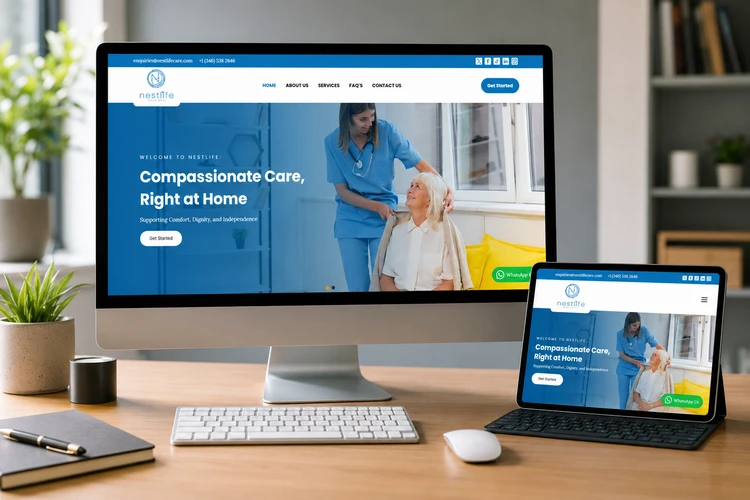
Can Your Current Website Still Compete?
In today’s competitive digital landscape, your website should do far more than simply provide information about your business. It should actively attract visitors, build trust, generate enquiries, and support your sales process. Yet many businesses across Texas continue to rely on websites that were built several years ago and no longer meet the expectations of today’s customers.
Consumer behaviour has changed significantly. Potential customers now compare businesses online before making contact. They expect websites to load quickly, display perfectly on mobile devices, provide clear information, and make it easy to request a quote or speak with a representative. If your website fails to deliver this experience, visitors are likely to leave and choose a competitor instead.
Take a moment to evaluate your current website by asking yourself the following questions:
- Does my website load in just a few seconds
- Is it fully responsive on smartphones and tablets?
- Can visitors quickly understand what my business offers?
- Are there clear calls to action encouraging visitors to contact us
- Is the website generating qualified enquiries or sales leads?
- Does it rank well on Google for relevant search terms?
- Is the design modern and consistent with our brand?
- Can our team easily update content without technical assistance?
- Does the website build confidence and credibility with prospective customers?
If you answered “No” to several of these questions, your website may be limiting your business growth rather than supporting it.
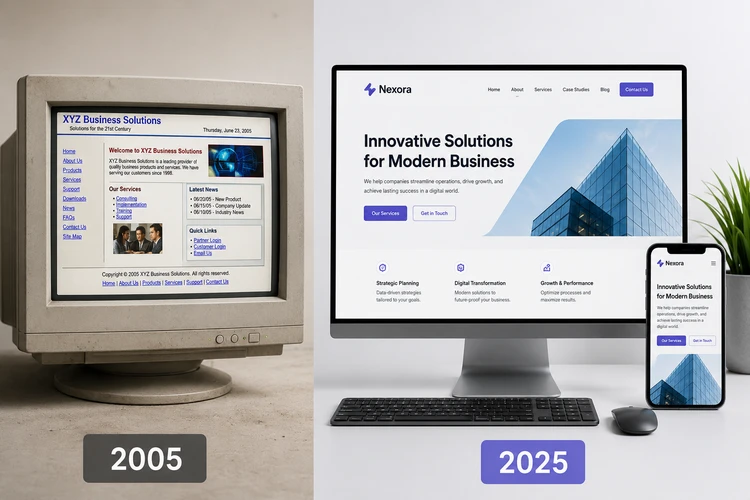
Investing in professional web design in Texas is not simply about improving appearance. It is about creating a website that works as a valuable business asset—one that attracts the right audience, communicates your value clearly, and encourages visitors to become customers.
Throughout this guide, we’ll explore the essential elements of a high-performing business website, the strategies that successful companies use to stand out online, and how a well-planned website can become one of your most effective marketing and lead generation tools.
Why Texas Businesses Invest in Better Websites
Across Texas, businesses of all sizes are recognising that their website is one of the most important investments they can make. Whether operating in healthcare, construction, legal services, real estate, manufacturing, retail, hospitality, or professional services, companies increasingly rely on their websites to attract new customers, build credibility, and support long-term business growth.
Today’s customers begin their buying journey online. Before making a phone call, requesting a quote, or visiting a business location, they often research companies on the internet, compare competitors, read reviews, and evaluate websites. A professional website helps create a positive first impression and gives potential customers confidence that they are dealing with a trustworthy and established business.
One of the biggest reasons Texas businesses invest in better websites is to generate qualified leads. Unlike traditional advertising, a professionally designed website works around the clock, allowing prospective customers to discover your business, learn about your products or services, and submit enquiries at any time. When combined with search engine optimisation (SEO) and digital marketing, your website becomes a powerful lead generation platform capable of delivering consistent business opportunities.
Is Your Website Helping Your Business or Holding It Back?
If your website isn't attracting visitors, loading quickly, or converting enquiries into customers, it may be costing your business valuable opportunities. A modern website should work for you 24/7—not against you.
- Mobile-Friendly Design
- Fast Loading Pages
- SEO-Optimized Structure
- Higher Conversion Rates
Find out how your website compares with today's standards.
Get a Free Website Assessment →
Web Design Services Across Texas
Texas is home to a diverse range of business communities, from major metropolitan markets to fast-growing cities with rapidly changing customer expectations. While the principles of effective website design remain consistent, the way a website should communicate, build trust, and support business growth can vary depending on the audience and market a company serves.
At Ace Solution Africa, we help businesses develop websites that are built around their customers, services, growth objectives, and digital marketing goals. Whether your business operates in a large metropolitan area, serves a fast-growing local market, or works with customers across multiple Texas locations, your website should provide a clear and credible path from first visit to enquiry.
Houston Website Design for Small Businesses
Houston businesses operate in one of Texas’s largest and most diverse commercial markets. A successful business website needs to communicate clearly, establish credibility, and make it easy for prospective customers to understand the services offered and take the next step.
For small businesses, contractors, professional firms, healthcare providers, retailers, and growing companies, a website should do more than look modern. It should help visitors quickly understand what the business does, why they should trust it, and how they can make contact.
For a detailed guide to planning a website for this market, read our Houston Website Design guide, which explores how small businesses can improve mobile usability, lead generation, local relevance, and long-term website growth.
Fort Worth Web Design: More Than a Beautiful Website
A professional website should make a customer’s decision easier. For businesses in Fort Worth, that means combining attractive design with clear messaging, strong customer proof, practical service information, and an easy path to enquiry.
A visually impressive website can still underperform if visitors cannot quickly understand the business, find relevant services, see evidence of previous work, or take the next step.
Our Fort Worth Web Design guide explores how businesses can turn their websites into stronger sales and lead-generation tools by focusing on clarity, proof, mobile usability, and conversion.
Plano Web Design for Growing Companies
Growing companies often need websites that can evolve alongside their business. As services, teams, locations, industries, and marketing activities expand, a website should be flexible enough to support that growth without requiring a complete rebuild.
For businesses serving professional and B2B audiences, website content may also need to support multiple decision-makers. Executives, managers, technical teams, and procurement contacts may all be looking for different information before moving forward.
Our Plano Web Design guide explains how professional websites can support scalability, content strategy, mobile usability, decision-making, and long-term business growth.
San Antonio Website Design for Local Customer Growth
For many local businesses, a website plays an important role in helping customers discover services, compare providers, understand service areas, and make contact.
Strong local website design should make practical information easy to find. This can include service areas, contact details, availability, customer reviews, booking options, and clear explanations of what happens after a customer makes an enquiry.
Our San Antonio Website Design guide explores practical strategies for improving local visibility, reducing conversion friction, answering customer questions, and helping businesses attract more qualified local customers.
Frisco Web Design for Fast-Growing Businesses
Fast-growing businesses need digital platforms that can keep pace with change. New services, new markets, additional team members, case studies, and customer demands can quickly expose the limitations of a website that was built only for the company’s original size.
A growth-ready website should have a clear structure, flexible content management, strong mobile usability, current proof of capability, and conversion options designed for customers at different stages of the buying process.
Read our Frisco Web Design guide to learn how businesses can use website strategy, lead capture, interactive features, content, and scalable architecture to compete as they grow.
El Paso Web Design and Building Customer Trust
For businesses in El Paso, local relevance can involve more than simply adding a city name to a page. Customers need clear information, credible proof, practical service details, accessible experiences, and, where appropriate, bilingual communication.
Businesses connected to the region’s diverse communities, visitor economy, manufacturing, logistics, or cross-border activity may have different website requirements depending on the customers they serve.
Our El Paso Web Design guide explores how businesses can build trust through clarity, authentic proof, mobile usability, accessibility, bilingual customer experiences, and well-designed conversion paths.
One Texas Website Strategy Does Not Fit Every Business
The purpose of these city-specific guides is not to suggest that every business needs a completely different website simply because it operates in a different Texas city.
The fundamentals remain the same: understand your customer, communicate your value clearly, build trust, make your website easy to use, optimise it for search, and provide a straightforward path to action.
The local market should influence the strategy where it genuinely affects customer behaviour, service requirements, business growth, language, competition, or the information visitors need before making contact.
Whether you serve one Texas community or customers across the state, the goal is the same: build a website that helps the right people understand your business and confidently take the next step.
What Makes Effective Web Design Different Across Texas?
There is no single website formula that works for every Texas business. A contractor serving local homeowners, a healthcare provider, a professional services company, a manufacturer, an ecommerce business, and a fast-growing technology company may all need very different customer journeys.
The strongest website strategy begins with the business and the people it serves rather than with a template.
Large Metropolitan Markets
Businesses operating in major markets such as Houston and the Dallas–Fort Worth region often compete against a large number of established companies. In these environments, a website needs to communicate its value quickly and provide clear reasons for a customer to choose one provider over another.
Trust signals, case studies, reviews, service pages, professional branding, and clear calls to action can all help reduce uncertainty.
Fast-Growing Business Markets
In growing markets such as Frisco and Plano, businesses may need websites that can evolve as the company expands. New services, locations, industries, employees, case studies, and marketing campaigns should be able to fit into the website without creating a confusing structure.
Scalability should therefore be considered during the planning stage rather than after the business has outgrown the original website.
Local Service Businesses
Businesses serving customers in specific communities need websites that make local information easy to find. Customers may want to know whether the business serves their area, how quickly they can receive assistance, what services are available, and how to make contact.
Clear service-area information, click-to-call options, customer reviews, practical FAQs, and short enquiry paths can all improve the experience.
Businesses Serving Diverse Audiences
Some Texas businesses serve customers with different languages, cultural backgrounds, or information needs. In these situations, accessibility and communication should be considered carefully.
Where bilingual communication is genuinely important, the website should support the full customer journey rather than offering only a partial translation of a few pages.
The Best Website Strategy Is Customer-Specific
The most important lesson is that effective Texas web design is not about repeatedly adding location names to a page.
It is about understanding the customer journey.
Before planning a website, ask:
Who is the customer?
What problem are they trying to solve?
What information do they need before contacting us?
What evidence will help them trust us?
What action do we want them to take?
What local information genuinely matters to their decision?
The answers should shape the website strategy, content structure, calls to action, and long-term growth plan.
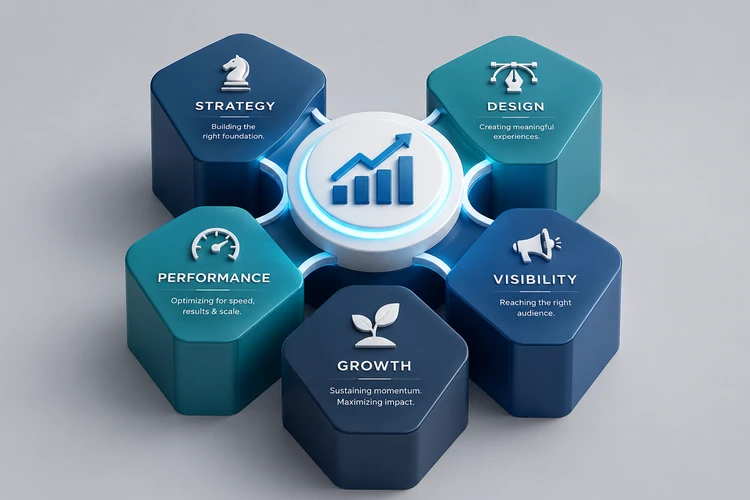
Modern websites also improve the overall customer experience. Visitors expect fast-loading pages, intuitive navigation, mobile responsiveness, and easy access to important information. If users struggle to find what they need or encounter a slow, outdated website, they are likely to leave and continue their search elsewhere. Investing in a modern website helps reduce these frustrations while increasing visitor engagement and conversion rates.
Another important consideration is competition. Businesses across Texas are continually improving their digital presence to attract new customers and strengthen their market position. Companies with outdated websites risk appearing less professional than competitors who invest in modern design, quality content, and user-friendly functionality. A well-designed website helps level the playing field by presenting your business as credible, reliable, and committed to delivering quality services.
Professional website design also provides long-term flexibility. As your business grows, your website should grow with it. A scalable website built on a platform such as WordPress makes it easier to add new services, publish blog articles, launch landing pages, improve SEO, integrate marketing tools, and support future business initiatives without rebuilding the entire site.
Perhaps most importantly, businesses are beginning to understand that success online is not determined by design alone. A successful website combines attractive visuals with clear messaging, search engine visibility, fast performance, strong calls to action, and a user experience that guides visitors toward making an enquiry. Every page should support a specific business objective, whether that is generating leads, encouraging phone calls, booking consultations, or requesting proposals.
At Ace Solution Africa, we believe every website should contribute directly to business growth. Rather than simply creating visually appealing websites, we focus on developing digital platforms that attract qualified visitors, build trust, and convert interest into measurable business opportunities. This strategic approach ensures your website becomes more than an online presence—it becomes one of your most valuable sales and marketing assets.
The Five Foundations of a High-Performing Business Website
Every successful business website is built on more than attractive visuals. While design plays an important role, businesses that consistently generate enquiries and achieve long-term online success understand that a website must be planned strategically, built on a solid technical foundation, and continuously improved over time.
At Ace Solution Africa, we believe that every high-performing website is built around The Five Foundations of a High-Performing Business Website. This framework guides every project we undertake and ensures that each website not only looks professional but also supports measurable business growth.
Ready to Grow Your Business?
Is Your Website Missing the Features That Turn Visitors Into Customers?
Don't let a slow, outdated, or poorly designed website send potential customers to your competitors. At Ace Solution Africa, we build fast, responsive, SEO-friendly websites that help businesses generate more enquiries, increase conversions, and grow with confidence.
Request Your Custom Website Proposal
✔ Free Consultation ✔ No Obligation ✔ Tailored to Your Business Goals
Foundation 1: Strategy – Build with Purpose
The most successful websites begin long before the first page is designed. They start with a clear understanding of the business itself.
Before any design or development work begins, it’s important to answer key questions:
- Who is your ideal customer?
- What products or services are you promoting?
- What problems do your customers need solved?
- What actions do you want visitors to take
- How does your website support your business goals?
Without a clear strategy, even the most attractive website may struggle to generate enquiries or deliver a return on investment.
A strategic planning phase helps define your target audience, analyse competitors, identify keyword opportunities, and map the customer journey. It also ensures that every page has a purpose and contributes towards achieving specific business objectives.
Simply put, strategy transforms a website from an online brochure into a business development tool.
Foundation 2: Design – Create Confidence and Trust
Research consistently shows that visitors form an opinion about a website within seconds of arriving. Those first impressions influence whether they continue exploring or leave to visit a competitor.
Professional website design is therefore about much more than colours and layouts. It should communicate credibility, reflect your brand identity, and make information easy to find.
An effective website design should include:
- Clean and modern layouts
- Consistent branding
- Easy navigation
- Mobile responsiveness
- Professional imagery
- Clear calls to action
- Accessible content
Good design removes barriers, improves user experience, and encourages visitors to take the next step, whether that’s requesting a proposal, making an enquiry, or contacting your team.
Foundation 3: Performance – Deliver Speed and Reliability
A slow or unreliable website can quickly drive potential customers away.
Modern users expect pages to load quickly on desktops, tablets, and smartphones. They also expect websites to function reliably regardless of the device or browser they are using.
Performance goes beyond loading speed. It includes:
- Fast page loading
- Mobile optimisation
- Secure HTTPS connections
- Reliable hosting
- Image optimisation
- Core Web Vitals optimisation
- Technical stability
Search engines also reward fast, well-optimised websites with better visibility, making performance an important part of both user experience and SEO.
A fast website creates a better first impression while helping retain visitors and improve conversion rates.
Foundation 4: Visibility – Make It Easy to Be Found
Even the best-designed website cannot generate enquiries if potential customers cannot find it.
Visibility refers to how easily your business can be discovered through search engines such as Google and Bing. This begins with building SEO best practices into the website from the very beginning rather than treating SEO as an afterthought.
A visible website typically includes:
- Keyword-focused content
- Search-friendly page structure
- Optimised titles and meta descriptions
- Internal linking
- Image optimisation
- Structured data (Schema)
- Local SEO optimisation
- High-quality content
By combining technical SEO with useful, informative content, businesses can improve their search engine rankings and attract visitors who are actively searching for their products or services.
The goal is not simply to increase website traffic but to attract qualified visitors who are more likely to become customers.
Foundation 5: Growth – Continuously Improve and Adapt
Launching a website is not the end of the journey—it’s the beginning.
The most successful business websites evolve over time through ongoing analysis, optimisation, and marketing. As customer behaviour changes and your business grows, your website should continue to improve alongside it.
A growth-focused website strategy may include:
- Publishing helpful blog content
- Search engine optimisation (SEO)
- Google Ads campaigns
- Conversion rate optimisation
- Website maintenance
- Security updates
- Performance monitoring
- Analytics and reporting
By regularly reviewing website performance and making informed improvements, businesses can continue attracting more qualified visitors, generating more enquiries, and increasing their return on investment.
A website should never be viewed as a one-time project. Instead, it should be treated as a long-term business asset that grows alongside your organisation.
Building a Website That Works for Your Business
These five foundations—Strategy, Design, Performance, Visibility, and Growth—work together to create websites that do more than simply look professional. They provide a structured approach to building digital platforms that strengthen your brand, improve customer experience, increase online visibility, and generate measurable business results.
At Ace Solution Africa, every website we develop is guided by this framework because we believe a successful website should support your business long after it has been launched. By investing in these five foundations, businesses across Texas can build websites that not only attract visitors but also convert them into loyal customers and contribute to sustainable business growth.
What Every Modern Business Website Should Include
A modern business website should do much more than present information about your company. It should engage visitors, answer their questions, build confidence in your brand, and encourage them to take the next step. Whether your goal is to generate enquiries, increase online sales, or strengthen your digital presence, the features built into your website play a significant role in achieving those objectives.
One of the most important features of any modern website is responsive design. Today, a large percentage of website traffic comes from smartphones and tablets, making it essential that your website adapts seamlessly to different screen sizes. A responsive website ensures visitors enjoy a consistent browsing experience regardless of the device they are using, while also supporting better search engine rankings.
Fast loading speed is equally important. Research has consistently shown that users are more likely to leave a website that takes too long to load. Optimising images, reducing unnecessary scripts, choosing reliable hosting, and following Google’s Core Web Vitals recommendations all contribute to a faster website that keeps visitors engaged.
Every business website should also have clear navigation that allows visitors to quickly find the information they need. Well-organised menus, logical page structures, and prominent links to key services help reduce frustration and improve the overall user experience. When visitors can easily navigate your website, they are more likely to explore additional pages and contact your business.
A successful website should include strong calls to action (CTAs) throughout its pages. Rather than expecting visitors to decide what to do next, your website should guide them with clear actions such as Request a Website Proposal, View Recent Projects, Schedule a Discovery Call, or Contact Us Today. Strategic placement of these calls to action helps convert website visitors into qualified business enquiries.
Another essential component is trust-building content. Customers are far more likely to choose a company that demonstrates experience and credibility. Testimonials, case studies, client logos, certifications, awards, and project portfolios provide social proof that reassures prospective customers they are making the right decision. For service-based businesses, showcasing real projects and measurable outcomes can significantly improve conversion rates.
Modern websites should also be built with search engine optimisation (SEO) in mind. Every page should have a clear purpose, keyword-optimised headings, descriptive meta titles, internal links, image alt text, and well-structured content. Building SEO into the website from the beginning makes it easier for potential customers to discover your business through Google and other search engines.
Security is another feature that businesses cannot afford to overlook. SSL certificates, secure hosting, regular software updates, malware protection, and reliable backups help protect your website and customer information while reinforcing trust with visitors. A secure website also contributes to better search engine performance and reduces the risk of downtime.
Finally, every modern business website should include analytics and performance tracking. Tools such as Google Analytics and Google Search Console provide valuable insights into visitor behaviour, popular pages, traffic sources, and conversion rates. By monitoring this data, businesses can make informed decisions about content improvements, SEO strategies, advertising campaigns, and future website enhancements.
The most effective websites are not those with the largest number of features, but those that combine the right functionality with a clear business strategy. When responsive design, speed, SEO, security, trust signals, and conversion-focused calls to action work together, your website becomes far more than an online brochure—it becomes a valuable marketing asset that helps attract visitors, generate enquiries, and support sustainable business growth.
Key Features Checklist
To ensure your website is ready to compete in today’s digital marketplace, it should include:
- Responsive mobile-friendly design
- Fast loading performance
- Professional, user-focused design
- Clear navigation and page structure
- Strong calls to action (CTAs)
- Contact forms and lead capture
- SSL security and regular backups
- SEO-friendly structure and content
- Google Analytics and Search Console integration
- Client testimonials and case studies
- Portfolio or recent projects
- Blog or resource centre
- Social media integration
- Easy-to-manage WordPress CMS
Our Website Development Process
A successful website is the result of careful planning, collaboration, and continuous attention to detail. At Ace Solution Africa, we follow a structured website development process that helps ensure every project is delivered on time, aligns with our client’s business goals, and provides a strong foundation for long-term growth.
Our process is designed to keep clients informed at every stage while ensuring the final website is professional, user-friendly, search engine optimised, and built to generate measurable business results.
Step 1: Discovery & Consultation
Every project begins with understanding your business. During the discovery phase, we take time to learn about your company, industry, target audience, competitors, products or services, and long-term objectives. We also discuss your existing website (if you have one), identify opportunities for improvement, and clarify the functionality your new website will require.
This stage allows us to recommend the most suitable website solution while ensuring the project is aligned with your business goals from the very beginning.
Step 2: Strategy & Planning
Once we understand your requirements, we develop a detailed project plan. This includes defining the website structure, creating a sitemap, identifying important pages, planning the customer journey, and recommending the best content strategy.
We also consider search engine optimisation (SEO), user experience (UX), calls to action, and lead generation opportunities during this phase. Careful planning helps avoid costly revisions later and ensures every page has a clear purpose.
Step 3: Website Design
With a clear strategy in place, our design team creates a modern, professional website that reflects your brand identity and appeals to your target audience. We focus on clean layouts, intuitive navigation, responsive design, and clear messaging that encourages visitors to engage with your business.
Every design decision is made with usability and business objectives in mind, ensuring the website is both visually appealing and easy to navigate.
Step 4: Website Development
After the design has been approved, our developers begin building the website using WordPress and other appropriate technologies. We implement all required functionality, optimise performance, integrate contact forms, configure security features, and ensure the website works smoothly across different browsers and devices.
Throughout development, we also follow SEO best practices to give your website a strong technical foundation for search engine visibility.
Step 5: Testing & Quality Assurance
Before launching the website, we conduct comprehensive testing to ensure everything functions as expected. We review page layouts, navigation, mobile responsiveness, loading speed, forms, links, and browser compatibility. We also check for technical issues that could affect user experience or search engine performance.
This quality assurance process helps ensure visitors enjoy a reliable and professional experience from the day the website goes live.
Step 6: Launch, Support & Continuous Growth
Launching your website is an important milestone, but it is not the end of the journey. After deployment, we continue to support your business through website maintenance, security updates, performance monitoring, backups, SEO improvements, content updates, and digital marketing services where required.
As your business grows, your website should continue to evolve. We work closely with our clients to identify opportunities for improvement, helping their websites generate more enquiries, improve search visibility, and support ongoing business growth.
At Ace Solution Africa, our goal is not simply to deliver a website—it is to build a long-term digital asset that continues creating value for your business for years to come.
Our 6-Step Website Development Process at a Glance
Step Focus
- Discovery & Consultation Understanding your business, goals, audience, and requirements
- Strategy & Planning Sitemap, content planning, SEO, user journey, project roadmap
- Website Design Creating a professional, responsive, and user-friendly design
- Website Development Building the website with WordPress, functionality, and integrations
- Testing & Quality Assurance Performance, mobile responsiveness, security, and usability checks
- Launch, Support & Growth Deployment, maintenance, SEO, optimisation, and continuous improvement
Case Study – Nest Life Care
Transforming a Healthcare Provider’s Online Presence
A well-designed website should do more than present information—it should strengthen a company’s brand, improve the customer experience, and make it easier for prospective clients to engage with the business. Our work with Nest Life Care demonstrates how a strategic approach to website design can help organisations build credibility and create a stronger online presence.
About the Client
Nest Life Care is a healthcare provider committed to delivering compassionate, high-quality care and support services. As the organisation continued to grow, it recognised the need for a modern website that accurately reflected its professionalism, clearly communicated its services, and provided an improved experience for patients, families, and other stakeholders.
The Challenge
The objective was not simply to redesign an existing website but to create a digital platform that would inspire confidence from the moment visitors arrived. The new website needed to present information clearly, perform well across all devices, and provide visitors with an easy way to learn about the organisation and make enquiries.
Like many growing organisations, Nest Life Care also required a website that could evolve over time as new services, content, and marketing initiatives were introduced.
Our Solution
Working closely with the client, we designed and developed a custom WordPress website that combines modern design with practical functionality. Every stage of the project—from planning and user experience to development and optimisation—was guided by our Five Foundations of a High-Performing Business Website.
Key improvements included:
- A clean, modern, and professional visual design
- Fully responsive layouts for desktop, tablet, and mobile devices
- Well-structured navigation for improved usability
- Search engine-friendly architecture and content structure
- Clear calls to action encouraging visitors to get in touch
- Performance optimisation for faster loading times
- Secure WordPress implementation with SSL protection
- A flexible content management system that allows the client to update content with ease
Business Benefits
The completed website provides Nest Life Care with a professional digital presence that supports its long-term business objectives. Visitors can quickly understand the organisation’s services, navigate the website with ease, and contact the team through clear enquiry pathways.
The website also provides a solid foundation for future growth through ongoing SEO, content marketing, and digital advertising campaigns, allowing the organisation to continue expanding its online visibility and reach.
This project reflects our approach to every website we build: combining thoughtful strategy, professional design, technical excellence, and search engine optimisation to create websites that not only look impressive but also support measurable business growth.
Project Website: https://www.nestlifecare.com
Project Highlights
Project: Nest Life Care
Industry: Healthcare
Location: Texas, USA
Platform: WordPress
Services Provided: Website Strategy, UI/UX Design, WordPress Development, Responsive Design, SEO Foundation, Performance Optimisation
Website Features: Mobile Responsive, Contact Forms, SSL Security, Optimised Navigation, CMS
Objective: Create a professional website that builds trust and supports business growth
Website Design Services We Offer
Every business has unique goals, customers, and operational requirements. A startup launching its first website has very different needs from an established company looking to redesign its online presence or an organisation planning to launch an ecommerce platform. At Ace Solution Africa, we provide a range of professional website design services tailored to meet the needs of businesses across different industries and stages of growth.
Whether your objective is to increase enquiries, strengthen your brand, improve customer engagement, or sell products online, we develop websites that are designed to support your business goals while providing an exceptional user experience.
Corporate Website Design
A corporate website is often the first impression customers, partners, and investors have of your business. We design professional corporate websites that communicate your company’s expertise, showcase your services, and reinforce your brand identity.
Our corporate websites are designed with clear navigation, engaging content, responsive layouts, and strong calls to action, making it easy for visitors to learn about your business and contact your team. Every website is built with future growth in mind, allowing additional pages and functionality to be added as your business expands.
Small Business Website Design
Small businesses need websites that are affordable, professional, and capable of generating new enquiries. We develop websites that help local businesses establish credibility, reach more customers, and compete effectively in today’s digital marketplace.
Our small business websites are designed to be easy to manage, mobile-friendly, and optimised for search engines, providing a solid foundation for future marketing activities such as SEO and Google Ads.
WordPress Website Development
WordPress powers millions of websites worldwide because of its flexibility, scalability, and ease of use. We specialise in custom WordPress website development, creating websites that are easy to update without requiring technical knowledge.
Our WordPress solutions include custom page layouts, content management, blog functionality, contact forms, image galleries, and integrations with third-party tools. As your business grows, additional features can be incorporated without rebuilding the website.
Ecommerce Website Development
For businesses selling products or services online, we develop secure and user-friendly ecommerce websites using WooCommerce and other leading ecommerce technologies.
Our ecommerce solutions include product catalogues, shopping carts, secure payment gateways, inventory management, customer accounts, promotional features, and order management. Every online store is designed to provide a smooth shopping experience while encouraging higher conversion rates and repeat purchases.
Website Redesign Services
An outdated website can affect your credibility, user experience, and ability to generate new business. Our website redesign services help businesses modernise their online presence while improving performance, usability, and search engine visibility.
Rather than simply changing the appearance of your website, we review your content, navigation, customer journey, and conversion opportunities to ensure the redesigned website delivers measurable improvements.
Landing Page Design
High-converting landing pages play an important role in digital marketing campaigns. Whether you’re running Google Ads, social media advertising, or email marketing campaigns, we design focused landing pages that encourage visitors to take action.
Each landing page is built around a specific objective, such as requesting a proposal, booking a consultation, downloading a resource, or making an enquiry. By removing unnecessary distractions and presenting a clear message, landing pages can significantly improve conversion rates.
Website Maintenance & Ongoing Support
Launching a website is only the beginning. Regular maintenance helps ensure your website remains secure, up to date, and performing at its best.
Our website maintenance services include WordPress updates, plugin management, security monitoring, malware protection, backups, performance optimisation, content updates, and technical support. We also provide ongoing SEO and digital marketing services to help businesses continue attracting visitors and generating leads long after the website has been launched.
A Website Designed Around Your Business Goals
Regardless of the type of website you need, our approach remains the same. We begin by understanding your business, identifying your objectives, and recommending the solution that best supports your long-term growth. Every website we develop combines strategic planning, professional design, responsive development, search engine optimisation, and conversion-focused functionality to help businesses across Texas build a stronger online presence and generate measurable results.
Our Website Design Services at a Glance
Service Ideal For:
- Corporate Website Design Established businesses, professional firms, organisations
- Small Business Website Design Startups, SMEs, local businesses
- WordPress Website Development Businesses seeking a flexible and scalable content management system
- Ecommerce Website Development Businesses selling products or services online
- Website Redesign Services Companies with outdated or underperforming websites
- Landing Page Design Google Ads, social media campaigns, lead generation
- Website Maintenance & Support Businesses requiring ongoing updates, security, and optimisation
Web Design for Different Texas Industries
Different industries require different website strategies. A successful website should reflect how customers research, compare, and choose services within that particular market.
Healthcare Websites
Healthcare organisations need websites that communicate services clearly, build confidence, and make important actions such as contacting the provider or requesting information easy to complete.
Clear navigation, accessible content, professional presentation, mobile usability, and well-organised service information are particularly important.
Construction and Home Services
Contractors, builders, roofing companies, HVAC businesses, and other home-service providers often need websites that demonstrate experience and make it easy for potential customers to request an estimate.
Project galleries, service areas, customer reviews, before-and-after examples, and clear quote requests can help support lead generation.
Legal and Professional Services
Professional service firms need to establish expertise and credibility before a prospective client makes contact.
Team profiles, qualifications, service explanations, useful resources, case studies where appropriate, and clear consultation pathways can help visitors make informed decisions.
Real Estate and Property Businesses
Real estate and property-related businesses may require property listings, location information, enquiry tools, image galleries, and content that helps customers understand the services available.
The website should make it easy for visitors to move from research to enquiry.
Manufacturing and Industrial Businesses
Manufacturers and industrial companies often need websites that communicate capabilities, technical information, certifications, products, and operational expertise.
The website should support both marketing and business development by helping prospective customers understand whether the company is capable of meeting their requirements.
Ecommerce Businesses
Ecommerce websites must combine branding with a smooth purchasing experience.
Product organisation, search and filtering, secure checkout, payment options, shipping information, customer accounts, and mobile usability can all affect conversion performance.
Hospitality and Tourism
Hotels, restaurants, venues, and tourism businesses need websites that make practical information easy to access.
Customers may be looking for menus, booking options, availability, directions, opening hours, photographs, and information about what to expect.
The Principle Remains the Same
Regardless of the industry, the strongest website begins with understanding the customer journey.
What does the customer need to know?
What evidence will help them trust the business?
What action should they take next?
Answering those questions should guide the website strategy.
How Much Does Web Design Cost in Texas?
The cost of professional web design in Texas varies significantly depending on the size of the website, level of customisation, required functionality, content requirements, and long-term business goals.
A simple business website may require a smaller investment than a large corporate platform or ecommerce website with complex integrations. For this reason, businesses should be cautious about choosing a website provider based on price alone.
As a general guide, website projects are often grouped into the following categories:
| Website Type | Typical Investment Considerations |
|---|---|
| Starter Business Website | Suitable for businesses needing a professional online presence with essential pages and contact functionality |
| Professional Business Website | Designed for companies requiring multiple service pages, stronger lead generation, SEO foundations, and more customized content |
| Ecommerce Website | Requires additional functionality such as product management, payment processing, shipping, customer accounts, and security |
| Custom or Enterprise Website | May involve advanced integrations, portals, complex functionality, multilingual content, or bespoke development |
The right investment depends on what the website needs to achieve. Before comparing proposals, businesses should understand the scope, expected functionality, content requirements, SEO needs, and level of ongoing support included.
A lower initial price is not always the lower long-term cost. A website that performs poorly, cannot grow with the business, or requires significant redevelopment later may become more expensive than a properly planned solution.
The best starting point is a clear discussion about your goals. Once the scope is understood, it becomes much easier to recommend a website solution that aligns with your business needs and budget.
Investing in a professional website is one of the most important decisions a business can make. While cost is naturally a consideration, the real value of a website lies in its ability to generate enquiries, strengthen your brand, improve customer experience, and support long-term business growth. A well-designed website should be viewed as a business asset that continues to deliver value long after it has been launched.
The investment required for a website varies depending on your business objectives and the level of functionality you require. A simple informational website will differ significantly from a corporate website with multiple service pages or an ecommerce platform with online payments, customer accounts, and product management. Rather than offering a one-size-fits-all solution, we tailor every project to meet the specific needs of each client.
Several factors influence the overall investment in a website. These include the number of pages, custom design requirements, content creation, search engine optimisation (SEO), ecommerce functionality, third-party integrations, booking systems, multilingual support, and ongoing maintenance. By understanding your goals at the start of the project, we can recommend the most appropriate solution while ensuring your investment aligns with your business priorities.
When evaluating website proposals, it is important to look beyond the initial price. A lower-cost website may seem attractive, but it can become more expensive over time if it lacks scalability, performs poorly, or requires frequent redevelopment. A professionally planned and well-built website is designed to grow alongside your business, making it easier to introduce new services, improve search visibility, integrate marketing campaigns, and adapt to changing customer expectations.
At Ace Solution Africa, we believe in providing transparent recommendations and practical solutions that deliver long-term value. Every website is developed using our Five Foundations of a High-Performing Business Website, ensuring it is strategically planned, professionally designed, technically reliable, search engine friendly, and built to support future growth.
If you are planning a new website or considering a redesign, we recommend starting with a consultation rather than focusing solely on pricing. By understanding your business objectives, target audience, and growth plans, we can prepare a tailored proposal that outlines the most suitable approach for your project and provides a clear roadmap for achieving your online goals.
What Influences the Investment?
The overall investment in a website typically depends on:
- Project scope – Number of pages and overall complexity.
- Design requirements – Standard layouts or fully custom designs.
- Website functionality – Ecommerce, booking systems, membership areas, calculators, or custom features.
- Content development – Professional copywriting, photography, or video integration.
- Search Engine Optimisation (SEO) – On-page optimisation and content strategy.
- Third-party integrations – CRM systems, payment gateways, email marketing, or other business tools.
- Ongoing support – Website maintenance, security updates, backups, and performance optimisation.
Investing in Long-Term Growth
The most successful businesses view their website as more than a marketing expense—they see it as an investment in their future. A professionally developed website can help attract qualified visitors, improve conversion rates, strengthen customer confidence, and support digital marketing initiatives such as SEO and Google Ads. Over time, these benefits contribute to sustainable business growth and a stronger return on investment.
Choosing the Right Website Design Approach
When planning a new website, businesses often compare several options. They may consider using a website builder, purchasing a template, hiring a freelance designer, or working with a professional web design agency.
There is no single solution that is right for every business. The best choice depends on your budget, internal resources, website requirements, and long-term goals.
Template Website vs Custom Website Design
A template-based website can be a practical starting point for businesses with simple requirements. It can reduce initial development time and provide an established structure.
However, a template may also create limitations when a business needs a distinctive brand experience, specialised functionality, complex content structures, or a customer journey designed around specific conversion goals.
Custom website design provides greater flexibility but requires more planning. The advantage is that the structure, design, content, and functionality can be developed around the business rather than forcing the business into a predefined layout.
Freelancer vs Professional Web Design Agency
A freelancer can be a suitable choice for a focused project with a clearly defined scope.
A professional agency may be more appropriate when a project requires multiple areas of expertise, such as strategy, copywriting, UI/UX design, development, SEO, performance optimisation, analytics, and ongoing support.
The important question is not simply who can build the website at the lowest cost. It is whether the provider has the skills, process, availability, and long-term capability required for the project.
WordPress vs Other Website Platforms
WordPress can be an effective choice for many businesses because it provides flexibility, content management capabilities, and the ability to expand a website over time.
However, the platform alone does not determine whether a website will perform well. Hosting, design, development quality, security, plugins, performance optimisation, content strategy, and ongoing maintenance all matter.
The right platform should be selected based on the business requirements rather than simply following a trend.
The Right Choice Depends on Your Business Goals
Before choosing a website solution, consider:
What should the website achieve?
How important is lead generation?
Will the business need additional pages or services in the future?
Who will update the website?
Are ecommerce or third-party integrations required?
How important are SEO and content marketing?
What level of support will be needed after launch?
A website should be selected as a business solution, not simply as a design product.
Why Choose Ace Solution Africa?
Choosing the right web design partner is about more than comparing portfolios or pricing. It is about working with a team that understands your business objectives, listens to your requirements, and develops a website that delivers measurable results. At Ace Solution Africa, we combine strategic thinking, technical expertise, and a commitment to long-term client success to create websites that help businesses grow.
We Build Websites with Business Growth in Mind
Every website we develop is designed with a clear purpose—to help businesses attract the right audience, build credibility, and generate enquiries. Rather than focusing solely on visual design, we create websites that support your marketing, sales, and long-term growth objectives.
Our approach is guided by our Five Foundations of a High-Performing Business Website: Strategy, Design, Performance, Visibility, and Growth. This proven framework ensures that every website we deliver is built to perform from day one and continues to create value long after launch.
More Than 15 Years of Industry Experience
With more than 15 years of experience in website design and digital marketing, we have worked with businesses across a wide range of industries, helping them strengthen their online presence through professional websites, search engine optimisation, and digital marketing solutions.
This experience enables us to recommend practical solutions that align with your business goals rather than simply following design trends.
WordPress Specialists
We specialise in developing websites using WordPress, the world’s most widely used content management system. WordPress offers flexibility, scalability, excellent SEO capabilities, and the freedom to manage your own website content without relying on developers for every update.
Whether you require a corporate website, ecommerce platform, landing page, or complete website redesign, we build solutions that are secure, easy to manage, and ready to grow with your business.
SEO and Lead Generation Focus
A professionally designed website should also help people find your business. That’s why every project is developed with search engine optimisation (SEO) best practices in mind.
From website structure and page speed to keyword optimisation and internal linking, we lay a strong technical foundation that supports higher search visibility. We also design websites with conversion-focused calls to action that encourage visitors to request proposals, book consultations, or contact your business.
Ongoing Support Beyond Launch
Launching a website is only the beginning of your digital journey. As your business grows, your website should continue evolving to meet changing customer expectations and marketing opportunities.
We provide ongoing support through website maintenance, security updates, performance optimisation, content improvements, SEO, and Google Ads management. Our goal is to build long-term partnerships with our clients, ensuring their websites remain secure, competitive, and effective for years to come.
A Transparent and Collaborative Process
We believe successful projects are built on clear communication and collaboration. From the initial consultation through planning, design, development, testing, and launch, we keep our clients informed and involved at every stage.
Our structured development process helps minimise surprises, ensures expectations are aligned, and delivers a website that reflects your business objectives.
Your Success Is Our Success
At Ace Solution Africa, we don’t measure success simply by launching websites—we measure it by the results those websites help our clients achieve. Whether your goal is to generate more enquiries, improve your online visibility, strengthen your brand, or support business growth, we are committed to developing a website that works as a valuable business asset.
If you’re planning a new website or redesigning an existing one, we’d be delighted to discuss your project and recommend the solution that’s right for your business.
Why Businesses Choose Ace Solution Africa
- Over 15 years of website design and digital marketing experience
- WordPress development specialists
- Strategy-driven website planning
- SEO-friendly website development
- Mobile-responsive and performance-optimised websites
- Conversion-focused design and lead generation
- Transparent project management
- Website maintenance and ongoing support
- Experience serving businesses across multiple industries
- Long-term partnership focused on measurable business growth
Frequently Asked Questions
How much does website design cost in Texas?
The cost of website design in Texas depends on the size and complexity of your project. Factors such as the number of pages, custom design requirements, ecommerce functionality, integrations, content creation, and SEO all influence the overall investment. Rather than offering one-size-fits-all pricing, we prepare customised proposals based on your business goals and project requirements. This ensures you receive a website that delivers long-term value and supports future growth.
How long does it take to build a business website?
The development timeline varies depending on the scope of the project. A standard business website typically takes between 4 and 8 weeks, while larger corporate websites or ecommerce platforms may require additional time. Timelines can also be influenced by content availability, client feedback, and project complexity. During the planning phase, we provide a clear project schedule and keep clients informed throughout the process.
Why should I choose WordPress for my website?
WordPress is the world’s leading content management system and is trusted by businesses of all sizes. It offers flexibility, scalability, excellent SEO capabilities, and an intuitive interface that allows you to update content without technical expertise. WordPress also supports thousands of integrations and can grow alongside your business as your requirements evolve.
Will my website be mobile-friendly?
Absolutely. Every website we design is fully responsive, ensuring it performs well on desktops, tablets, and smartphones. Mobile responsiveness is essential for providing a positive user experience and improving search engine rankings, as Google prioritises mobile-friendly websites in its search results.
Will my website be optimised for search engines?
Yes. Every website is built using SEO best practices from the outset. This includes clean code, fast loading speeds, mobile responsiveness, structured page layouts, keyword-friendly headings, image optimisation, internal linking, and technical SEO fundamentals. We also offer ongoing SEO services for businesses looking to improve their rankings and increase organic traffic.
Can you redesign my existing website?
Yes. If your current website looks outdated, loads slowly, or is not generating enquiries, we can redesign it while preserving valuable content and improving its overall performance. Our redesign process focuses on enhancing user experience, strengthening your brand, improving SEO, and increasing conversions rather than simply changing the appearance.
Do you build ecommerce websites?
Yes. We develop secure and scalable ecommerce websites that enable businesses to sell products and services online. Our ecommerce solutions include product catalogues, shopping carts, secure payment gateway integration, inventory management, order tracking, customer accounts, and promotional tools. Every online store is designed to provide a seamless shopping experience and support business growth.
Can you help after my website is launched?
Yes. We provide ongoing website maintenance and support to ensure your website remains secure, up to date, and performing at its best. Our services include WordPress updates, plugin management, security monitoring, backups, performance optimisation, content updates, and technical support. We can also assist with SEO, Google Ads, and other digital marketing services to help your website continue generating results.
Do you work with businesses outside Texas?
Yes. While this page focuses on web design in Texas, we work with businesses in different locations and have experience delivering projects for clients across multiple industries and international markets. Our collaborative process enables us to manage projects efficiently regardless of location through online meetings, email, and project management tools.
What information do you need before starting a website project?
To prepare an accurate proposal, we typically discuss your business, target audience, products or services, project objectives, preferred design style, required functionality, timeline, and budget. If you already have a website, we also review its strengths and opportunities for improvement. This discovery process helps us recommend the most appropriate solution for your business.
Will I be able to update my website myself?
Yes. Every WordPress website we develop includes an easy-to-use content management system that allows you to update text, images, blog articles, and other content without needing programming knowledge. We also provide guidance and support to help you manage your website with confidence.
How do I get started?
Getting started is simple. The first step is to contact our team and tell us about your business and website requirements. We’ll arrange a consultation to understand your objectives, discuss your project, and recommend the most suitable solution. After reviewing your requirements, we’ll prepare a detailed proposal outlining the recommended approach, project scope, timeline, and investment. Once approved, we begin planning and building a website designed to help your business grow.
We're Here to Help
Still Have Questions?
Every business is unique, and your website should be too. Whether you're planning a new website, redesigning an existing one, or exploring ecommerce solutions, our team is ready to provide expert advice and recommend the right approach for your goals.
Ready to discuss your project?
Ready to Build a Website That Helps Your Business Grow?
Your website is more than an online presence—it is one of your most valuable business assets. When strategically planned, professionally designed, and continuously optimised, it becomes a powerful platform for attracting new customers, building trust, and supporting long-term business growth.
Throughout this guide, we’ve explored what separates an average website from one that consistently delivers results. From understanding your business objectives and creating an exceptional user experience to implementing SEO best practices and developing a long-term growth strategy, every element contributes to building a website that works for your business—not just one that looks good.
At Ace Solution Africa, we don’t simply design websites. We partner with businesses to create digital solutions that generate enquiries, strengthen brands, and support measurable growth. Whether you’re launching a new business, redesigning an existing website, or planning an ecommerce platform, our team is committed to delivering a solution tailored to your goals.
If you’re ready to invest in a website that helps your business stand out in a competitive market, we’d love to hear about your project. Our experienced team will take the time to understand your objectives, recommend the right approach, and prepare a customised proposal that aligns with your business needs and budget.
Take the Next Step
Whether you’re still exploring your options or ready to begin, we’re here to help.
Start by choosing one of the options below:
- Request Website Proposal
Tell us about your project, and we’ll prepare a tailored proposal with recommendations, scope of work, timeline, and investment. - View Recent Projects
Explore a selection of websites we’ve designed and developed for businesses across different industries to see the quality of our work and the results we deliver. - Book a Discovery Call
Speak directly with one of our website consultants to discuss your goals, ask questions, and receive expert guidance before making your investment.
Together, let’s build a website that not only reflects your brand but also helps your business grow.
Why Businesses Partner with Ace Solution Africa
- Over 15 years of website design and digital marketing experience.
- Professional WordPress website specialists.
- SEO-friendly, mobile-responsive, and performance-optimised websites.
- Conversion-focused design that supports lead generation.
- Transparent project management and communication.
- Ongoing website maintenance, SEO, and digital marketing support.
- A proven approach built around the Five Foundations of a High-Performing Business Website.
Explore Our Texas Web Design Guides
Different Texas markets present different business opportunities and customer expectations. Explore our in-depth guides for practical website strategy, local relevance, lead generation, scalability, customer trust, and long-term digital growth.
Houston Website Design: The Small Business Blueprint for More Leads
Plano Web Design: Professional Websites for Growing Companies
El Paso Web Design: Building Trust Through Better Business Websites
Together, these guides explore how businesses can adapt proven web design principles to different customer journeys, local markets, growth stages, and business objectives across Texas.
Related Posts




LET'S BUILD SOMETHING GREAT
Ready for a better website?
Get a modern website designed around your business, goals, and budget.
Ready to Get Started?
Let's Build a Website That Works for Your Business
Whether you need a professional business website, an ecommerce store, a corporate website, or a complete digital growth strategy, our experienced team is ready to help you achieve your business goals online.
💼
View Our Recent Projects
Explore websites we've designed for businesses across different industries and discover what's possible.
View Projects📞
Book a Free Discovery Call
Speak with one of our website consultants, ask questions, and get expert guidance before making your decision.
Book a Free Call